Santa in my house with ChatGPT or any AI: the photo prompt and the video prompt
Prompts to put Santa in a photo of your own room: one for a still in ChatGPT, and our tested video prompt for image-to-video tools, with the fixes for a camera that moves or a Santa who comes out tiny.
6 min read · Updated
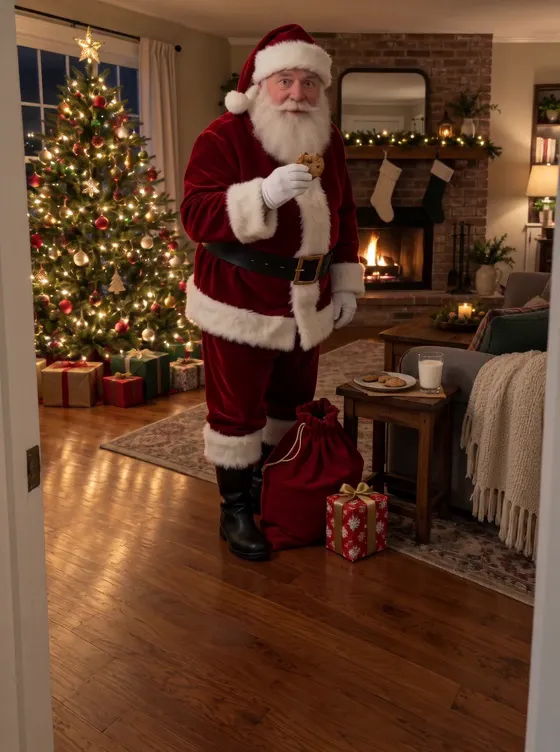
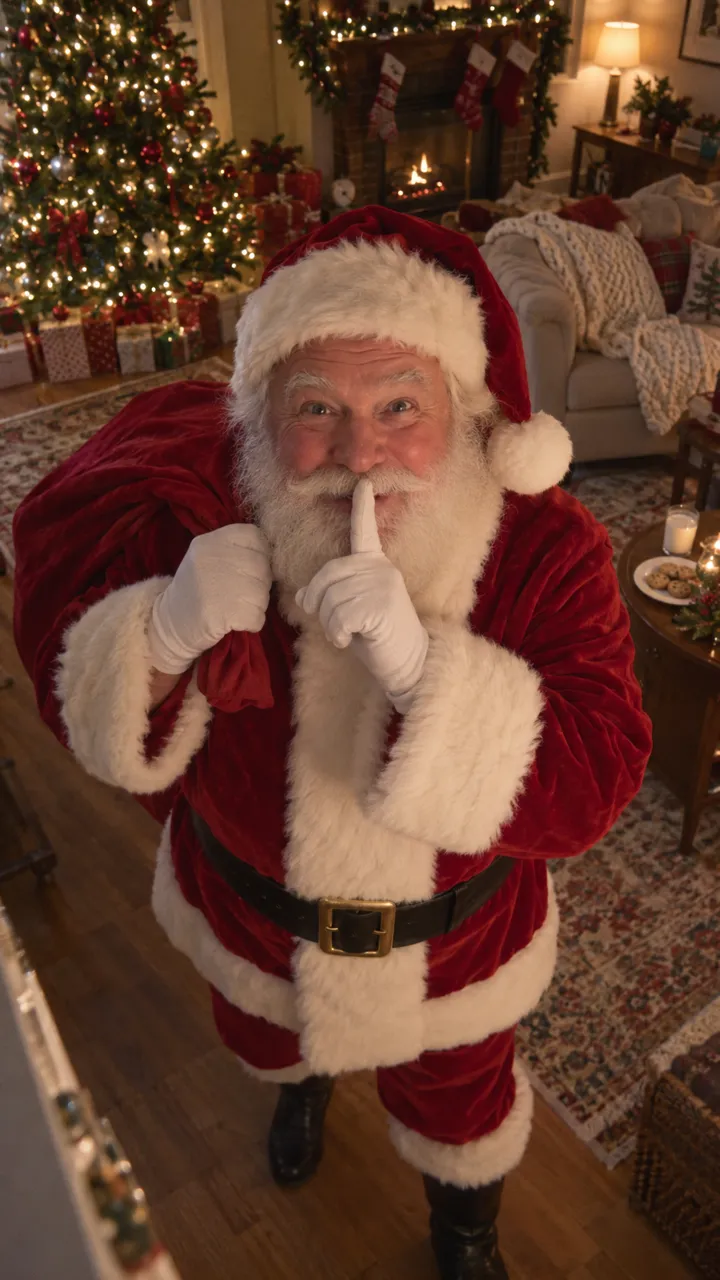
Star in Santa Caught on Camera with one photo
Make yoursA still or a video?
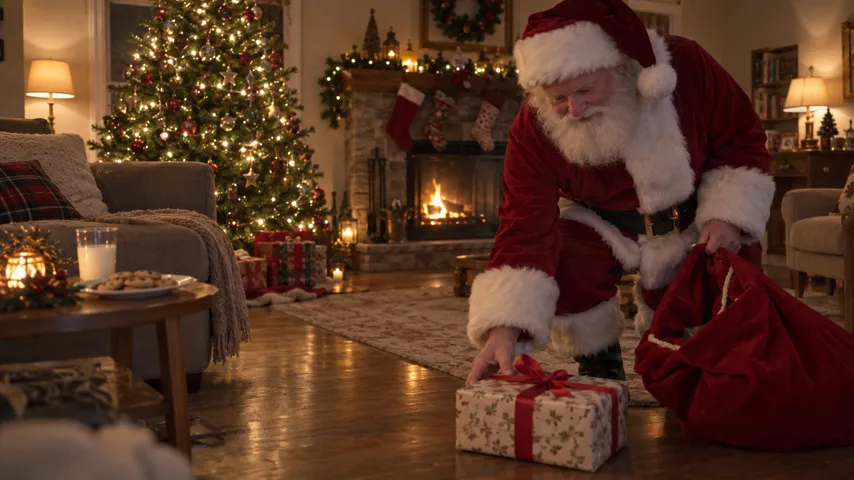
“Santa in my house” on ChatGPT gets you a picture: your room with Santa standing in it. For the clip parents show on Christmas morning, where he walks in and shushes at the camera, you need an image-to-video model and a prompt that stops it from wandering. Both are here.
A still in ChatGPT
- Take a photo of your room in the evening, tree lit, nobody in it.
- Attach it in ChatGPT and paste the prompt below.
- If it redraws your room, reply “keep my photo exactly as it is and only add Santa”.
Santa added to your room photo
Add Santa Claus to my photo without changing anything else in it: same room, same furniture, same tree, same light, same angle. He is a real, warm elderly man with a full white beard, in a classic red velvet suit with white fur trim, a black belt and black boots, a red sack over his shoulder. He stands in the front of the room near the camera, seen from the knees up, bending to set a wrapped present on the floor, and glances at the camera with a finger to his lips. Make it look like a slightly soft, grainy frame from a home security camera at night. No text, no timestamp, no other people.
Our video prompt
This is the prompt behind our own page, word for word. It needs a tool that takes your photo as the first frame, not just as a reference; otherwise you get a different room.
Santa caught on camera, 10 seconds, first frame
Footage from a small indoor home security camera fixed on a shelf in this room, recording on Christmas Eve, exactly 10 seconds. @Image1 is the FIRST FRAME and the camera's fixed view. It is a locked-off shot from one mounted camera: the frame never moves, never pans, never tilts, never pushes in, never zooms and never cuts. The four edges of the frame and everything in the room, the walls, the floor, the furniture, the tree and every decoration, stay at exactly the same place in the picture from the first frame to the last, with the same light. Only Santa moves; lights that are on may twinkle and a fire, if there is one, flickers. Plain home-camera image, slightly soft and noisy, no cinematic grading. WHO: one man, Santa Claus, a real, warm elderly man with a full white beard and white hair, rosy cheeks and a kind face, in a classic red velvet suit with white fur trim, a wide black belt with a plain gold buckle, black boots and a red hat with a white pom-pom. He carries a red cloth sack over one shoulder. He is the only person in the video; nobody else appears. HOW BIG: Santa is close to the camera, in the front of the room. He walks in from the RIGHT edge of the frame right in front of the camera, and from his first step he is big in the picture: seen from the knees up, his hat near the top of the frame, filling about two thirds of the frame height, his face large and easy to read. He stays in this front part of the room for the whole video. The camera never moves to make him bigger: he is big because he is close. ACTION, one continuous shot from the fixed camera: [00:00-01.0] the room is still and empty, exactly as in @Image1. [01.0-03.0] Santa tiptoes in from the right edge, close to the camera, sack on his shoulder, glancing into the room. [03.0-05.5] he bends down, takes one wrapped present with a red ribbon out of the sack and sets it on the floor in front of him. [05.5-07.5] he straightens up, takes a cookie, from a plate if the room has one, else from his coat pocket, and takes a happy bite. [07.5-10.0] he notices the camera, turns to face it with a surprised smile, chewing, and raises one finger in front of his lips to say shh, his face and beard large and clearly visible. Avoid: camera movement, a moving frame, pan, tilt, dolly, push-in, zoom, handheld shake, following the subject, cuts, Santa small or far away, Santa at the back of the room, a second person, children, pets, elves, reindeer, a different room, furniture moving or disappearing, new decorations appearing, glasses, sunglasses, a fake or costume-shop beard, a mask, logos, brand names, readable text, captions, watermarks, a timestamp, extra arms, extra fingers, distorted hands, morphing face. Sound: the quiet room at night: soft footsteps on the floor, a faint jingle of bells as he moves, the rustle of the sack, a small crunch of the cookie, a fire crackling if there is one. No music, no speech.
- Open the image-to-video mode of a tool like Kling, Seedance, Veo or Sora, and add your room photo as the start or first frame.
- If the tool doesn’t use “@Image1”, replace it with “my photo”.
- Set 10 seconds, the same shape as your photo and sound on if the tool makes sound.
- Generate and compare with the frames below.
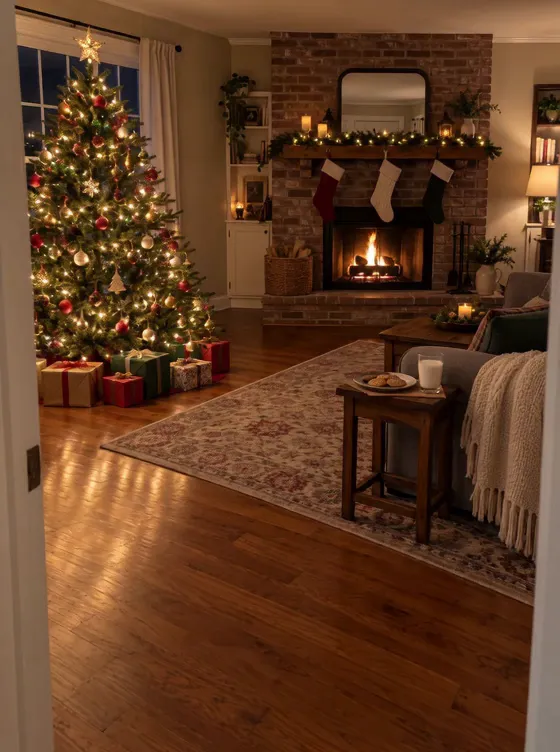
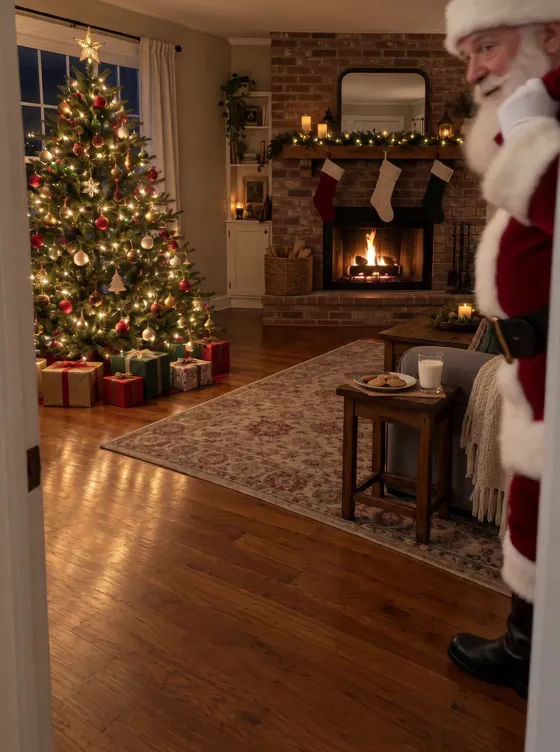
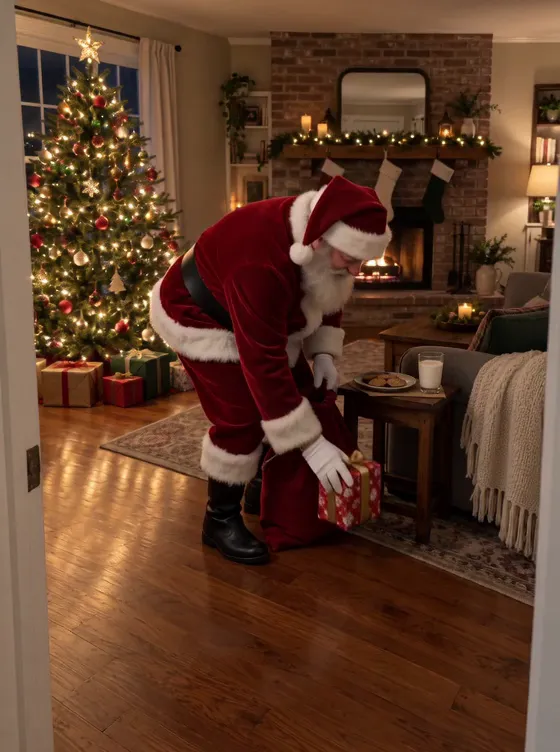
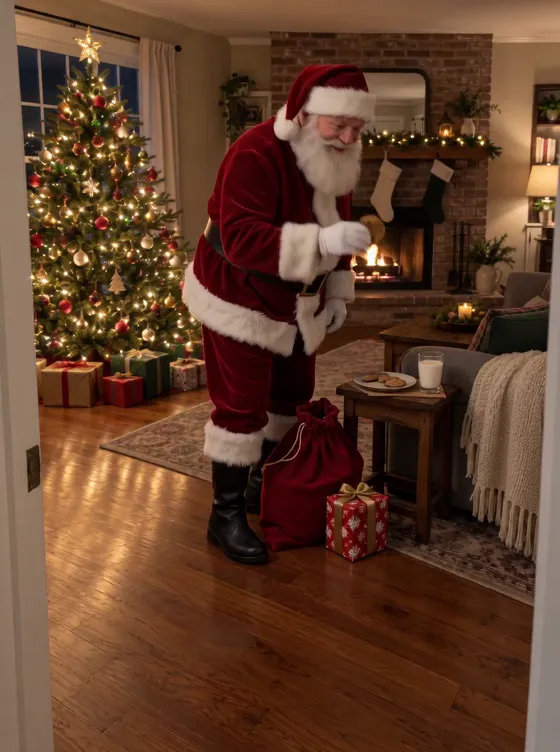
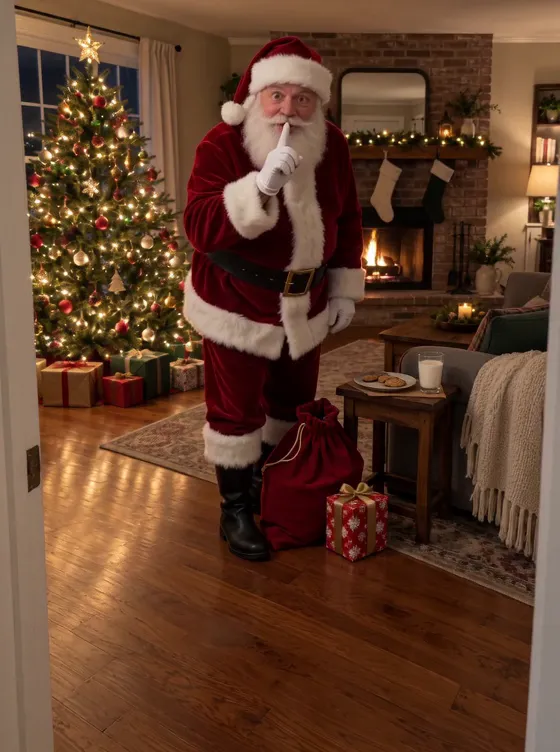
Fixes from our own test renders
| What you get | Change |
|---|---|
| The camera drifts or zooms toward the tree | Name a camera fixed on a shelf and say the four edges of the frame never move. Our first render pushed in with “the camera stays still” alone. |
| Santa is tiny at the back | Make him enter from the right edge close to the camera, knees up, hat near the top of the frame |
| The furniture changes | Repeat that every wall, piece of furniture and decoration stays exactly where it is in the first frame |
| Elves, kids or a second Santa appear | Add “he is the only person in the video; nobody else appears” |
| Christmas music plays | Ask for the room’s sound only: footsteps, bells, the sack, no music |
| Burned-in text is garbled | Leave text and timestamps out of the prompt; add a caption in an editing app afterwards |
Rather skip the retries? The Santa Caught on Camera page runs this prompt from your photo. How to take the photo.
NowStarring is an independent video tool, not linked to Ring, Google Nest, Blink or any doorbell or camera maker, to the makers of any Santa app, or to any Santa Claus organisation.
Questions
Can ChatGPT put Santa in my house?
Yes, as a still picture: attach a photo of your room and ask it to add Santa without changing anything else. The prompt is in this guide. ChatGPT’s images don’t move; the walking, the present and the shh need a video model.
Which AI makes a Santa video in my house?
Any image-to-video model that can start from your photo as the first frame, such as Kling, Seedance, Veo or Sora. Starting from your photo is what keeps it your room.
Why does the camera move in my Santa video?
Video models like to push in and pan. “The camera stays still” wasn’t enough in our tests; naming a camera fixed on a shelf and saying the four edges of the frame never move is what held it.
Why is Santa tiny at the back of the room?
Because the model walks him in through the far door. Telling it he enters from the side, close to the camera and seen from the knees up, made him big without moving the camera.