Skip to content
NowStarring

Burning Bridges AI video generator: Put yourself in the Burning Bridges party

Upload one photo and get your own Burning Bridges party video, with the song.

Your photo
Who is in the photo
Upload a photo or drop it hereOne face, looking at the camera, good light. JPG, PNG or WebP.
Format
Quality

By continuing you confirm you have the right to use this photo and agree to the Terms and Privacy Policy.

  • Ready in a few minutes
  • You don’t pay for a failed video
  • Photos deleted after 7 days

Burning Bridges AI videos made from one photo

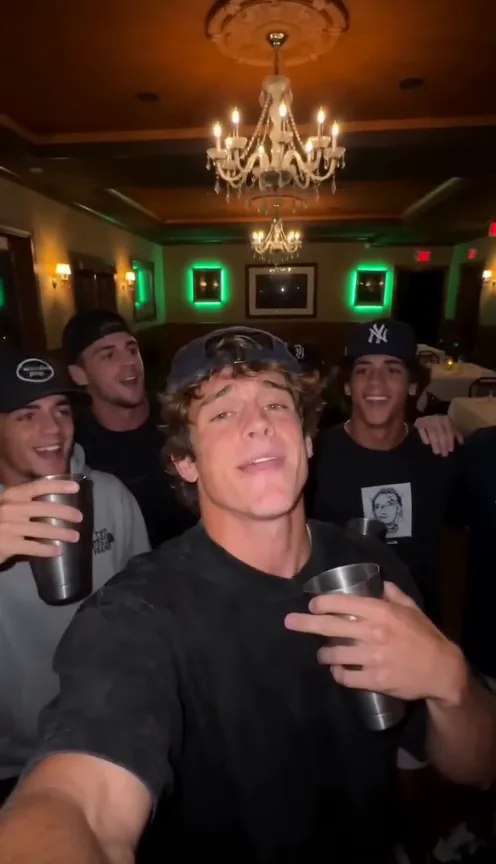
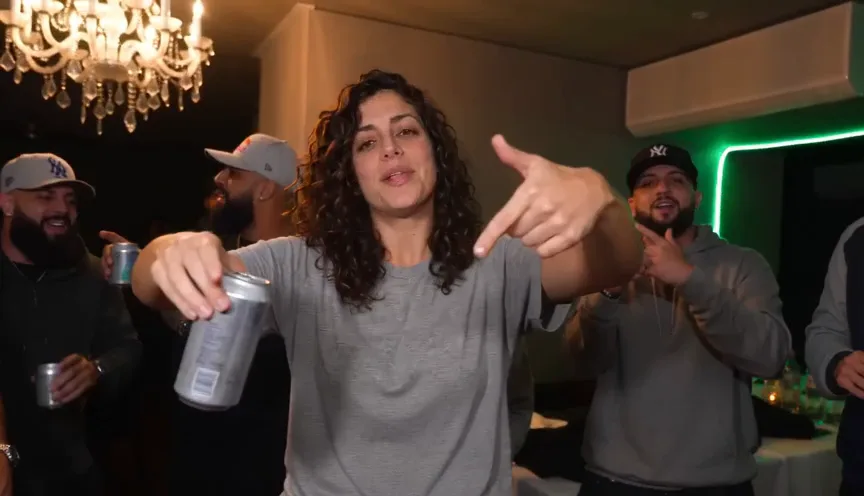
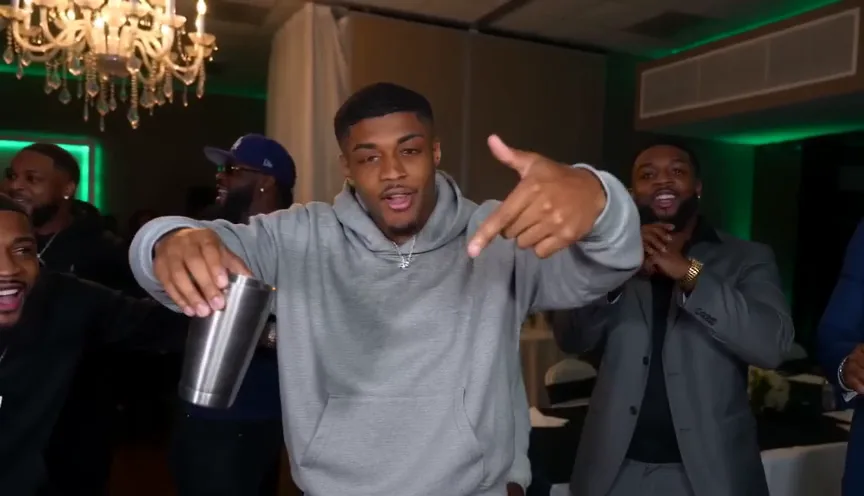
Clips from the trend. Yours lands in the same chandelier-lit room, with your photo at the center of the crew.

How to make the Burning Bridges AI video

  1. Add one photo

    A selfie works. So does your pet.

  2. We film the party

    Ready in a few minutes. We email you.

  3. Post it

    Download it with the song and post it anywhere.

Made for the trend

General video tools hand you an empty prompt box. This one already knows the party, the shots and the timing, so all you bring is a photo.

  • Wide or vertical

    Pick wide for the music video look, or vertical for TikTok, Reels and Shorts. Each one is filmed in that shape from the start, so nobody gets cropped out of the crowd. Same price either way.

  • No prompt to write

    Every move follows the trend’s clip: finger guns at the lens, hand on the collar mouthing the words, pointing at the crew, the friends crowding in, the laugh as the room cheers. You don’t describe a scene or guess at camera moves: add a photo, press the button, done.

  • You or your pet

    A selfie works, and so does a photo of your dog or cat. Your pet becomes the guest of honor, with the room cheering around it, and nobody else on your feed will have that one.

  • Pay once, keep it

    Buy a pack once and use it today or next month: packs never expire, there’s no watermark, and you don’t pay for a video that fails.

What happens in your Burning Bridges video

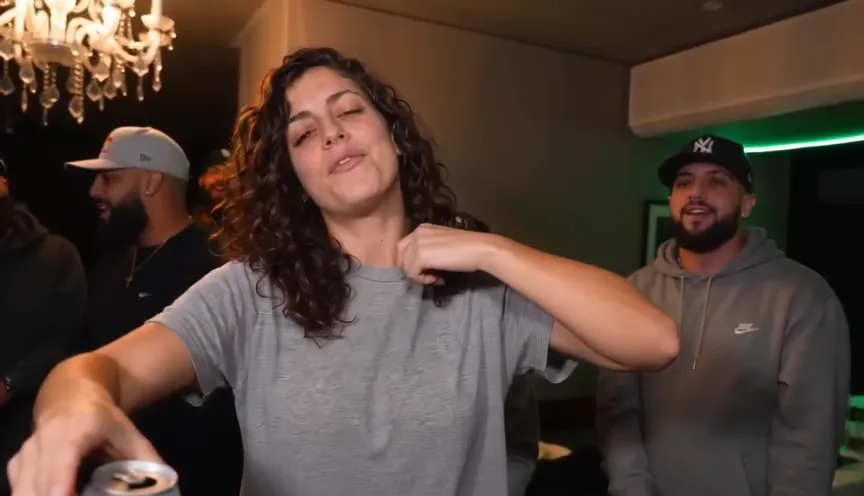
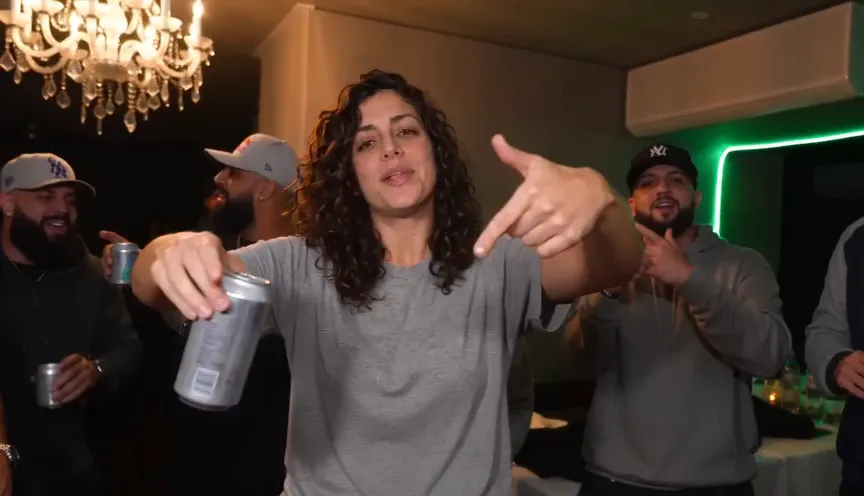
  1. Burning Bridges AI video frame: a woman in a grey tee gives finger guns to the camera, can in hand, under a chandelier
    00:00Finger guns at the lens, cup in the other hand
  2. Burning Bridges AI video frame: she grabs her collar, chin up, mouthing the words as a friend in a cap watches
    00:02Hand on the collar, chin up, mouthing every word
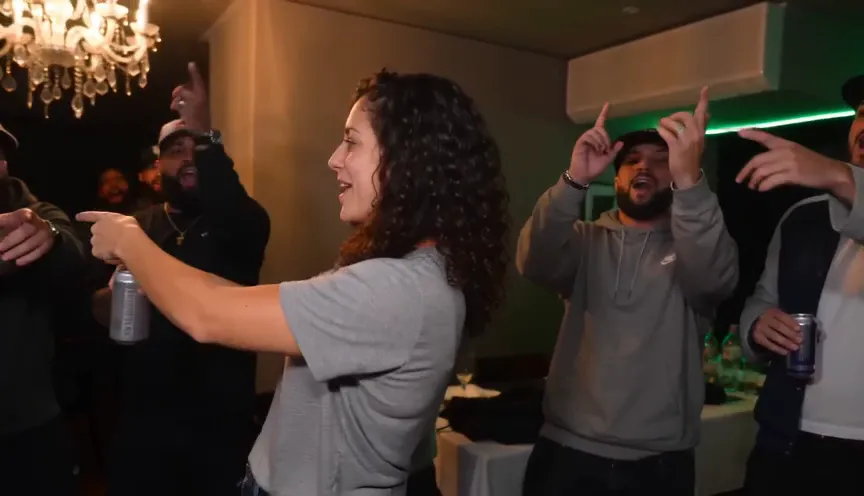
  3. Burning Bridges AI video frame: she turns and points at her friends, who throw their hands up
    00:04Turns and points at the crew
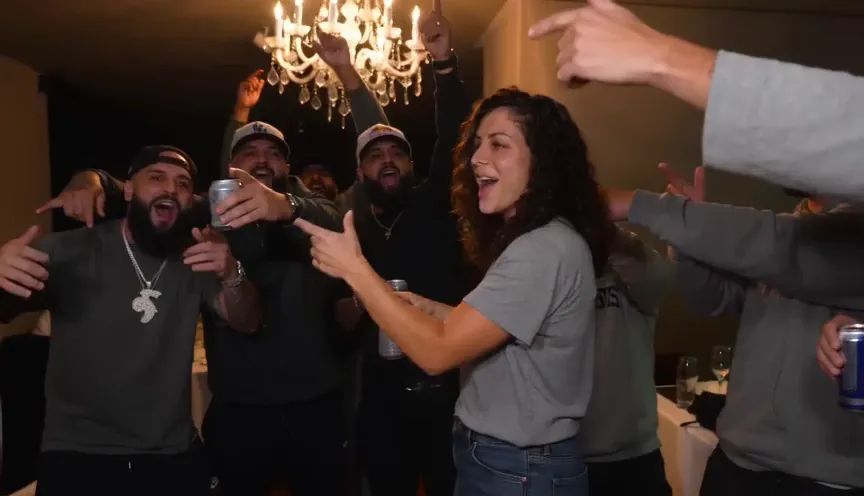
  4. Burning Bridges AI video frame: the friends crowd in around her, cheering with drinks raised
    00:06The friends crowd in and hype them up
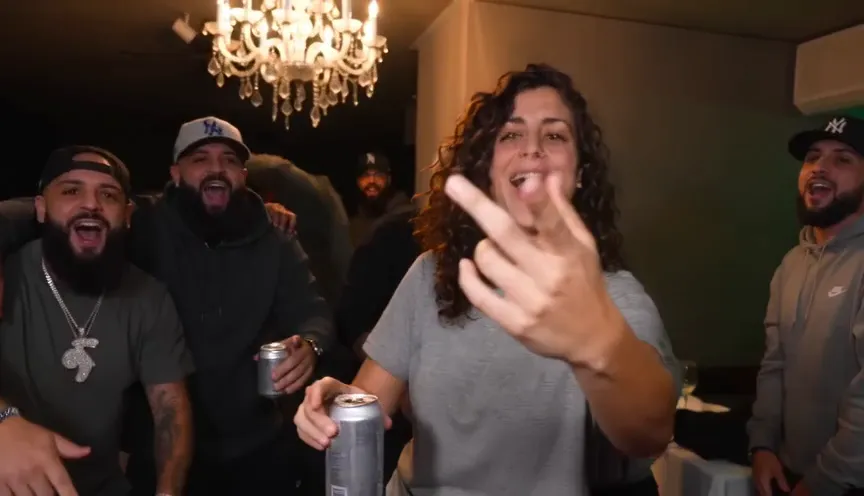
  5. Burning Bridges AI video frame: she laughs and points back at the camera while the crew cheers behind her
    00:08Laughs and points back at you as the room cheers

How much the Burning Bridges AI video costs

Pay once with a pack that never expires, or get credits every month with a plan that costs less per video. If a video fails, its credits come back automatically.

Billing

Starter

For a trend or two a month

$12.90a month

Billed monthly, cancel anytime

3 videos a month135 credits · $4.30 a video

The same credits every month

  • Unused credits roll over a month
  • Every trend, one balance
  • Credits back if a video fails
  • No watermark, original sound
  • Change or cancel anytime
Recommended

Creator

For posting every week

$34.90a month

Billed monthly, cancel anytime

9 videos a month405 credits · $3.88 a video
  • Unused credits roll over a month
  • Every trend, one balance
  • Credits back if a video fails
  • No watermark, original sound
  • Change or cancel anytime

Studio

For posting every day

$69.90a month

Billed monthly, cancel anytime

20 videos a month900 credits · $3.50 a video
  • Unused credits roll over a month
  • Every trend, one balance
  • Credits back if a video fails
  • No watermark, original sound
  • Change or cancel anytime
Recommended
  • Unused credits roll over a month
  • Credits back if a video fails
  • Cancel anytime

Cancel anytime. Unused credits roll over a month.

Or pay once

For one video or a few. Never expire.

$27.906 videos · $4.65 a video270 credits, paid once

270 credits, paid once. They never expire.

  • Secure checkout by Stripe
  • Unused pack? Refund within 14 days
  • A failed video gives its credits back

Video tips

  • Pick one clear face

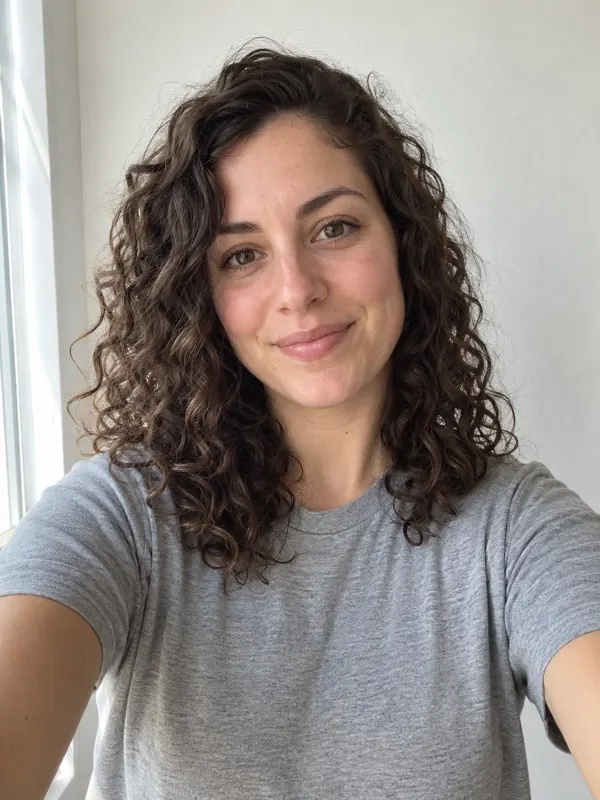
    A recent selfie in daylight beats a heavily filtered portrait. One person, facing the camera, with nothing over the face: no sunglasses, masks or stickers. The video can only copy what it sees, so the clearer the face, the more it looks like you.

  • Sharper for big screens

    The default quality looks sharp on a phone, which is all TikTok and Reels need. Choose the higher quality if it will play on a laptop or TV; it costs twice as much.

  • The song comes with it

    Your video arrives with Burning Bridges playing and your lips moving to it, so it works as is in a group chat or story. On TikTok or Reels, tap Add sound and pick the official Burning Bridges audio to link your video to the trend.

The trend

The Burning Bridges trend is a short video set to the song Burning Bridges: someone raps to the camera, cup in hand, in a chandelier-lit room with green neon on the walls, while a crew of friends crowds in and hypes them up. People recreate it with AI video tools, putting themselves, their friends, TV characters and their pets in the middle of the crew.

Doing it by hand means writing a long prompt, finding a tool that keeps your face, fixing the aspect ratio and lining up the timing. Our step-by-step guide covers that route, and the exact prompt we use is yours to copy if you want to try it in another tool.

Or skip all of it: add one photo above and get the finished video in about three minutes. NowStarring is an independent fan tool. No footage from the music video appears in your video, the artist never appears in it, and we aren’t affiliated with the artist or his labels.
Keep reading

All guides

Burning Bridges AI video FAQ

  1. What is the Burning Bridges AI trend?

    A short-video trend set to the song Burning Bridges. People post a clip of themselves in a chandelier-lit room with green neon on the walls, rapping to the lens, cup in hand, while a crew of friends crowds in and hypes them up. NowStarring makes that clip from one photo of you.

  2. Do I need to write a prompt?

    No. The shots, the setting and the timing are built in. You upload one photo and press Make my video. If you’re curious, the prompt page shows the prompt we use.

  3. Can I make the Burning Bridges AI video in CapCut?

    Yes, with CapCut’s AI video tools: attach your photo, paste our free prompt from the prompt page, export in 9:16 and expect a few tries. A template that only re-cuts your own footage won’t put you in the party scene. Or upload one photo here and get the finished clip with the song in about 3 minutes.

  4. How do I get the Burning Bridges song in my video?

    Here it’s already in it: every video comes with Burning Bridges laid over it, ready to watch, send or post. If you made your clip in another AI tool, add the song when you post: pick the official Burning Bridges sound on TikTok or Instagram Reels and turn the original sound down. Picking the sound also puts your video on the trend page.

  5. What photo works best?

    One clear face, looking at the camera, in good light. A plain selfie is perfect. Avoid group shots, sunglasses and heavy filters. Pets work too: pick a photo where your dog or cat faces the lens.

  6. How do I keep my face the same in the Burning Bridges AI video?

    It comes down to the photo. AI video tools rebuild your face from it in every shot, so a blurry, dark or side-on photo is what makes the face drift. Use one sharp photo of your face toward the camera in even light, with no sunglasses or filters. In other tools, attach it as the reference image instead of describing yourself in text. Here that photo is the reference for the whole video.

  7. Can I make the Burning Bridges AI video with my dog or cat?

    Yes. Upload a photo of your pet and it becomes the center of the party, with the crowd cheering around it and the song playing. Use a photo where your pet is looking at the camera.

  8. Can I get it vertical for TikTok?

    Yes. Wide 16:9 is the default, framed like the music video and good for YouTube and group chats. Pick vertical 9:16 for TikTok, Reels and Shorts before you make the video. Both cost the same.

  9. How long does it take?

    About 3 minutes. You can close the tab while it renders: we email you when it’s ready, and it waits for you in My videos.

  10. How much does it cost?

    Plans start at $12.90 a month for 135 credits, and unused plan credits roll over one month. Or pay once: credit packs are 90 credits for $9.90, 270 for $27.90 and 540 for $52.90, and pack credits never expire. A 10-second Standard 480p video uses 45 credits; HD 720p uses 90.

  11. Is there a free version?

    You can try it for free, with limits. Copy our full prompt from the prompt page, attach your photo and run it on the free tier of an AI video tool such as Kling or CapCut. Expect watermarks, short clips or a few retries. Here every video is a real render, so there are no free credits: the smallest pack is 90 credits for $9.90, with the song and no watermark.

  12. What if my video fails?

    Its credits come back automatically. Nothing to claim and no one to email. Try again, usually with a clearer photo.

  13. What happens to my photo?

    It’s used only to make your video and is deleted automatically 7 days after upload. Your finished videos stay in your account until you delete them.

  14. Can I use a photo of a celebrity or a kid?

    No. No celebrities or public figures, and no one under 18. Only upload photos of yourself, your pet, or someone who has agreed to it, and that you have the rights to use.

  15. Is this the official music video?

    No. NowStarring is an independent fan tool. It is not affiliated with, endorsed by or connected to Drake, OVO Sound, Republic Records or Universal Music Group, and no footage from the music video appears in your video. Drake never appears in it, and the song belongs to its rights holders.

Still have a question? Email us and a real person will reply.

support@nowstarring.aiRead the full FAQ

There’s a seat
with your name on it

Make my video