How to make the Burning Bridges AI video (3 ways + free prompt)
Three ways to make the Burning Bridges AI video: one photo here, our free prompt in Higgsfield or Kling, or CapCut. Steps and the full prompt inside.
6 min read · Updated
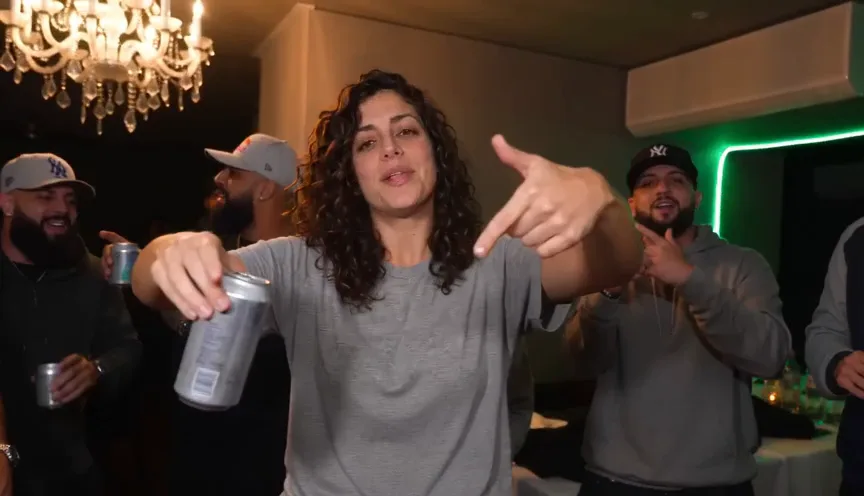
What the trend looks like
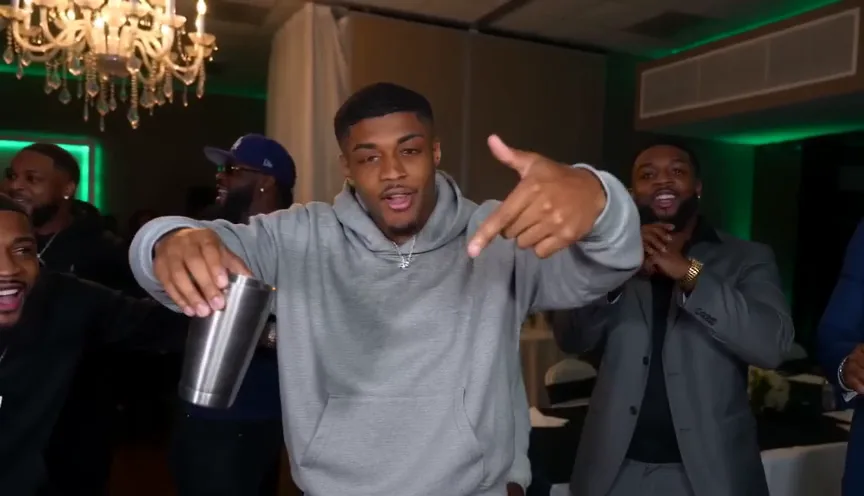
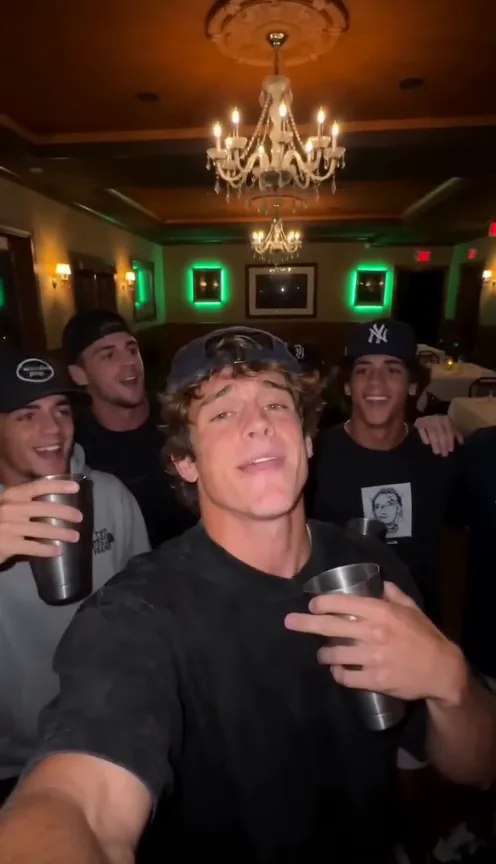
The Burning Bridges AI trend puts you at the centre of a chandelier-lit room with green neon on the walls. In about ten seconds you rap along to the song with a silver cup in hand, point finger guns at the lens and play to the camera while a crew of friends crowds in and hypes you up. The clip is posted with the Burning Bridges sound.
The AI version means you don’t need the room, a crew or a camera operator. One photo of you is enough.
Three ways to make it
- One photo here. Upload a photo and get the finished 10-second clip with the song in about 3 minutes, with no prompt, no watermark and no editing. One video is $4.99.
- Our free prompt in an AI video tool that takes a reference image, such as Higgsfield or Kling. Free to try where the tool gives free credits, with more control, but expect a few retries, and you add the song yourself.
- CapCut. Run the same prompt in CapCut’s AI video tools, then cut, add the sound and export 9:16 in the same app. Free to start; a template that only re-cuts your own footage won’t put you in the party.
The comparison guide weighs the three on control and cost, and the free guide covers what each free tier limits.
Way 1: one photo, in four steps
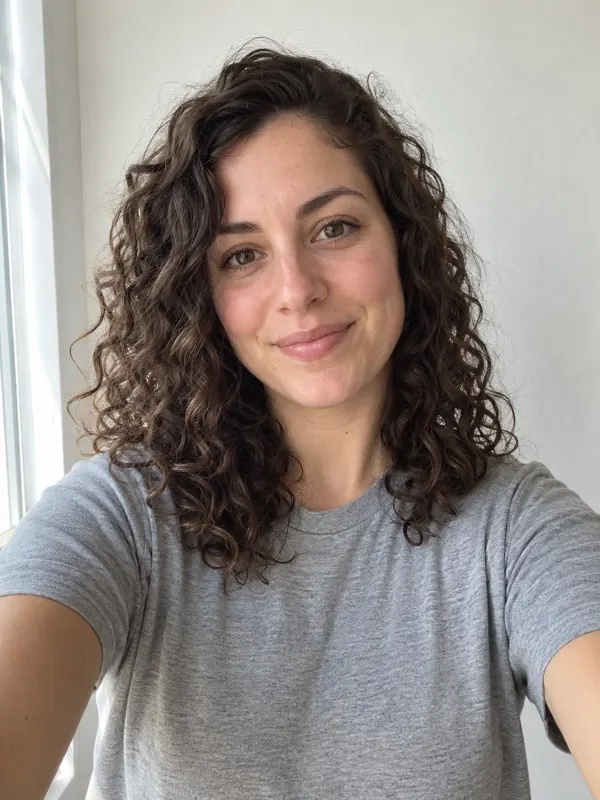
- Pick a photo. One clear face, looking at the camera, in good light. A plain selfie works well. The photo guide has the details.
- Upload it on the Burning Bridges page and press Make my video. Wide 16:9 is the default; pick 9:16 for a vertical video. Choose Standard 480p, or HD 720p for a sharper picture.
- Wait about 3 minutes. You can close the tab: we email you when the video is ready, and it stays in My videos.
- Download the video, song included, and post it. To land on the trend page, pick the official Burning Bridges sound too: the sound guide walks through TikTok and Reels.
Way 2: the free prompt in your own AI video tool
- Open an AI video tool with an image-to-video or reference-image mode, such as Higgsfield or Kling.
- Attach your photo as the reference image. Describing yourself in text instead is what makes the face drift.
- Paste the prompt below and set vertical 9:16 and 10 seconds, or the longest length the tool allows.
- Generate, and try again if the face or the order of the shots slips. Add the Burning Bridges sound when you edit or post.
Burning Bridges AI prompt (person)
A vertical 9:16 party clip, exactly 10 seconds, photoreal live action in full colour, handheld phone camera close to the lead in the middle of a packed crowd. No text, no subtitles, no logos, no watermarks. Setting: a dim private dining room at night, ornate crystal chandeliers glowing gold on the ceiling, picture frames outlined in green neon on the walls, long tables with white cloths, warm amber light. The lead is the person from your reference photo, standing in the centre of the frame: their face, hair, skin tone, build and the exact clothes they wear in the photo, sharp and recognisable in every shot. They hold a silver metal cup (a cup, not a can). The lead is surrounded by a tight crew of eight to ten friends in streetwear and caps, packed shoulder to shoulder on both sides and behind, all hyped: dancing, raising silver cups, pointing at the lead, laughing and cheering. Every friend is a generic extra with their own face and nobody resembles a famous person. The lead raps along the whole time: mouth moving in time with the beat, full of swagger, playing to the lens. 0-2s: close-up, the lead points finger guns at the camera, cup in the other hand, friends bouncing behind. 2-4s: rests a hand on their collar, chin up, eyes half closed, mouthing every word. 4-5.5s: turns to the friends at their side and points at them. 5.5-7.5s: the friends crowd in around the lead, pointing at them and hyping them up, a hand swings past the lens. 7.5-10s: the friends fill the frame around the lead, the lead covers their face laughing, then waves at the camera with the cup while everyone around throws their hands up and cheers. Sound: an original hip-hop beat with a rap vocal that matches the lead’s lips, the crowd cheering. Not any real or recognisable song.
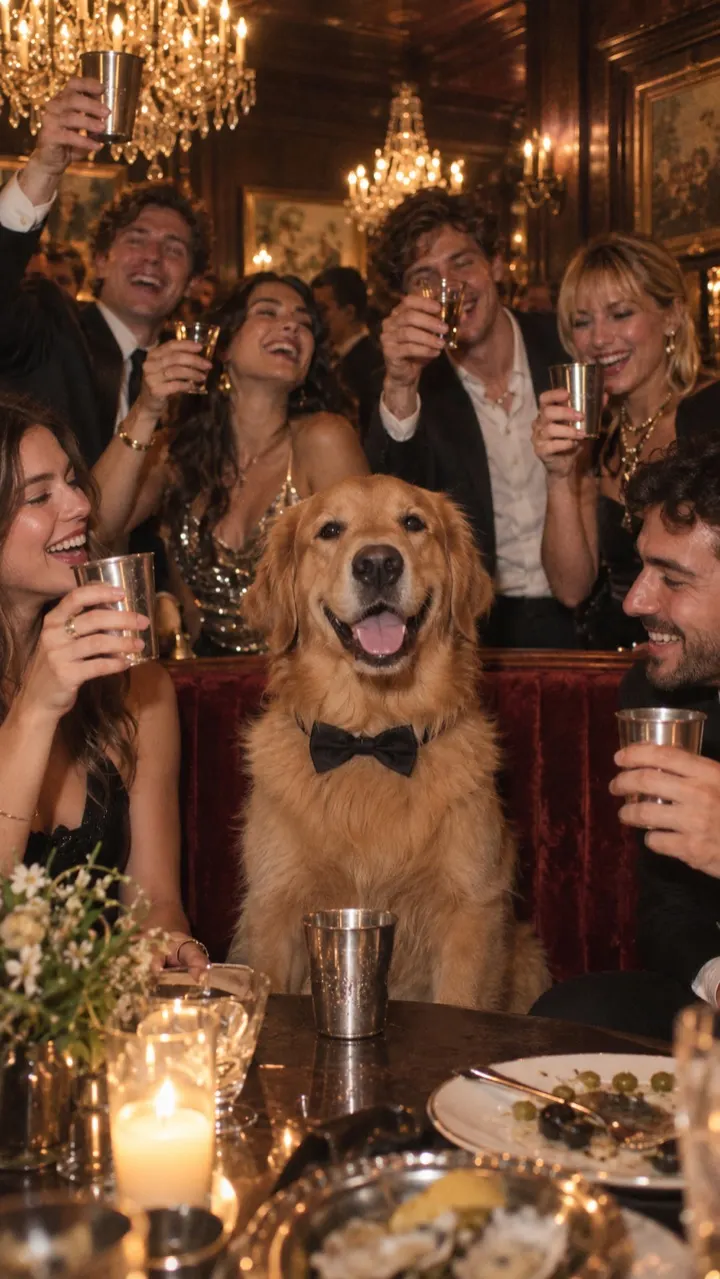
Making it with your dog or cat? The prompt page has the pet version too.
Way 3: CapCut
- Open CapCut’s AI video tool and attach your photo as the reference image.
- Paste the same prompt and pick 9:16.
- Generate, then trim it in the CapCut editor and add the official Burning Bridges sound.
- Export and post straight to TikTok or Reels.
Some Burning Bridges posts link a CapCut template. A template reuses someone else’s cuts and timing with your clips, so it only works if you already have party footage of yourself.
The five beats in your video
- 0–2 s: you point finger guns at the camera, cup in the other hand, friends bouncing behind you.
- 2–4 s: a hand on your collar, chin up, mouthing every word.
- 4–5.5 s: you turn and point at the crew beside you.
- 5.5–7.5 s: the friends crowd in around you, pointing and hyping you up.
- 7.5–10 s: you laugh and wave at the camera with the cup as everyone throws their hands up and cheers.
Posting tips
- Make the vertical 9:16 version for TikTok and Reels. It fills the screen with no black bars.
- The song is already in the file, so it plays anywhere you send it. On TikTok or Reels, also pick the official sound in the app so your video shows up on the trend page.
- If you add the official sound, line its start up with the finger guns in the first shot and turn the original sound down.
- Keep your caption short and say it’s an AI video if you post it publicly.
Questions
Do I need to film anything for the Burning Bridges AI trend?
No. The whole clip is generated from one still photo. You don’t need to dance, find a venue or film a crowd.
Does the AI video come with the song?
Yes. The song is laid over every video, with your lips moving to it. On TikTok or Instagram you can also pick the official Burning Bridges sound when you post, which is how the platform links your video to the trend.
What prompt do I use for the Burning Bridges AI video?
A timed five-shot list: finger guns, hand on the collar, pointing at the crew, the crew crowding in, and the laugh and cheer. The full prompt is in this guide and on the prompt page, free to copy. Attach your photo as the reference image instead of describing yourself.
Can I do the trend with my dog or cat?
Yes. Upload a photo of your pet instead of yourself. Your pet becomes the star of the party, with the room cheering around it and the song playing.