Skip to content
NowStarring

Santa Caught on Camera AI Video Generator

He came. The camera saw.

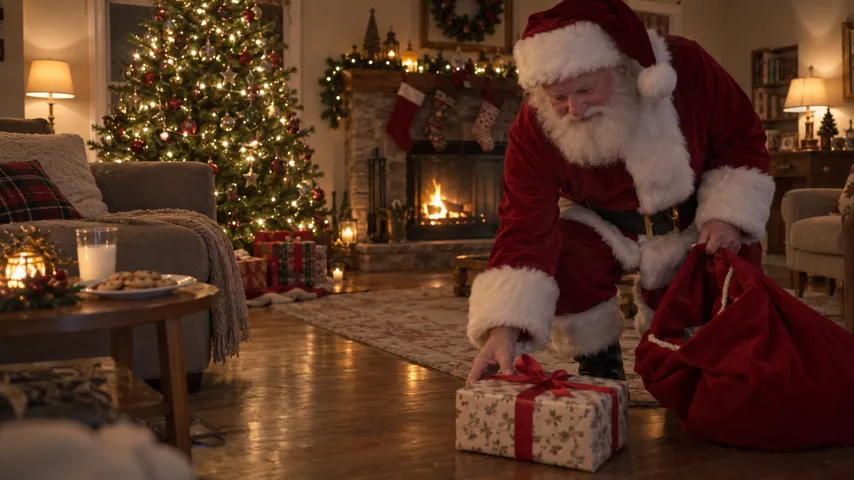
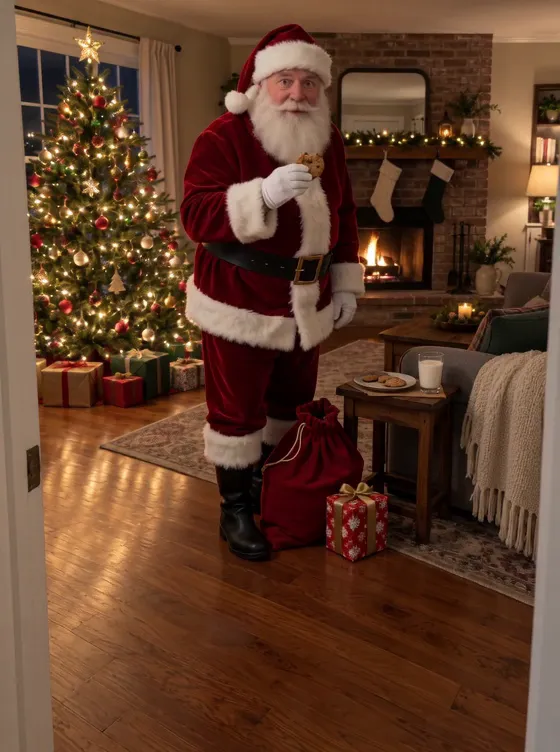
Santa Caught on Camera AI video: Santa in the living room
Santa in the living room
From this photo
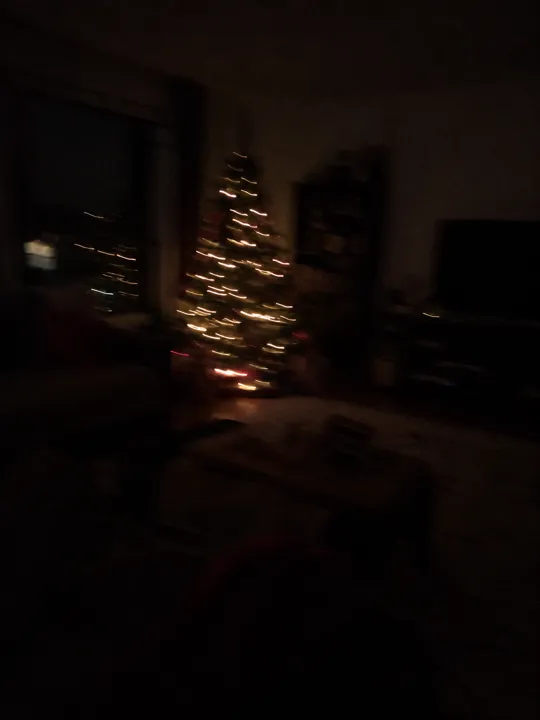
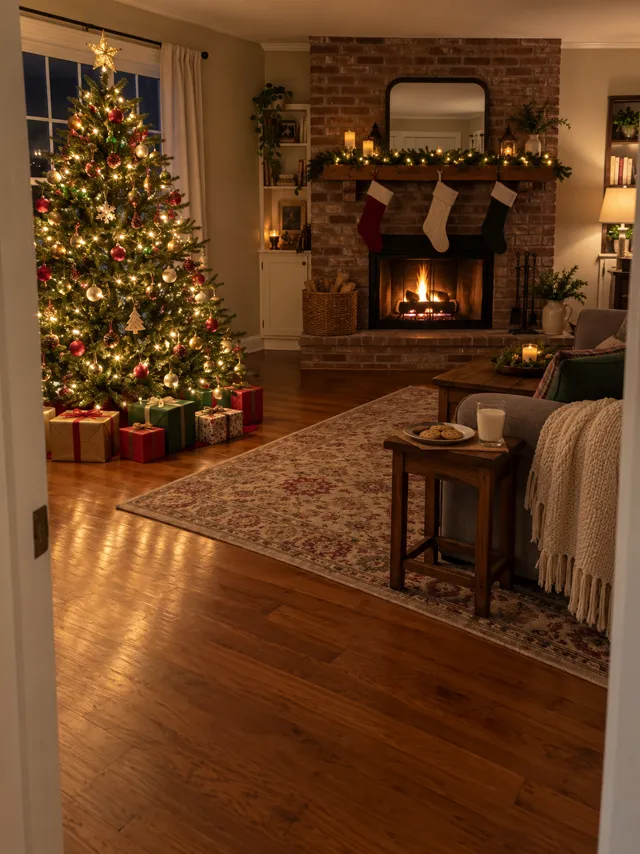
  1. Add your room or drop it hereThe room where the tree is, nobody in it
Video size
Your photo3:4

The same shape as your photo

Quality

One video uses 45 credits. You’ll sign in to make it. Photo tips

Take a photo of your living room tonight. The video opens on that exact picture, like a home camera on a shelf, then Santa tiptoes in, leaves a present, takes a cookie and catches the camera watching.

  • No watermark
  • The shape of your photo
  • A failed video costs nothing
  • No watermark
  • The shape of your photo
  • A failed video costs nothing
  • From one room photo
  • Your own living room
  • Room sound, no music

A Santa Caught on Camera AI video made from one room photo

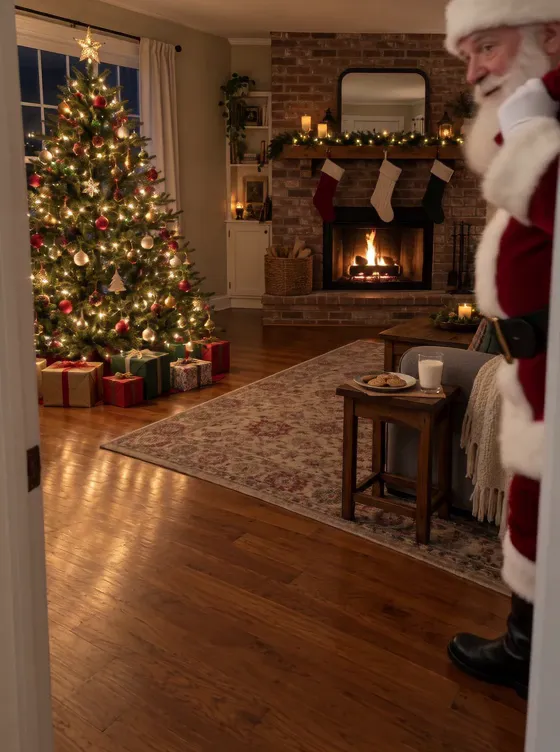
Made from one phone photo of a living room. The first second is the photo itself, then Santa walks in from the right, close to the camera. Turn the sound on for the bells.

  • From a room photo

    Santa in the living room

From one photo to your Santa Caught on Camera video

One photo goes in. A few minutes later, the finished video comes out, ready to post.

  • From one room photo
  • Your own living room
  • Room sound, no music
Your photo
Your photo
Your video

How to make a Santa caught on camera video in your house

No app to film with, no camera to set up, no editing. Just a photo of your room.

  1. Photograph your room

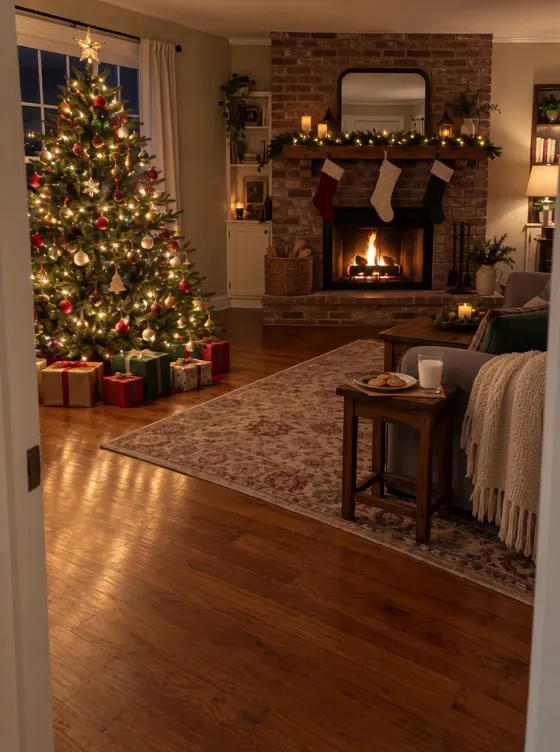
    Stand where a camera would sit, by the door or on a shelf, and take the room with the tree in it. Nobody in the photo.

  2. Santa sneaks in

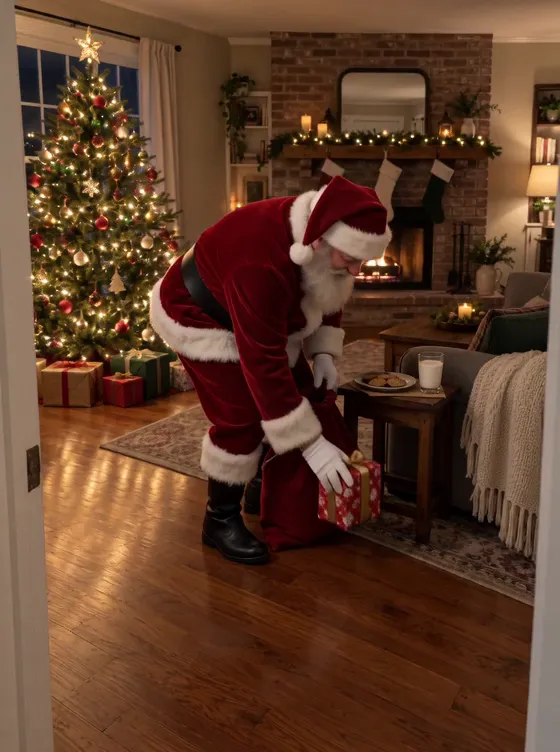
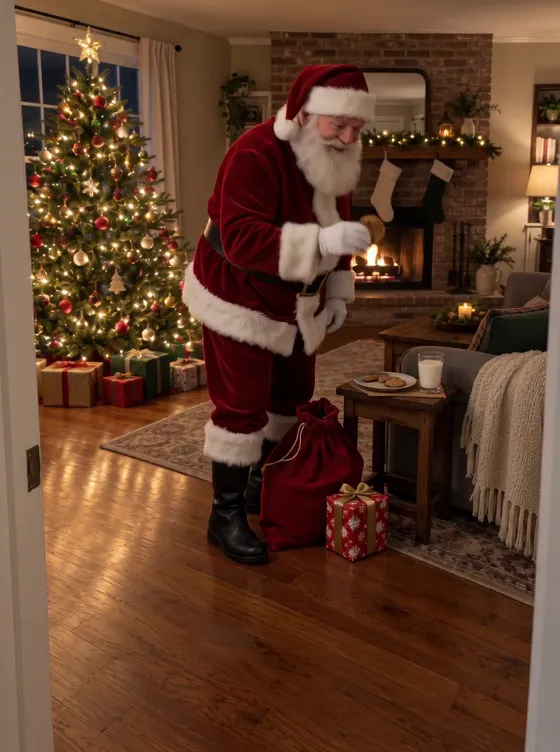
    The video starts on your photo and the view never moves. Santa tiptoes in close to the camera, sets a present down and takes a cookie.

  3. Download and show them

    It’s ready in a few minutes with the room’s sound and no watermark. Save it for Christmas morning or send it to the family chat.

What happens in the Santa Caught on Camera video

  1. Santa Caught on Camera AI video, part 1: Your room

    Your room

    The first frame is your photo, still and empty, the tree lights on.

  2. Santa Caught on Camera AI video, part 2: He tiptoes in

    He tiptoes in

    Santa steps in from the right, close to the camera, his sack on his shoulder.

  3. Santa Caught on Camera AI video, part 3: A present

    A present

    He bends down and sets a wrapped present on the floor.

  4. Santa Caught on Camera AI video, part 4: The cookie

    The cookie

    He takes a cookie and a happy bite.

  5. Santa Caught on Camera AI video, part 5: Shh

    Shh

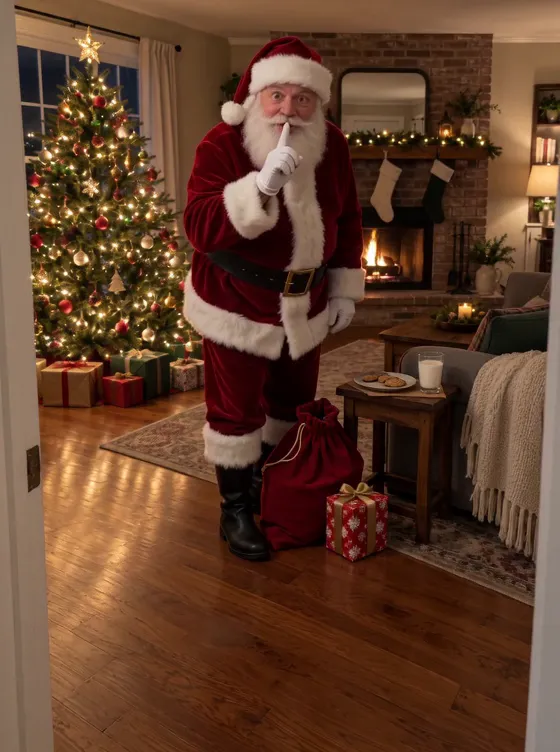
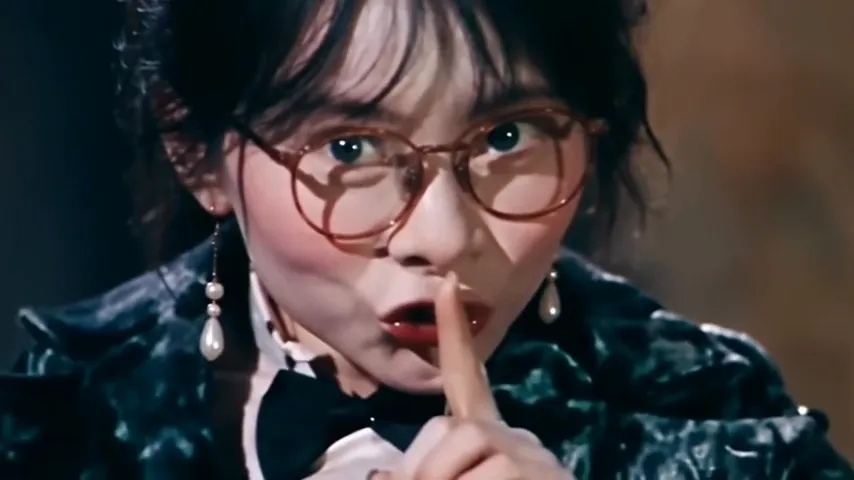
    He spots the camera, smiles and puts a finger to his lips.

Best photos for a Santa caught on camera video

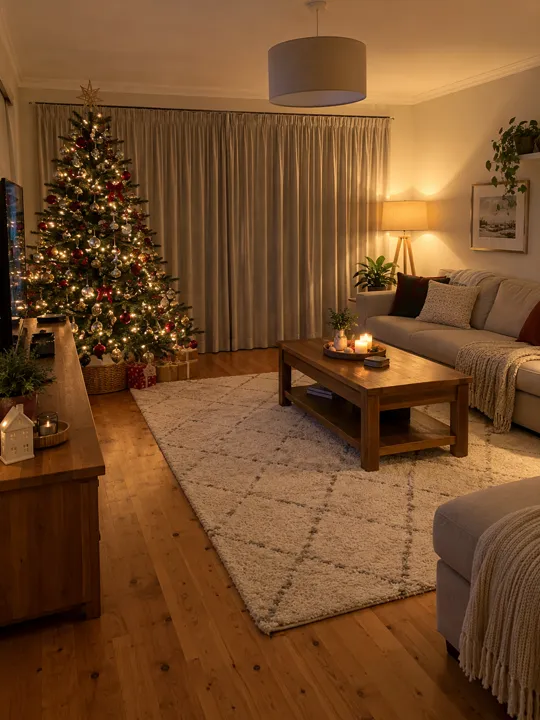
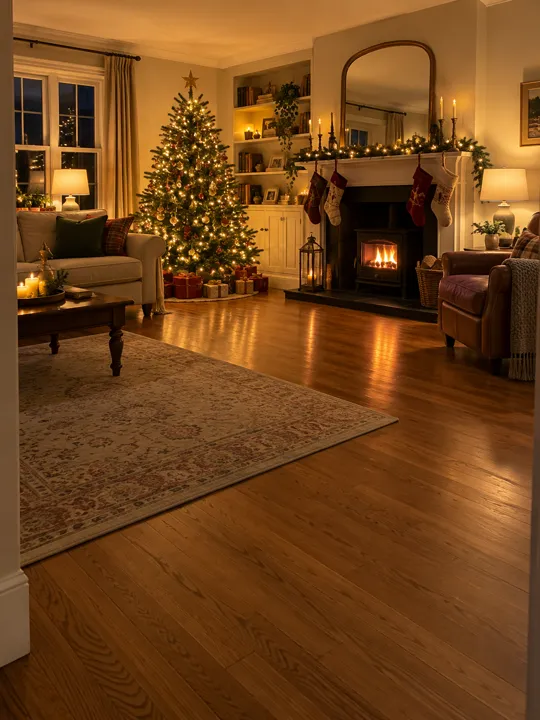
Your photo is the camera’s view, so take it the way a camera would see the room: from one corner, lights on, with clear floor in front where Santa can walk in.

Your room

The room where the tree is, nobody in it.

  • Tree and lights in viewTree and lights in viewEvening, lamps on, the whole room in frame
  • Clear floor in frontClear floor in frontSanta walks in close to the camera
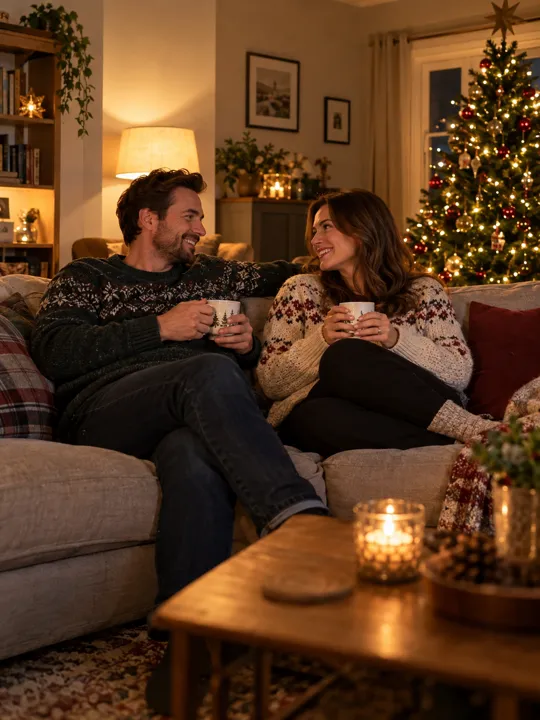
  • People in the photoPeople in the photoAn empty room only, never a child
  • Too dark or blurryToo dark or blurryThe video keeps exactly what you took

Made for your feed

Your Santa Caught on Camera video comes out finished, so there’s nothing to edit before you post it.

  • The sound, already in itIt plays from the first frame, timed to every move.
  • The shape of your photoA tall photo makes a tall video and a wide one a wide video, so nothing in your picture is cut off.
  • No watermarkYour video, with nothing stamped on it.
  • Save or share in a tapDownload it to your camera roll, or send its link to friends.
Make my Santa Caught on Camera video
He came. The camera saw.

What is the Santa caught on camera AI trend?

What happens in the video

A home camera sits on a shelf, watching a living room on Christmas Eve. The room is still, the tree lights glow, and then Santa Claus tiptoes in with his sack, sets a wrapped present down, helps himself to a cookie and, spotting the camera, raises a finger to his lips: shh. The camera never moves; only Santa does.

Where it comes from

Parents have long staged proof that Santa came: a half-eaten cookie, boot prints in flour, a photo with Santa pasted in. AI video made the proof move. Clips of Santa caught on doorbell and nanny cams spread on TikTok, and parents started searching for how to make one in their own house.

Why people make it

For children who still believe, it answers the question every December brings: did he really come? Parents play it on Christmas morning; grandparents and aunts send it to the family chat. It works because it’s your room, your tree and your couch, not a stock living room.
How much the Santa Caught on Camera AI video costs

Every Santa video is paid with credits: get them every month with a plan, or buy a credit pack that never expires.
This video uses 45 credits, or 90 in HD.

Billing

Starter

For trying the trends you like

$19.90/ month

Billed monthly

270 credits / month

One size. Move up anytime.

  • Up to 6 videos a month
  • or 3 in HD
  • Every trend, plus new ones as they take off
  • One photo in, no prompts or editing
  • Original sound, ready for TikTok, Reels and Shorts
  • No watermark, yours to post and keep
  • Credits back if a video fails
  • Move up anytime and pay only the difference
Recommended

Creator

For posting every week

$43.17 in packs31% off

$29.90/ month

Billed monthly

450 credits / month

  • Up to 10 videos a month
  • or 5 in HD
  • Every trend, plus new ones as they take off
  • One photo in, no prompts or editing
  • Original sound, ready for TikTok, Reels and Shorts
  • No watermark, yours to post and keep
  • Credits back if a video fails
  • Move up anytime and pay only the difference

Studio

For posting every day

$172.67 in packs48% off

$89.90/ month

Billed monthly

1,800 credits / month

  • Up to 40 videos a month
  • or 20 in HD
  • Every trend, plus new ones as they take off
  • One photo in, no prompts or editing
  • Original sound, ready for TikTok, Reels and Shorts
  • No watermark, yours to post and keep
  • Credits back if a video fails
  • Move up anytime and pay only the difference

Fresh credits every month. Cancel anytime.

Santa Caught on Camera AI video FAQ

Straight answers on making, paying for and sharing your Santa Caught on Camera video.

  1. How do I make an AI video of Santa in my house?

    Take one photo of your living room with nobody in it and add it here. The video starts on your photo and Santa walks into it: he leaves a present, eats a cookie and shushes at the camera.

  2. Will it look like my own room?

    Yes. Your photo is the first frame and the view never moves, so the walls, the tree and the furniture stay where they are in your picture.

  3. What does Santa do in the video?

    He tiptoes in from the side of the frame, close to the camera, takes a wrapped present out of his sack and sets it down, takes a cookie, from the plate if there is one in your photo, and then notices the camera and shushes at it.

  4. Can it look like Ring or doorbell camera footage?

    Your photo sets the look. A screenshot from an indoor camera works like any room photo, and the video opens on it. Santa is made to walk into a room, so an indoor view works better than the front porch.

  5. Can I show it to my kids?

    That’s what most parents make it for. It’s an AI video, made from your photo; what you tell your children about it is up to you.

  6. Can my kids be in the video?

    No. Santa is the only person in it. Take the photo with nobody in the room, and never upload a photo of a child: we don’t take photos of anyone under 18.

  7. When should I take the photo?

    In the evening, with the tree lights and a lamp or two on. Stand in a corner or by the door, where a camera would sit, and leave some empty floor in front of you for Santa.

  8. Is the video vertical?

    It takes the shape of your photo. An upright phone photo gives an upright video and a landscape photo a wide one, so the tree is never cropped out.

  9. What sound is on the video?

    The room’s own sound: soft footsteps, sleigh bells, the rustle of the sack and a crackling fire if you have one. There’s no music, so it plays like real camera footage.

  10. Do I need a prompt?

    No. Santa, his suit, what he does and the camera are already written into the trend. You only add your photo.

  11. Will my photo or my address be shared?

    Your photo is only used to make your video, and the location data a phone camera saves in a photo is taken out before it’s sent. Your video stays private unless you share its link.

  12. How long does the Santa Caught on Camera AI video take?

    Usually a few minutes. You can close the page: your Santa video waits in My videos, and we email you when it’s ready.

  13. Can I make a Santa caught on camera video for free?

    Not on NowStarring: every video uses credits. A free route is an app that pastes a still Santa into a photo of your room; it won’t move or make a sound.

  14. How much does a Santa Caught on Camera AI video cost?

    One Santa video uses 45 credits. Buy a credit pack whose credits never expire, or pay less per video with a monthly plan. A video that fails costs nothing.

  15. Is this linked to Ring or any camera brand?

    No. NowStarring is an independent video tool. It isn’t linked to Ring, any doorbell or camera maker, or any Santa Claus organisation.

  16. How do I make the Santa Caught on Camera AI video?

    Add your photo at the top of this page, or two for a trend with two people, and press Make my video. Your Santa Caught on Camera video is ready in a few minutes. No app, no filming and no editing needed.

  17. Can I post my Santa Caught on Camera video on TikTok or Instagram Reels?

    Yes. Download the MP4 with no watermark and post it on TikTok, Instagram Reels or YouTube Shorts, or send it in a group chat.

  18. Can I make the Santa Caught on Camera AI video for free?

    No. Every video here is paid for, so there’s no free trial and no watermark on what you download.

  19. Is there a CapCut template for the Santa Caught on Camera trend?

    You don’t need one. A CapCut template drops your clip into someone else’s edit. Here the whole Santa Caught on Camera video is made from your photo, so whoever is in it is in every shot.

  20. What if my Santa Caught on Camera video doesn’t come out right?

    You don’t pay for a video that fails: what it used goes back to your balance automatically, and you can try again with another photo.

Still have a question? Email us and a real person will reply.

support@nowstarring.aiRead the full FAQ

Leave the cookies out

Add a photo of your room and get your Santa video in a few minutes, ready for Christmas morning.

Catch Santa in my room

NowStarring is an independent video tool. It is not linked to Ring, any doorbell or security camera maker, or any Santa Claus organisation. Every Santa video is made by AI from the buyer’s own photo.