How to catch Santa on camera in your own house: the photo, the video and Christmas morning
Make a video of Santa sneaking into your own living room from one photo of it: how to take the photo, what the video shows second by second, how the free Santa apps compare, and ideas for showing it on Christmas morning.
6 min read · Updated
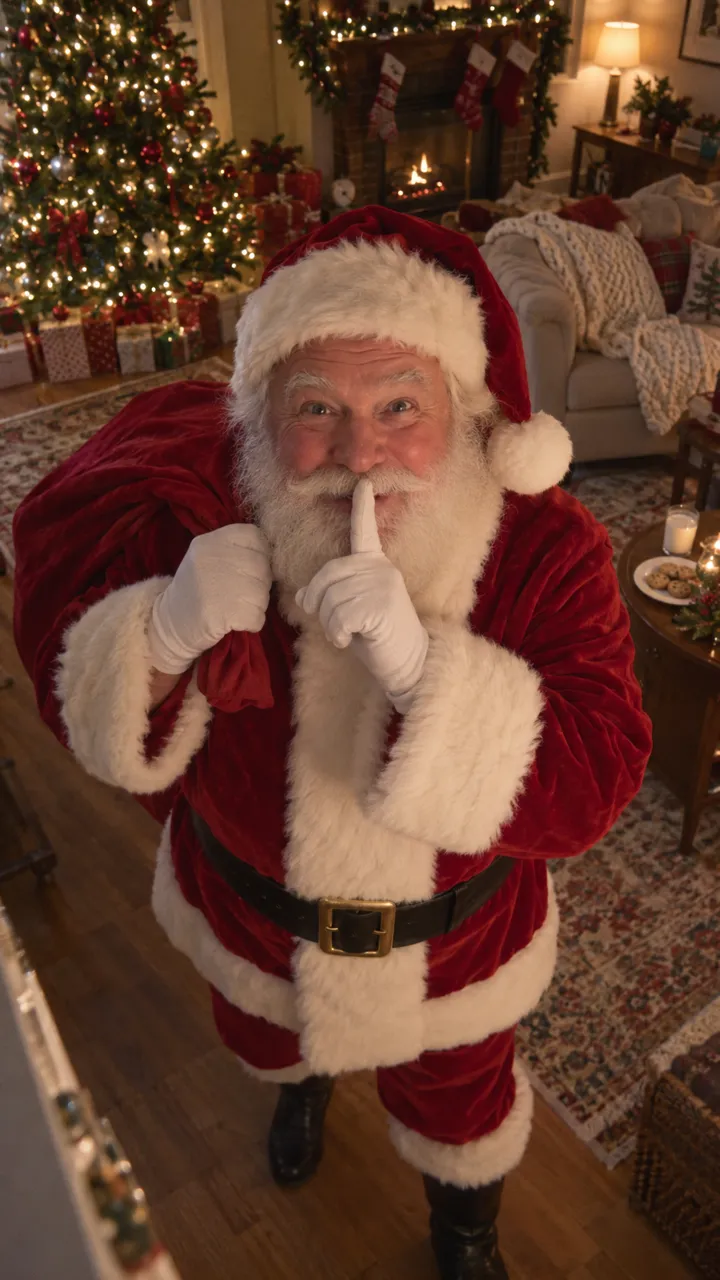
Star in Santa Caught on Camera with one photo
Make yoursThe idea
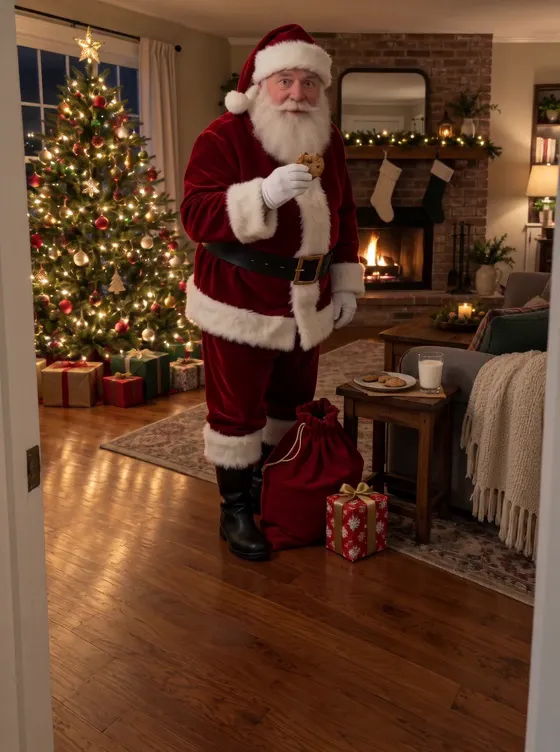
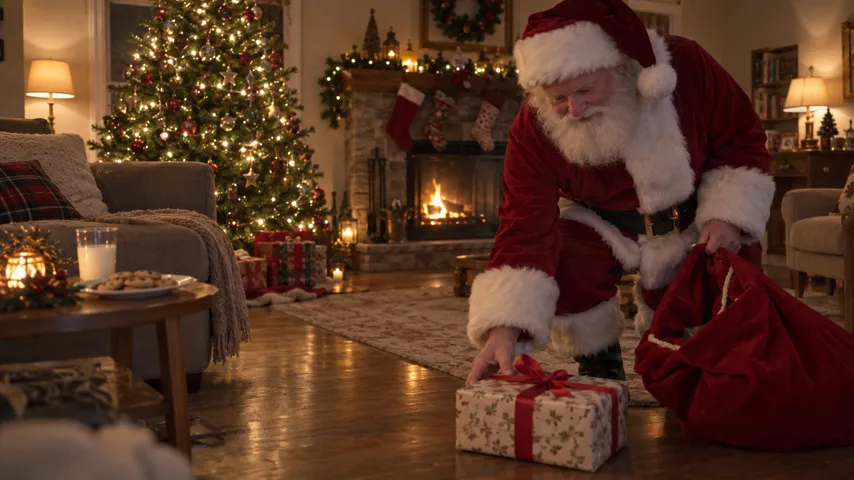
On Christmas morning the kids find the presents, and then you show them a clip from “the camera”: their own living room in the night, the tree lit, and Santa tiptoeing in, setting a present down, taking a bite of the cookie they left, then spotting the camera and putting a finger to his lips. It works because it’s their room, exactly as it looks, not a stock video of somebody else’s.
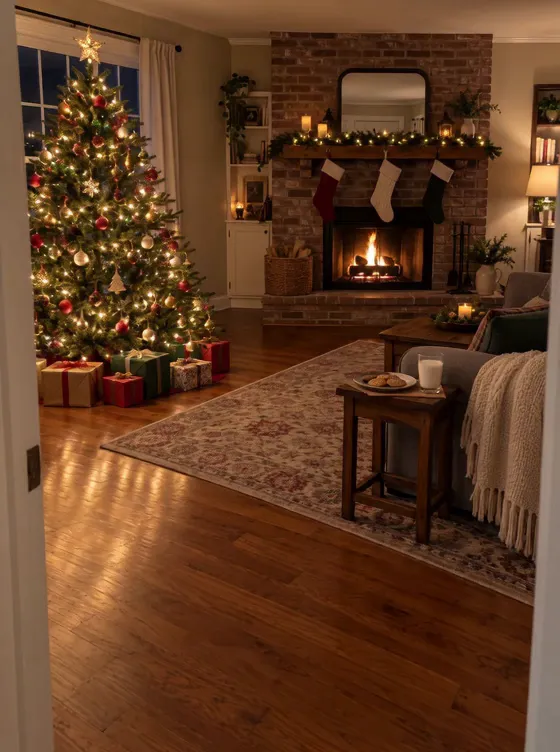
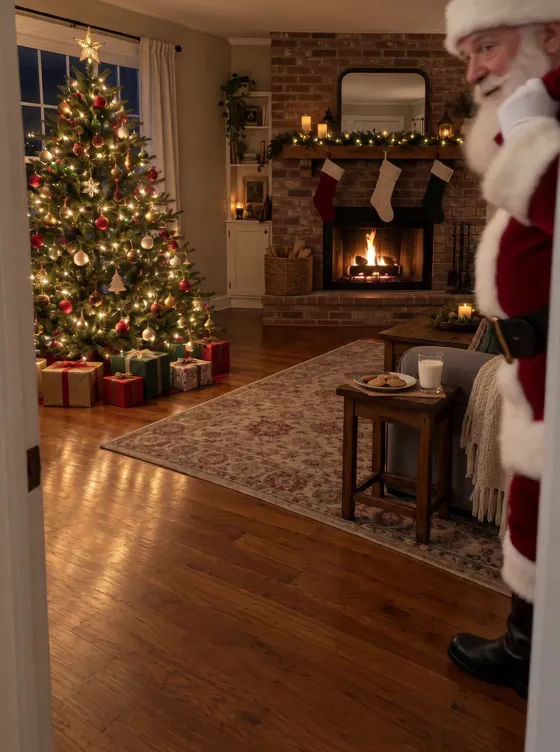
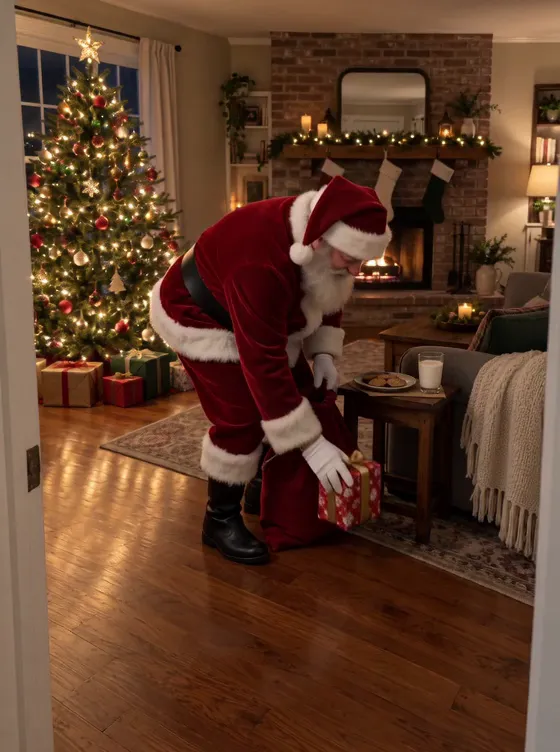
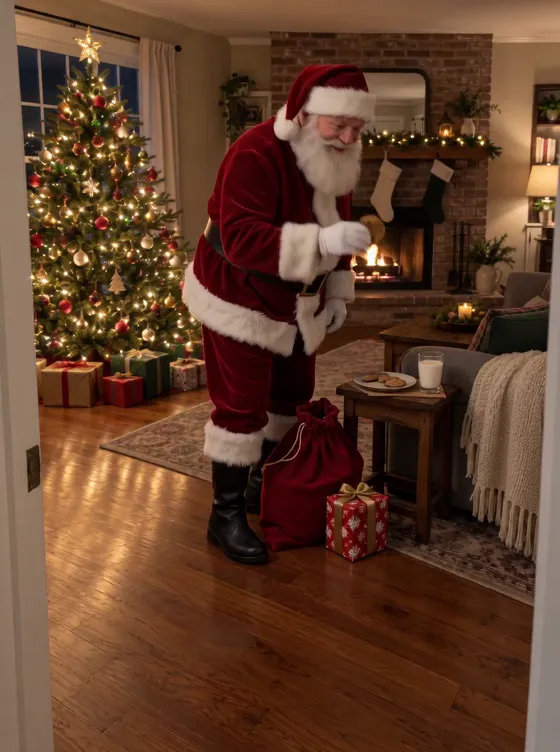
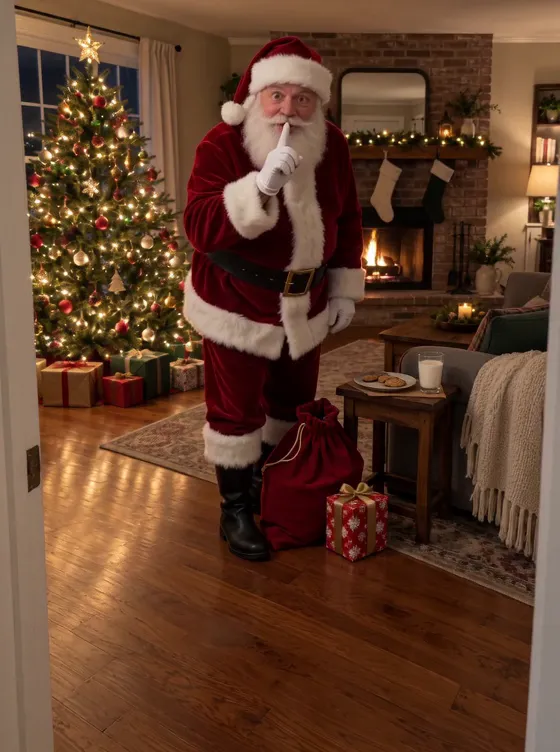
Nobody films this for real. The clip starts from one photo you take of the room, which becomes the first frame and the camera’s fixed view; Santa is the only thing the video adds.
Take the photo the way a camera would see the room
- Wait until evening and switch on the tree lights and a lamp or two. Leave the fire on if you have one; it will flicker in the video.
- Stand in a corner or a doorway, where a security camera would hang, and hold the phone a little above head height, pointing slightly down.
- Keep the tree in view and leave a stretch of clear floor in front of you: Santa walks in close to the camera, from the right.
- Clear the room of people and pets. Put the plate of cookies on a side table if you like; he takes one from it when it’s there.
- Hold the phone still and take one sharp photo. Upright gives an upright video, sideways a wide one.
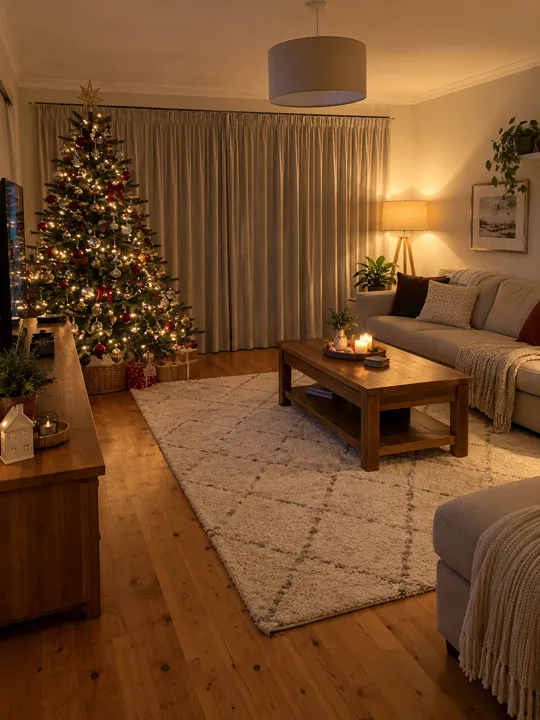
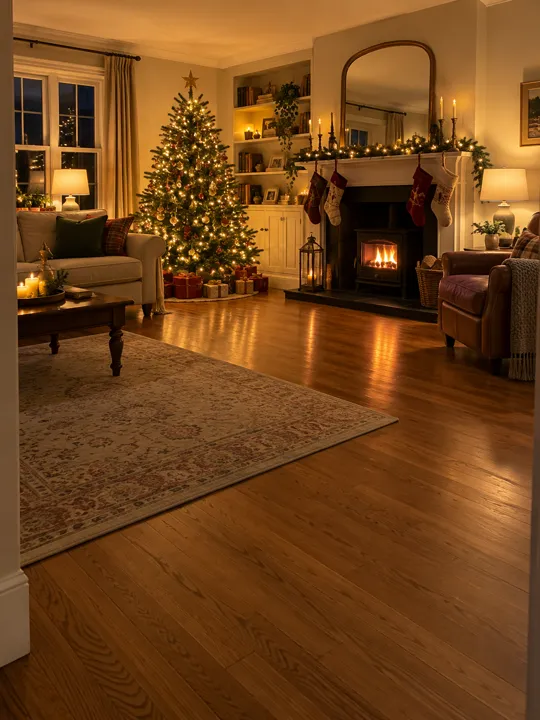
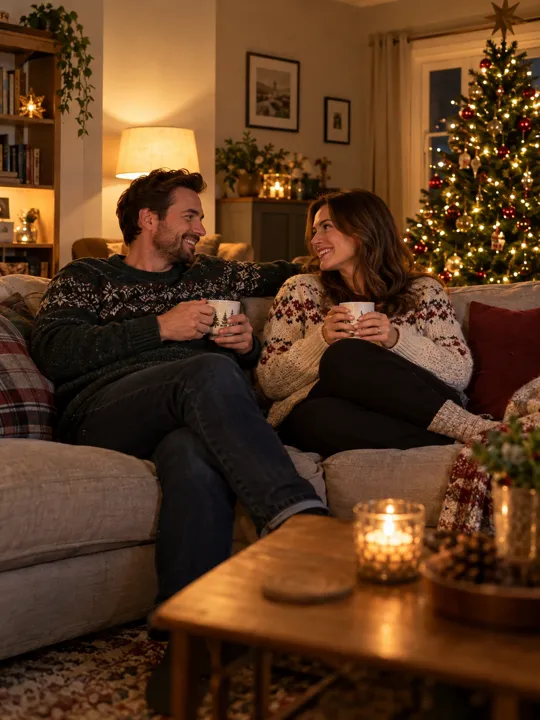
Never photograph your children for this, even asleep on the sofa. The video copies everything in the photo, so the room has to be empty.
Make the video
- Open the Santa Caught on Camera page and add your room photo.
- Pick Standard or HD and press Catch Santa in my room. The first time, you sign in with Google or an email; the photo waits.
- Wait a few minutes. You can close the page: the video lands in My videos and we email you. Then download it.
| Time | What happens |
|---|---|
| 0:00 | Your photo, still. Nothing moves but the tree lights |
| 0:01 | Santa tiptoes in from the right, close to the camera, sack on his shoulder |
| 0:03 | He sets a wrapped present with a red ribbon down |
| 0:05 | He takes a cookie, from your plate if there is one, and bites it |
| 0:07 | He spots the camera, smiles and goes shh |
The sound is the room’s own: soft steps, a jingle of bells, the rustle of the sack, the fire if you have one. There’s no music. It’s 10 seconds long and keeps the shape of your photo.
One Standard video uses 45 credits. The smallest pack that makes one is $9.90 for 90 credits (2 videos), a one-time buy whose credits never expire, and plans start at $19.90 a month for 270 credits. If a video fails, its credits come back.
Santa apps, AI photo tools and this
| Way | What you get | Cost |
|---|---|---|
| Free “catch Santa” photo apps | A still or AR Santa pasted into your room; no movement, no sound | Free, with ads or upsells |
| Paid Santa video apps | A short video in your room, usually iPhone only | About $4–10 a video |
| ChatGPT or another AI | A still in ChatGPT; a video in a video model, after a few tries. The prompt | Depends on the tool |
| This page | A 10-second video that opens on your photo, with room sound | 45 credits |
Showing it on Christmas morning
- Play it on the TV, not a phone: the room on a big screen is the room they’re standing in.
- Point at the spot on the floor where he set the present, and put a present there.
- Leave a bitten cookie on the plate. The video shows him taking one.
- Turn the sound up for the bells and the footsteps.
- Want it to look like your doorbell or Ring camera? The Ring camera guide shows how the look comes from the photo.
NowStarring is an independent video tool, not linked to Ring, Google Nest, Blink or any doorbell or camera maker, to the makers of any Santa app, or to any Santa Claus organisation.
Questions
How do I catch Santa in my house on video?
Take one photo of the room where your tree is, with nobody in it, and turn it into a video where Santa walks in. The video opens on your own photo and the view never moves, so it plays like your camera filmed him.
Is there a free catch Santa app?
Several free apps paste a still Santa into a photo of your room, some with augmented reality. They don’t move or make sound. A video where he walks, sets down a present and shushes at the camera costs credits here, and around $4–10 a video in the paid Santa apps.
Has anyone really caught Santa on camera?
The clips that go around every December are made: edited, staged with someone in a suit, or AI. This one is AI too, made from your photo; what you tell your children about it is up to you.
Can my kids be in the Santa video?
No. Santa is the only person in it, and we never take a photo of anyone under 18. Take the photo with the room empty.
When should I make it?
Any time after the tree is up: take the photo in the evening with the lights on. Make it a few days before Christmas so there’s time to redo the photo if it comes out dark.