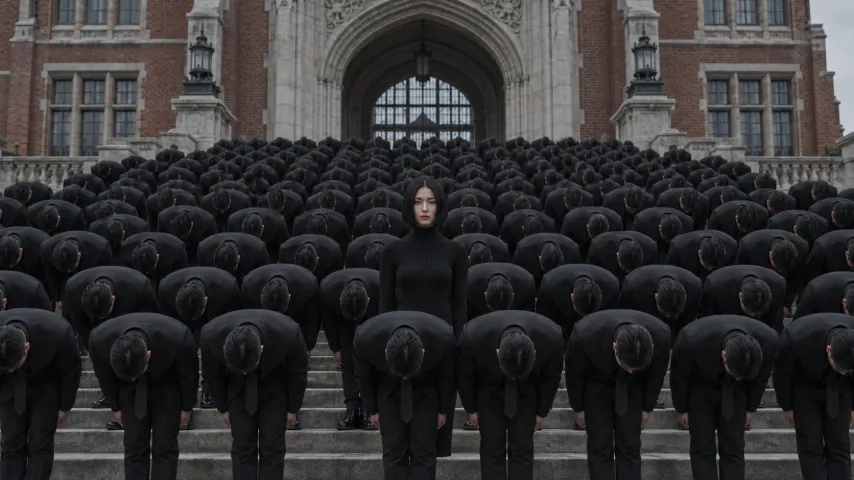
How to do the Storm Dance AI trend for free
Yes, the Storm Dance AI trend can be free: run our prompt in an AI video tool’s free tier or film it on steps with friends. Here’s what free costs you.
7 min read · Updated
The short answer
Yes, you can do the Storm Dance AI trend for free in two ways: paste our free prompt into an AI video tool that gives free credits, or film the scene yourself on wide steps with friends in dark clothes. Free costs you something else instead: a watermark or short clips in most free tiers, several retries to keep your face and the crowd in sync, and no song until you add it.
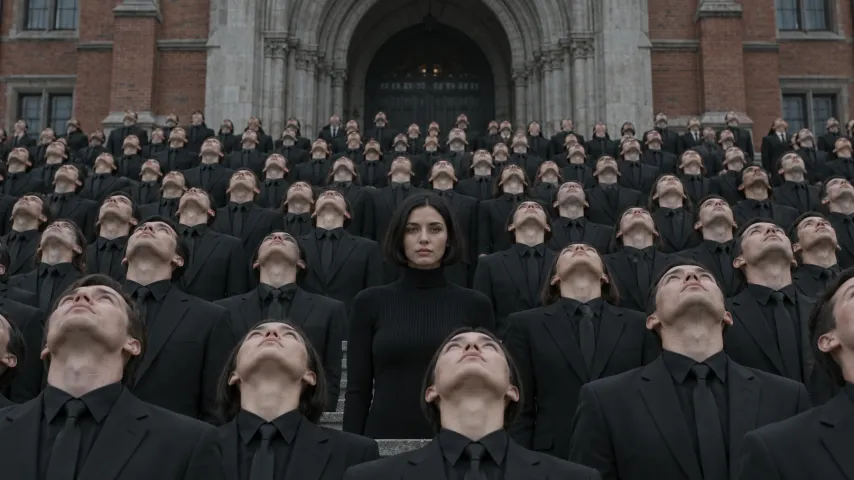
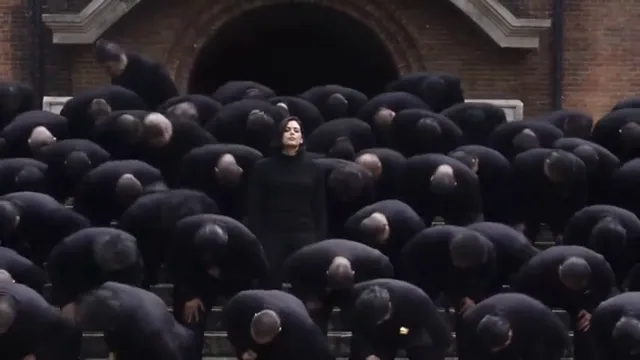
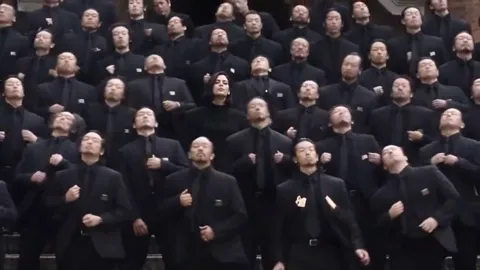
The trend is the last scene of the STORM music film: one person stands perfectly still while a huge crowd in identical black suits stares, throws its heads back to the sky and bows on the beat around them. Whichever route you take, that stillness is the whole joke.
NowStarring has no free credits. The free routes on this page use other tools or your own camera; the Storm Dance page is the paid one-photo route.
The free routes compared
| Route | What you need | What you get | The catch |
|---|---|---|---|
| Our prompt in a free tier | One photo, an AI video tool with image-to-video | You in the Storm scene, made by AI | Watermark or short clips are common; retries; no song |
| Film it yourself | Friends in dark clothes, wide steps, a tripod | A real remake with your own crowd | The crowd is only as big as your friend group |
| A free editing template | Footage you filmed, a free editor | Your clip re-cut to the beat | It edits your footage; it can’t add the crowd |
| One photo here (paid) | One photo of you | The full 27-second scene with the song | Costs credits; not free |
If you want the huge crowd, only AI gets you there. If you have a group of friends and a free afternoon, filming it yourself is the funniest version and costs nothing.
Film it yourself: a shot plan for Storm
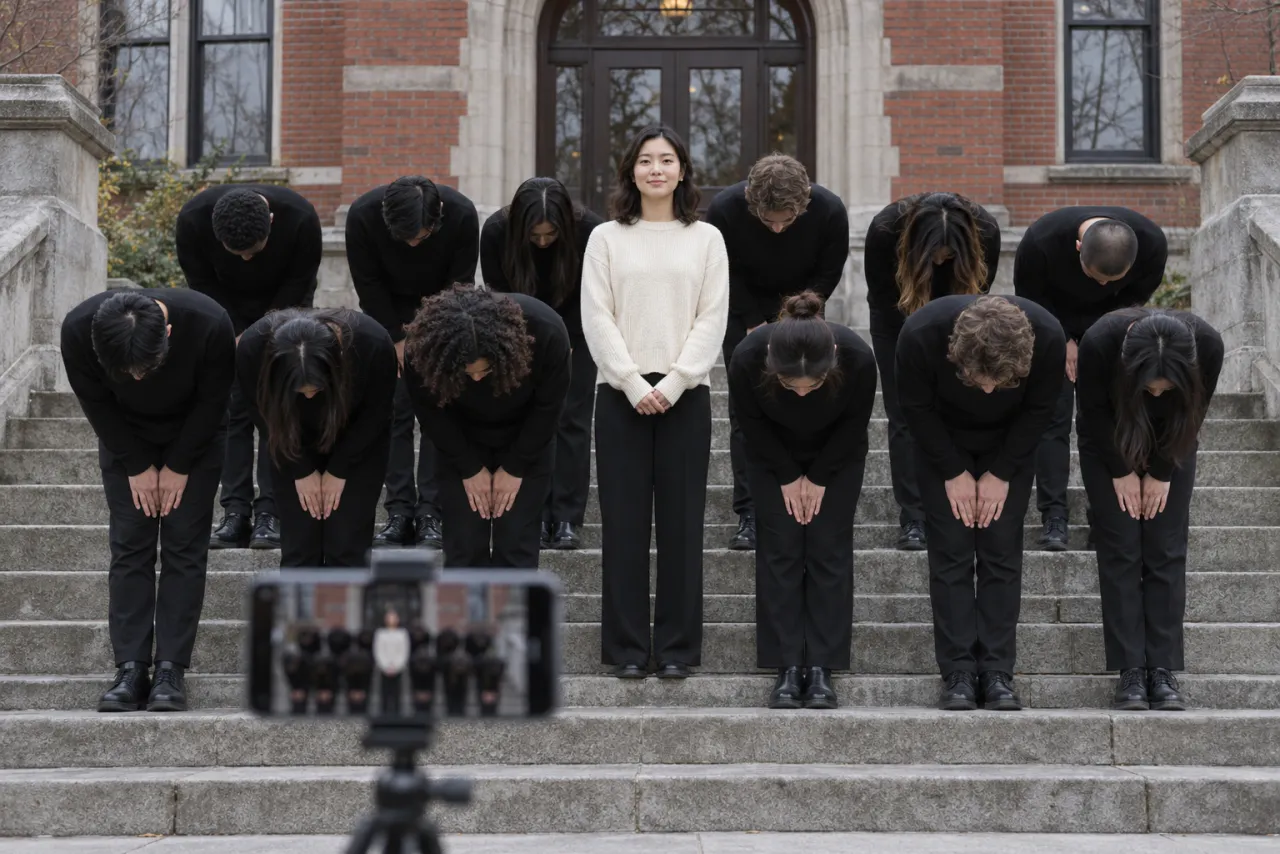
You need as many friends as you can gather, all in the same dark clothes, and some wide outdoor steps: a library, a church, a park, a campus building. The lead wears something different so they stand out. Film sideways, because the original is widescreen and a vertical frame cuts the crowd in half.
- 0–5 s, the close-up: the lead stands in front of the group and stares into the lens. Nobody moves, nobody smiles.
- 5–16 s, the walk back: the lead turns and walks slowly into the middle of the group, back to the camera. Everyone else stays frozen.
- 16–21 s, the stare: move the tripod back for a wide shot. The lead turns to face the camera from the middle.
- 21–24 s, eyes to the sky: on a count of three, everyone throws their head back to look up at the sky at once. The lead keeps staring at the lens.
- 24–27 s, the bows: everyone folds into a deep bow on each beat, then straightens. The lead stays upright, arms at the sides.
- Play the song out loud from a speaker while you film so the bows land on the beat; mute that audio later and add the real sound when you post.
- Rehearse the bow a few times. Ragged bows look funny; perfectly matched bows look like the film.
- The lead should practice not blinking at the camera during the stare. Sunglasses ruin it.
- Two takes, one close and one wide, then cut them together in any free editor.
The free prompt route, step by step
- Copy the prompt from the Storm Dance AI prompt guide. It is free and written for this scene, shot by shot.
- Open an AI video tool that has an image-to-video or reference-image mode and gives free credits to try it. Kling, Higgsfield, Runway, Veo and CapCut’s AI video tools are the usual names.
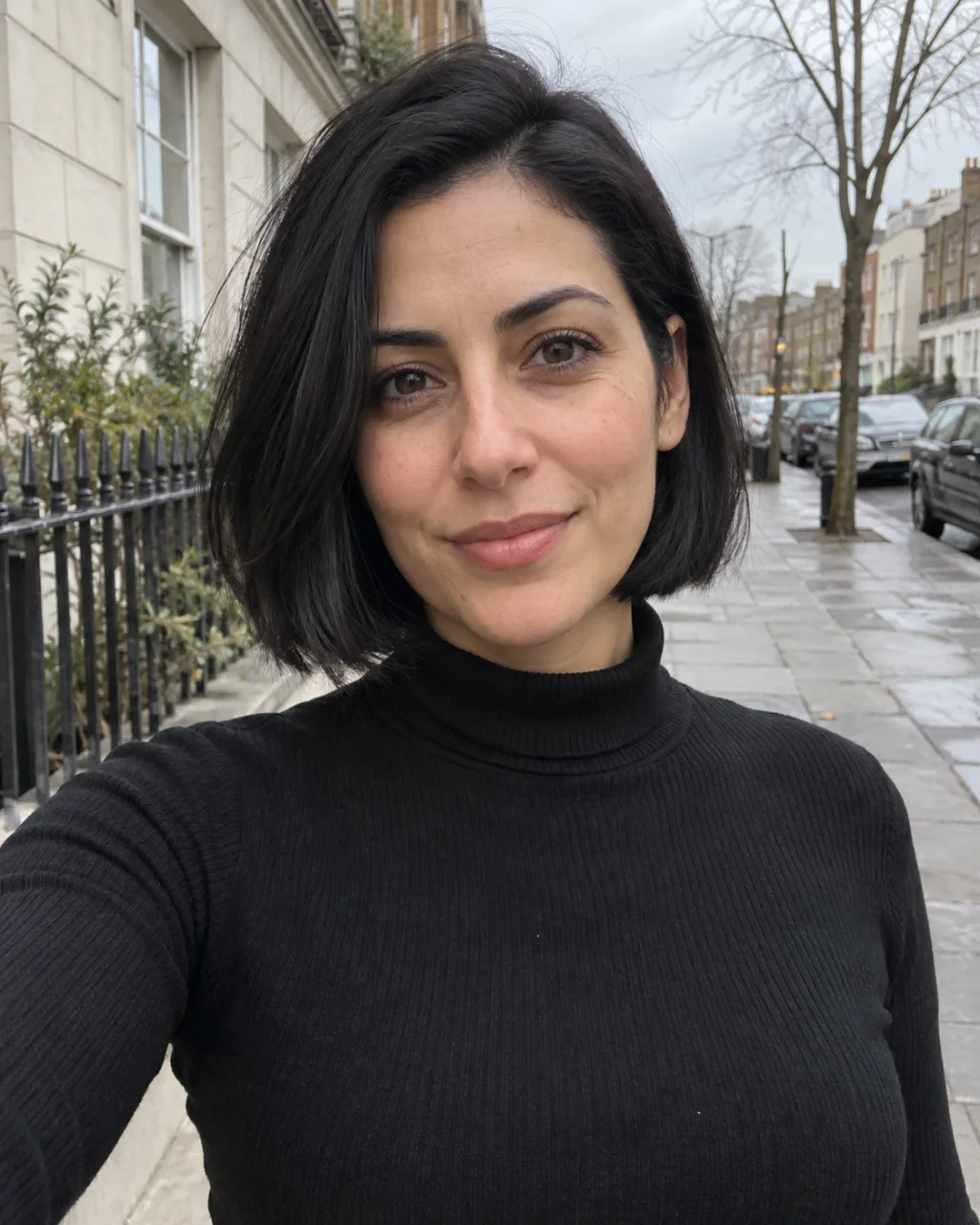
- Attach a sharp photo of your face as the reference image and pick widescreen 16:9.
- Paste the prompt and generate. If the tool makes shorter clips than 27 seconds, make the close-up and walk as one clip and the stare, sky and bows as another, then join them.
- Check that you never move. If you bow with the crowd, use the fix-it table in the prompt guide and try again.
- Download, then add the STORM II sound when you post. The sound guide shows how.
The best photo is the same one that works here: your face toward the camera, in good light, nothing covering it. The photo guide shows good and bad examples.
What free really costs you
- A watermark. Many free tiers stamp their logo on the video until you pay.
- Retries. The crowd scene is hard: expect the lead to bow by mistake, the face to drift between shots, or the bows to fall out of sync. Each retry spends free credits.
- Length. A 27-second scene is long for one generation, so you may join parts and the cut can show.
- No song. Prompts make silent or random audio. You add STORM II yourself when you post.
- Time. Free queues can be slow, and daily free credits run out.
None of these are deal breakers. If you like tweaking, the free prompt route is fun. If you want one clean video to post tonight, the paid route skips them.
The one-photo route (not free)
On the Storm Dance page you upload one photo and get the whole 27-second scene: the close-up, the walk, the stare, the sky and the bows, with the STORM II song over it, no watermark and no prompt. One Standard video uses 165 credits. The smallest pack that makes one is $34.90 for 270 credits (1 video), a one-time buy whose credits never expire, and plans start at $19.90 a month for 270 credits. If a video fails, its credits come back.
- Upload one clear photo of your face. You keep the clothes you wear in it, which helps you stand out from the black suits.
- Pick Standard 480p, or HD 720p for a sharper picture. The video is widescreen 16:9 only, like the film.
- Wait about 6 minutes. You can close the tab: we email you when it’s ready, and it waits in My videos as an MP4.
That smallest pack makes 1 Standard video, which works out to $34.90 a video. Your photo is deleted automatically 7 days after upload. Compare packs and plans on the pricing page.
Which one to pick
- You have a group of friends and some steps: film it yourself. It’s free and the real crowd is the best joke.
- You like to experiment and don’t mind retries: the free prompt in a tool’s free tier.
- You want the full crowd with your face and the song, ready to post: the Storm Dance page.
New to the trend? What is the Storm Dance AI trend explains the scene, and what song it uses covers STORM II. NowStarring is an independent fan tool, not linked to the makers of the STORM film or the song’s artists. The song belongs to its rights holders.
Questions
Is the Storm Dance AI trend free?
It can be. Run our free prompt in an AI video tool that gives free credits, or film it yourself with friends. NowStarring itself has no free credits; the one-photo route is paid.
Is there a free Storm Dance AI generator?
Any image-to-video tool with free credits can make it with a good prompt. Free tiers often add a watermark, limit the length or need several tries, and none of them adds the song for you.
Can I get the Storm Dance AI video free without a watermark?
Filming it yourself is free with no watermark. With AI tools, free tiers often watermark the video; a paid route such as ours gives a clean MP4 with the song.
Do I need a crowd to film it myself?
More people is better, but even six friends in matching dark clothes on a few steps gets the joke across. The lead must stay completely still.
Why do free AI versions make me bow too?
The tool copies the crowd’s motion onto everyone. Say clearly that the lead never moves, never bows and never looks up, and put it near the top of the prompt.
Can I do the Storm trend with my dog?
Not on NowStarring, where Storm Dance is made for one person. In other tools you can try a pet as the still one in the middle; the prompt guide has a variant.