Best photo for the Rumpelstiltskin AI video (do and avoid)
The best photo for the Rumpelstiltskin AI video is one clear face, eyes visible, in soft light. What works, what fails, and what carries over to the dancer.
6 min read · Updated
The short answer
Use one face, looking at the camera, in soft even light, with nothing covering your eyes or mouth. A head-and-shoulders selfie by a window is ideal. Glasses, beards, braids and bald heads all carry over to the dancer; sunglasses, group shots and dark or blurry photos don’t work.
Why the face matters so much in this trend
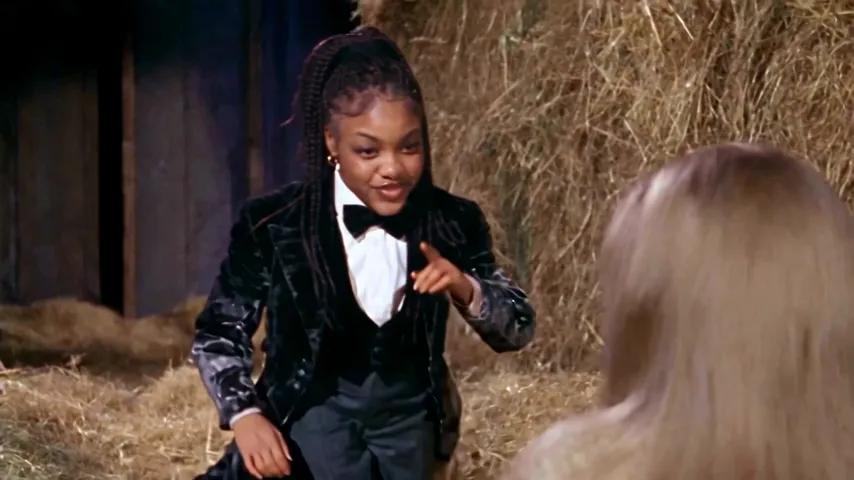
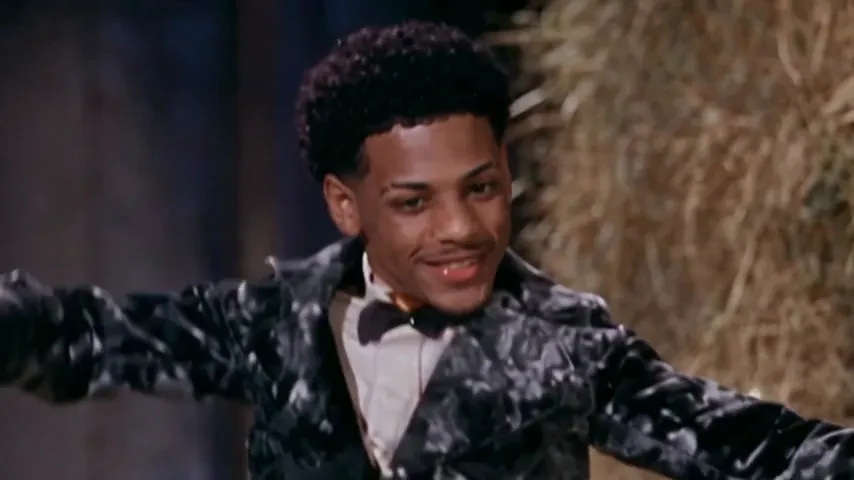
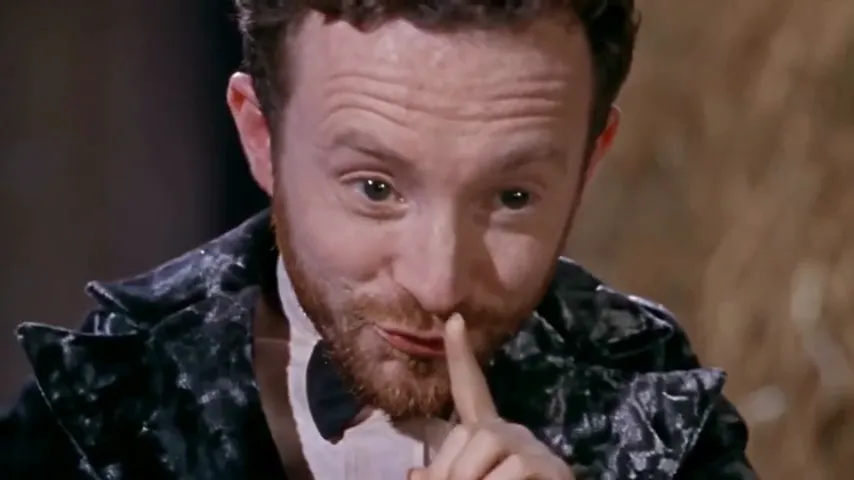
Most trends show you from a distance. This one doesn’t. Two of its best-known shots are tight close-ups of the dancer’s face:
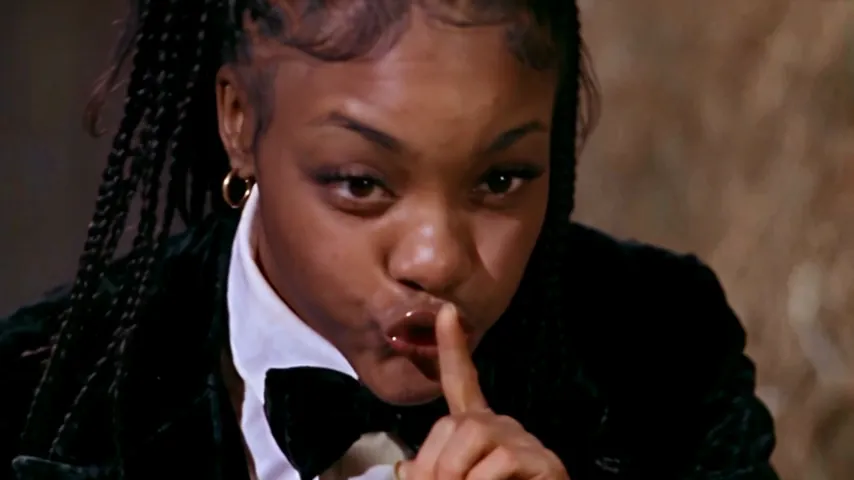
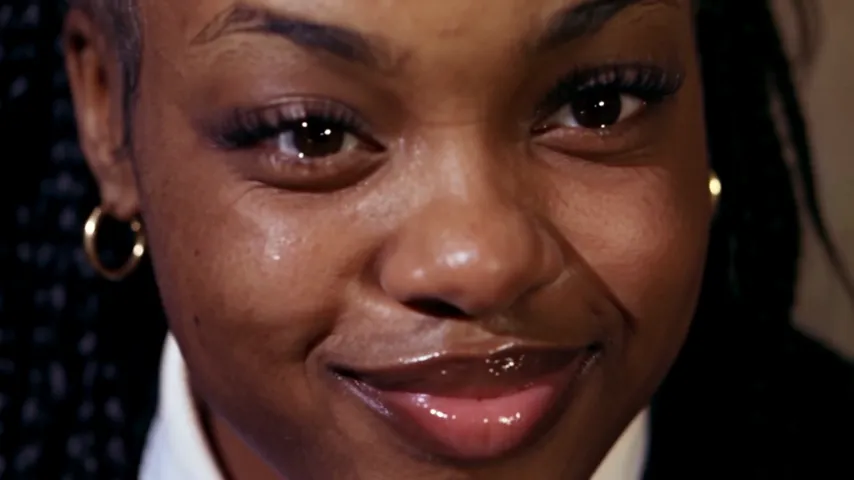
A small or shadowy face in your photo has to be stretched to fill those shots, and that’s where likeness goes. A sharp, well-lit face gives the close-ups something to hold on to.
The wide dance shot is the opposite: your face is small there, so what sells it is your hair and head shape. That’s why hats, hoods and heavy filters hurt even when your face is clear. Show your hair the way you usually wear it, and the dancer will look like you from across the barn too.
Do and avoid

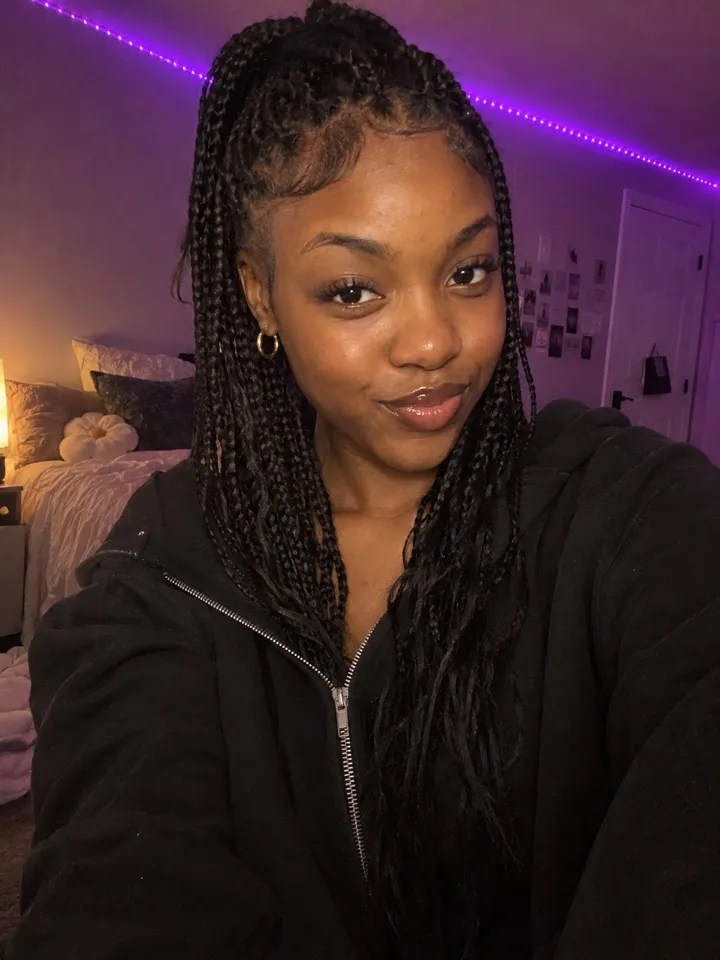
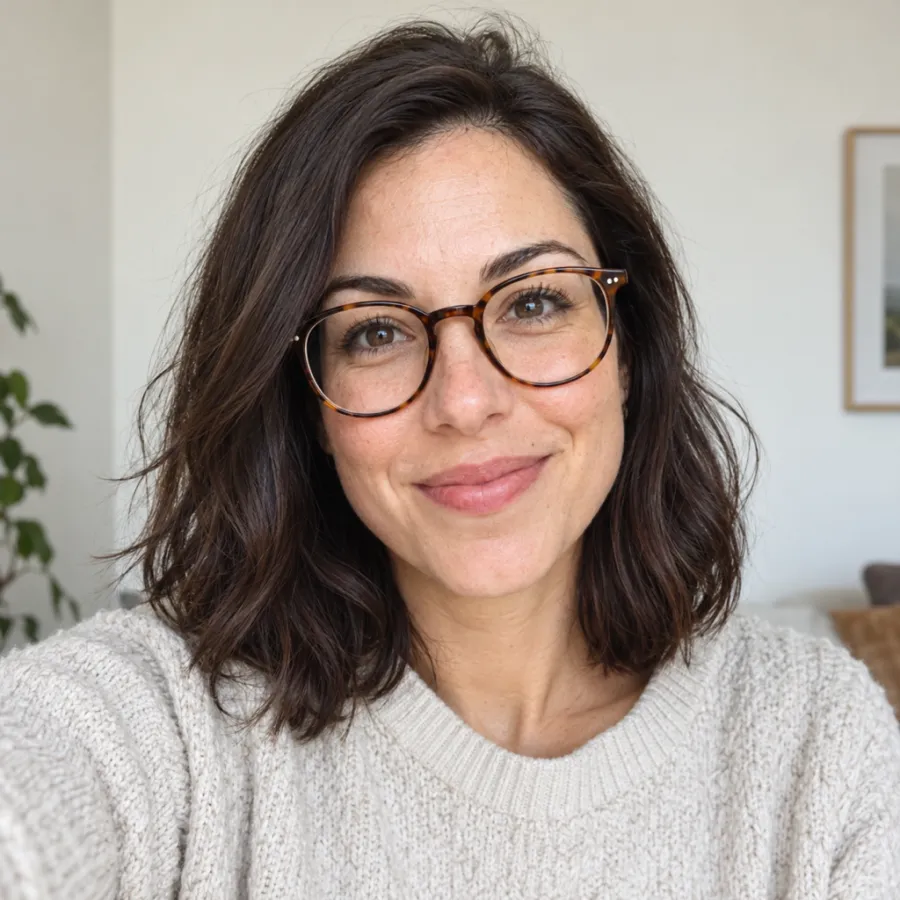
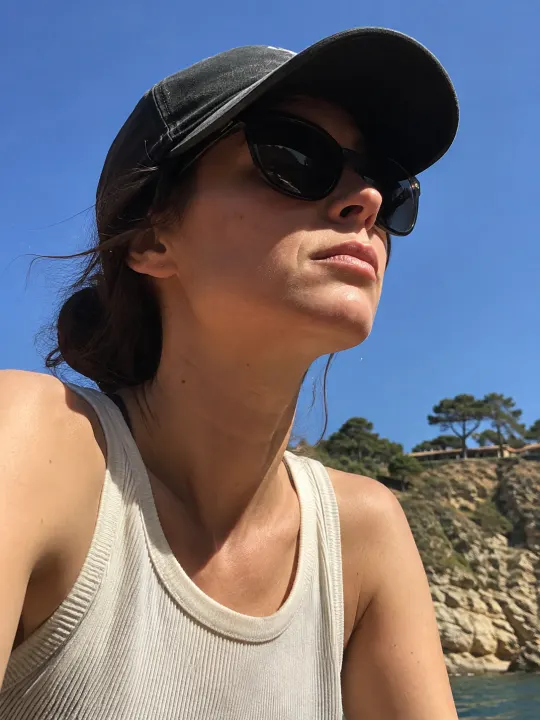
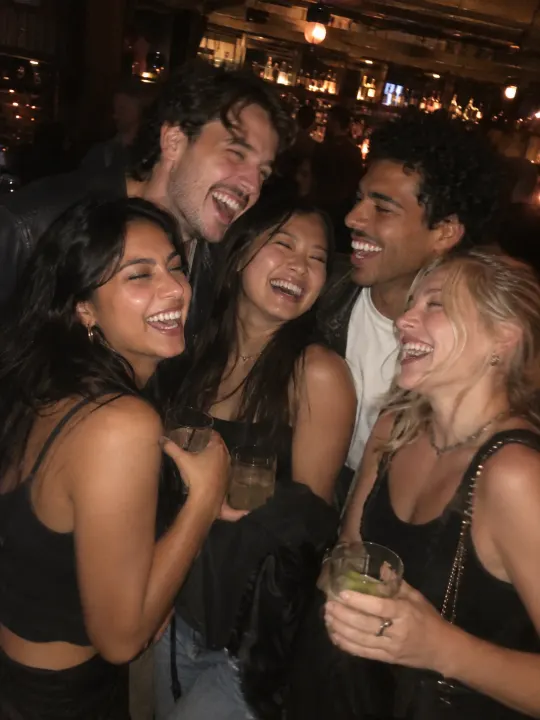
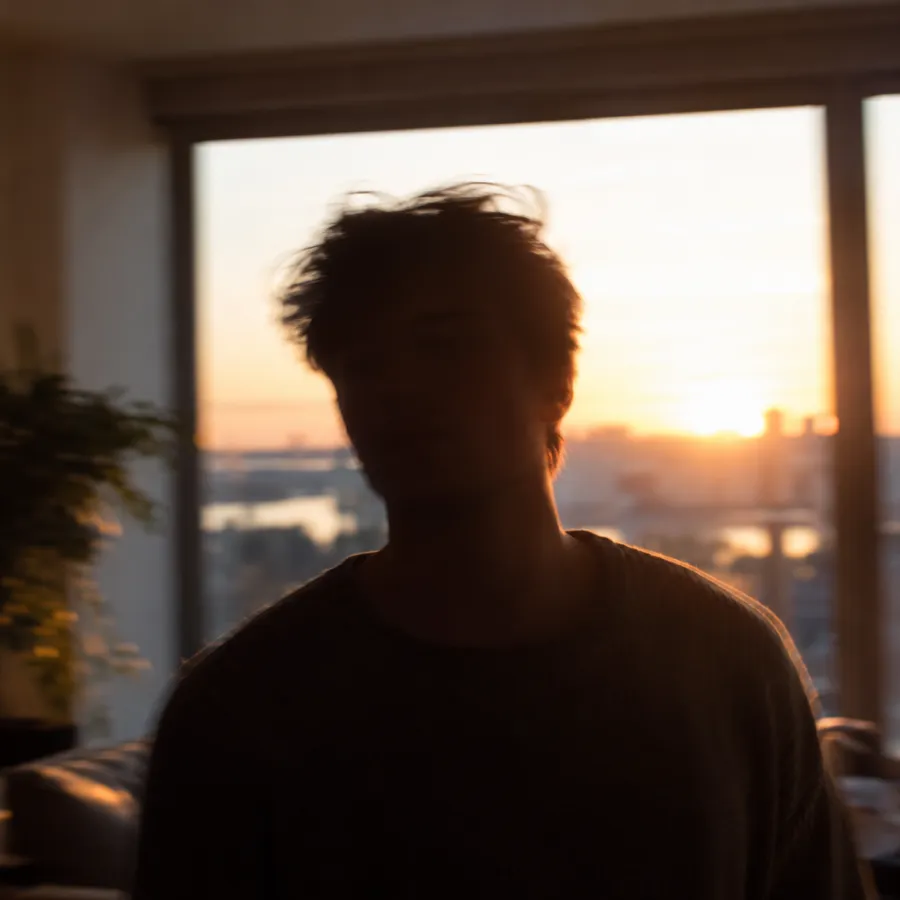
A 30-second checklist
- One person in the photo. Crop out friends, even small ones in the background.
- Face toward the camera. A slight angle is fine; a profile isn’t.
- Eyes visible. Take off sunglasses and push back hair that covers an eye.
- Soft light on your face: face a window, not a lamp behind you.
- Sharp, not blurry. Hold still, or tap to focus on your face.
- No heavy filters or face-smoothing effects. They change your face shape, and the dancer copies it.
- Mouth relaxed or smiling, not covered by a hand, a drink or a mask.
What carries over, and what doesn’t
| From your photo | On the dancer? | Why |
|---|---|---|
| Face and skin tone | Yes | That’s the swap |
| Hair: color, braids, curls | Yes | Your hair replaces the dancer’s |
| Glasses | Yes | They stay on, even in the shush |
| Beard or stubble | Yes | Kept in every shot |
| Your clothes | No | The velvet tailcoat is the trend |
| Background | No | It’s always the night barn |
| Height or build | No | The dancer’s crouched pose stays |
So don’t dress up for the photo. A hoodie in your kitchen gives the same costume as a suit. Spend the effort on light and focus instead.
If the result doesn’t look like you
| What you see | Likely cause | Try this photo |
|---|---|---|
| Close-ups look like someone else | Small or soft face | A closer, sharper selfie |
| Odd skin tone or shadows | Coloured or harsh light | Daylight from a window |
| Eyes look wrong | Glare on glasses or squinting | Tilt the glasses, relax your eyes |
| Hair is different | Hat or hood in the photo | A photo with your hair showing |
If a video fails to make, its credits come back automatically. If it makes but doesn’t look like you, a better photo is the fix.
Taking a new photo in two minutes
No good photo in your camera roll? Take one now. You don’t need a ring light or a nice background, because the background never makes it into the video.
- Stand facing a window in daylight, so the light falls on your face rather than behind you.
- Hold the phone at eye level, about an arm’s length away. Below your chin stretches your jaw; above your head shrinks it.
- Use the front camera’s normal mode, not portrait or beauty mode.
- Look into the lens and relax your face. A small smile is fine; the grin in the video comes from the scene, not your photo.
- Take three or four and pick the sharpest one, with both eyes clearly open.
Wearing glasses every day? Keep them on, so the dancer looks like the you people know. Just tilt them slightly if the window makes a glare.
From one selfie to the dancer
Here’s what a plain bedroom selfie turns into. The braids-and-black-top photo in the do grid above went in, and this came out, braids and all, in the velvet tailcoat:
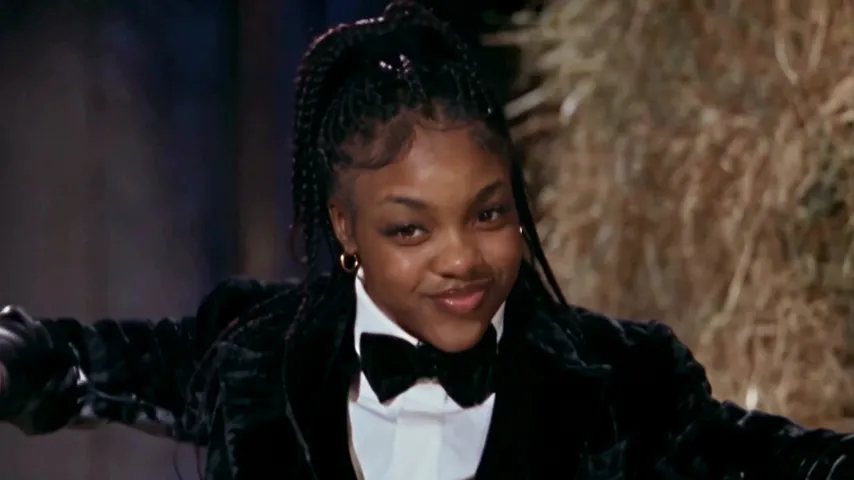
Notice what didn’t carry over: her top and her purple bedroom lights. That’s why a clear face matters more than anything else in the frame. You can make the same thing on the Rumpelstiltskin page.
Whose photo you can use
Your own, or a friend’s who has said yes. Never a celebrity, a public figure or anyone under 18. Your photo is used only to make your video, stays private to your account and is deleted automatically 7 days after upload.
Got the photo? Make your Rumpelstiltskin video, or see how the whole thing works first. NowStarring is an independent fan tool, not linked to the creators of the original film or to Riff Raff. The song belongs to its rights holders.
Questions
What photo works best for the Rumpelstiltskin AI video?
One clear face looking at the camera, in soft even light, with nothing covering it. A head-and-shoulders selfie by a window is ideal.
Can I wear glasses in my Rumpelstiltskin photo?
Yes. Clear glasses carry over to the dancer, even in the shush close-up. Sunglasses don’t work, because the grin needs your eyes.
Does my beard show up on the dancer?
Yes. Beards, stubble, braids and bald heads all carry over from your photo.
Do I need to wear a suit in my photo?
No. The velvet tailcoat, bow tie and curled shoes come from the scene, whatever you wear in your photo.
Can I use a group photo?
Crop it to just your face first. With several faces in the photo, the dancer may get the wrong one.
Should I use a filter or beauty mode?
No. Filters and face smoothing change your features, and the dancer copies them. Use the normal camera in daylight.
Can I use a photo of a famous person?
No. Only use photos of yourself or of someone who has agreed. Celebrities, public figures and anyone under 18 aren’t allowed.