How to do the Hit the Road Dude trend, beat by beat
The Hit the Road Dude trend beat by beat: film it yourself, or add one photo and get the 15-second video with the audio and no watermark.
4 min read · Updated
Beat by beat
The whole exchange fits in 15 seconds. These are the beats:
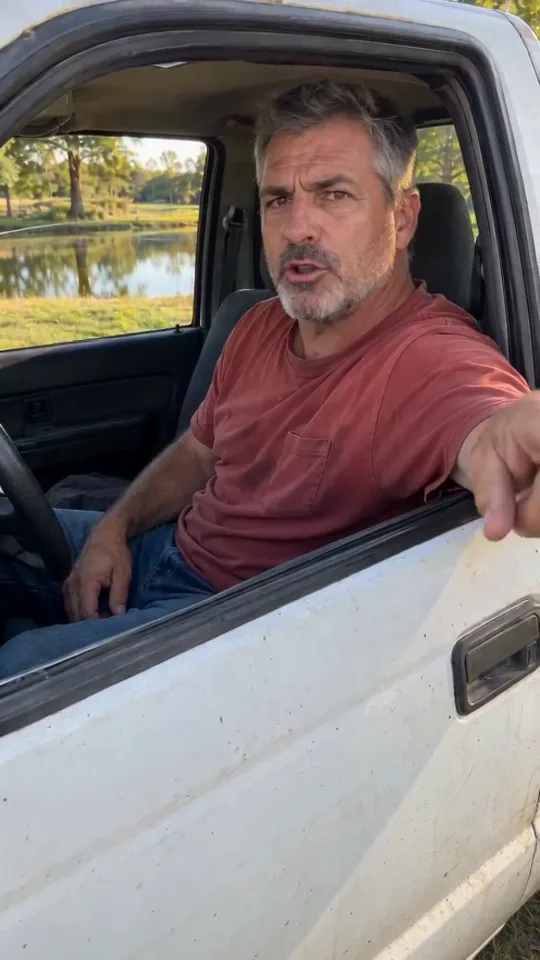
- 0:00, who told you to fish here: arm over the door, one finger jabbed at the ground.
- 0:02, the dead stare: “I thought it was state property.” The driver just stares back, mouth shut.
- 0:04, state? this?: two words, total disbelief.
- 0:08, hit the road, dude: the hand flops out over the door and flicks toward the road.
- 0:13, oh, okay: one last hard look while the stranger backs off.
Film it yourself
- Sit in the driver’s seat with the window rolled all the way down and your arm over the door.
- Have a friend film from just outside the door, phone held at chest height.
- Play the original audio and lip-sync only the driver’s lines; keep your mouth shut on theirs.
- Stay deadpan the whole way through. The less you smile, the funnier it lands.
Post it with the Hit the Road Dude sound, so it shows up with the rest of the trend. Not sure what it is? The explainer has the whole story.
Or make it from one photo
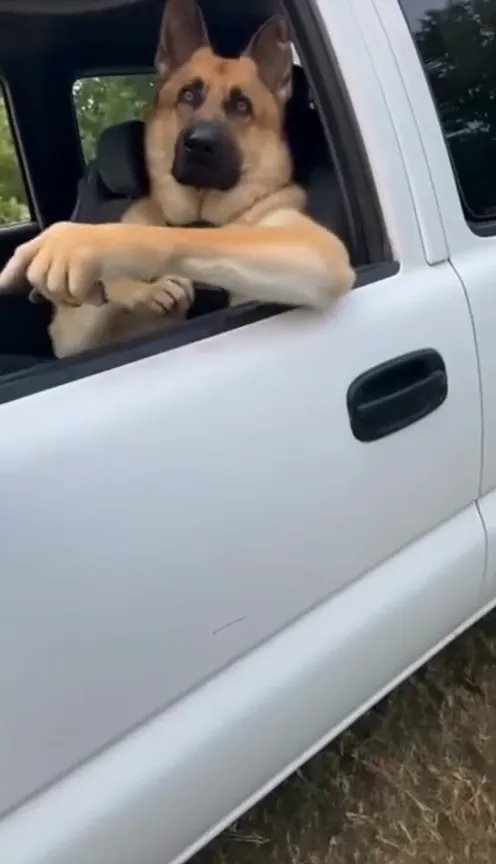
- Open the Hit the Road Dude page and pick you or your pet.
- Add one photo: face and shoulders, facing the camera, in good light. The photo guide shows what works.
- Press Make my video and sign in when you’re asked. It’s ready in a few minutes. You can close the page: the video waits in My videos and we email you when it’s ready.
- Download the MP4, with the audio and no watermark, and post it to TikTok, Instagram Reels or YouTube Shorts.
Each video uses credits from a pack or a monthly plan. See pricing.
Questions
Do I need a pickup truck?
Not for the AI version. You only add a photo; the pickup, the pond, the timing and the camera all come from the trend.
Does the AI video come with the audio?
Yes. The audio is already in your video. If a platform mutes it, pick the Hit the Road Dude sound from its library when you post.
What if the video fails?
You don’t pay for it: what it used goes back to your balance automatically, and you can try again with another photo.