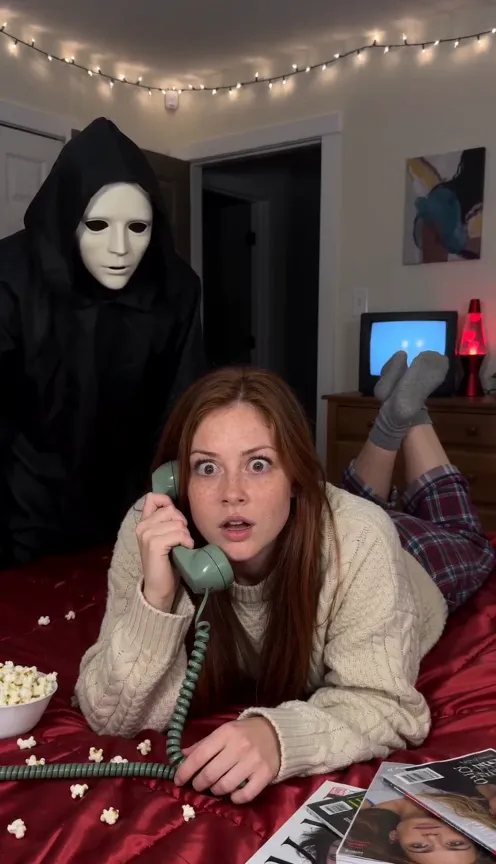
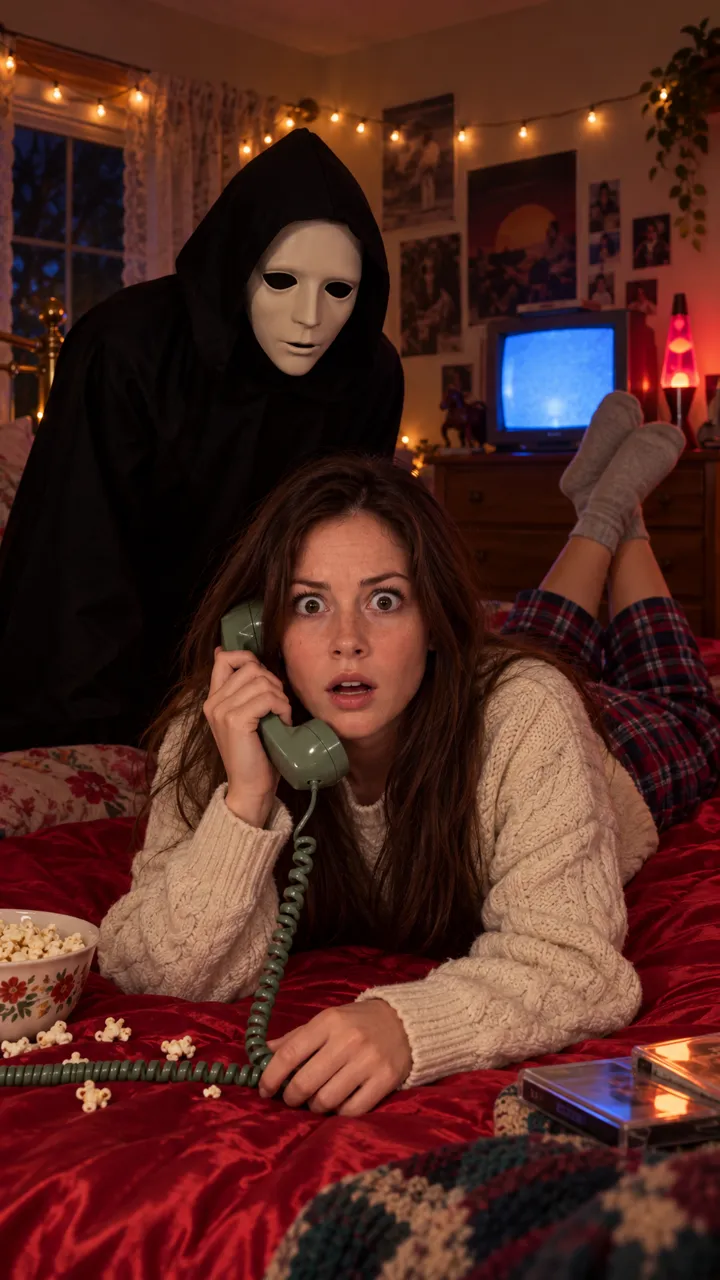
Ghostface AI trend prompt (copy and paste)
A copy-ready Ghostface AI trend prompt for video: the 90s phone call, the figure in the doorway and the scare at 7 seconds, plus fixes and a version for men.
7 min read · Updated
The Ghostface AI video prompt
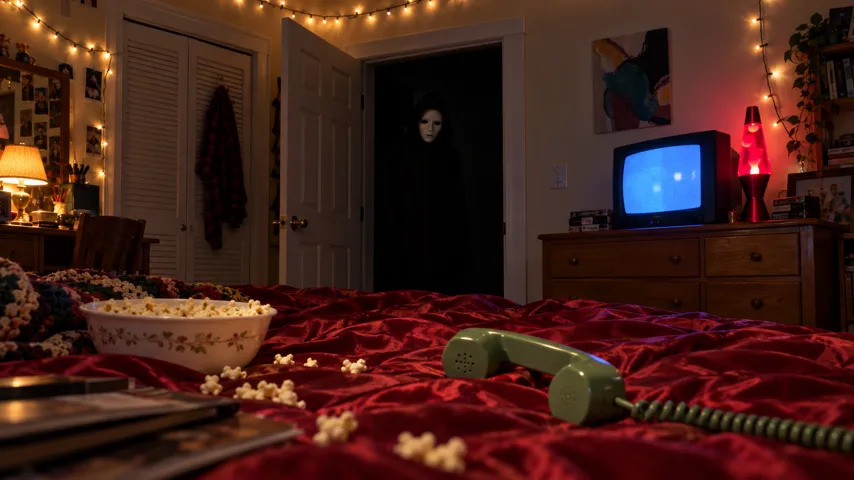
Here’s a copy-ready prompt for the Ghostface AI trend as a video: you laughing on a corded phone in a 90s bedroom while a masked figure appears in the doorway, then the lights flicker and it’s right behind you. Attach your photo as the reference image and paste this in.
Ghostface AI video prompt
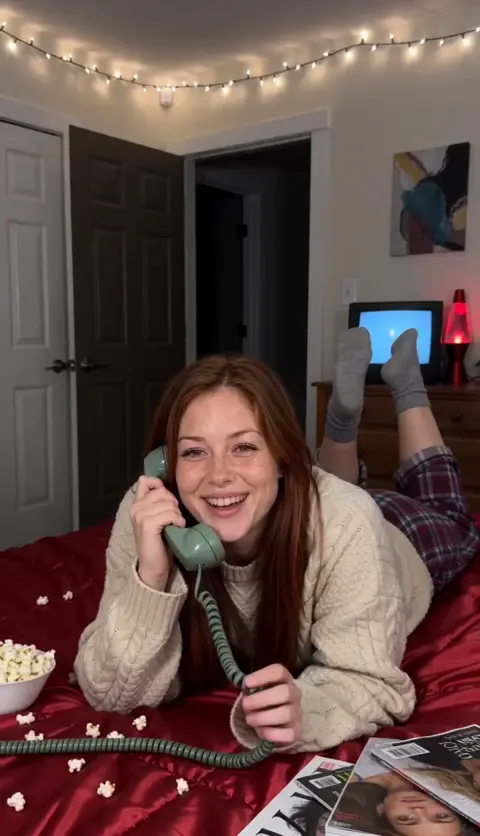
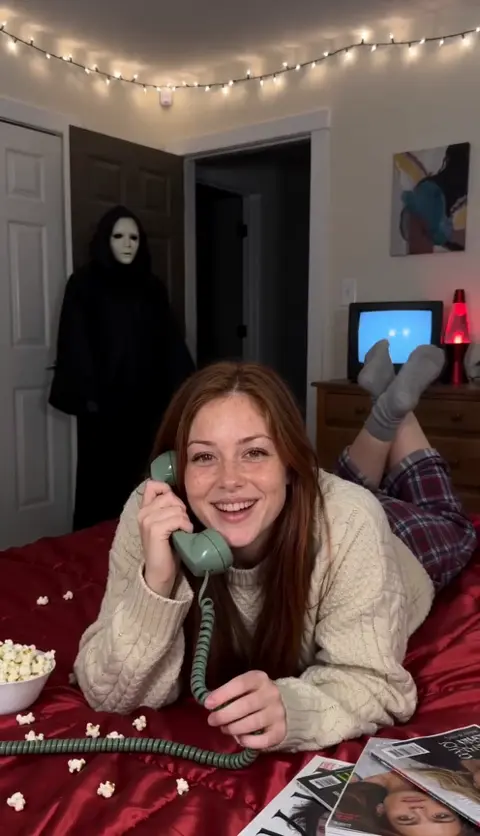
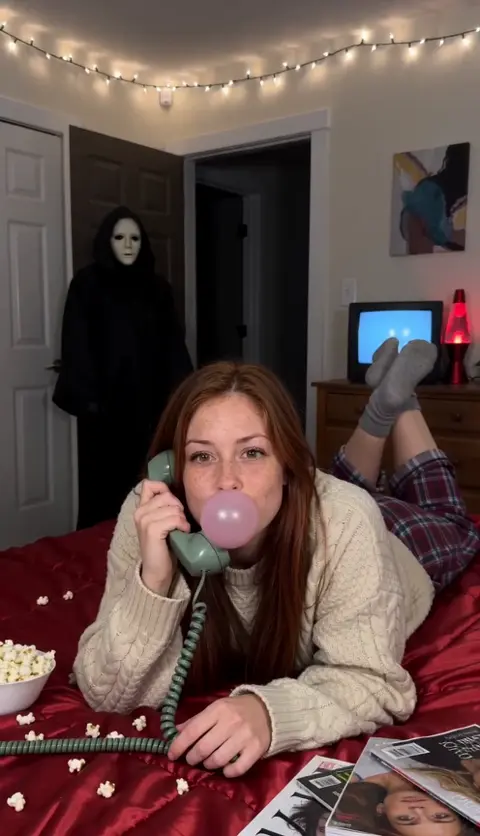
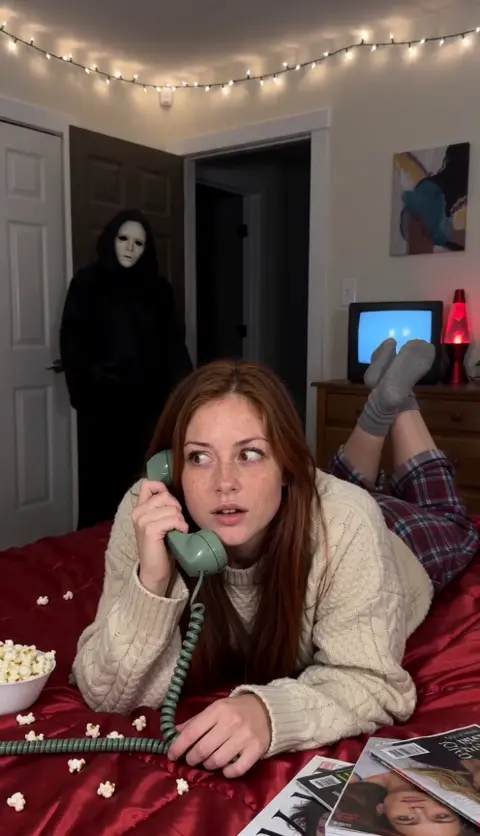
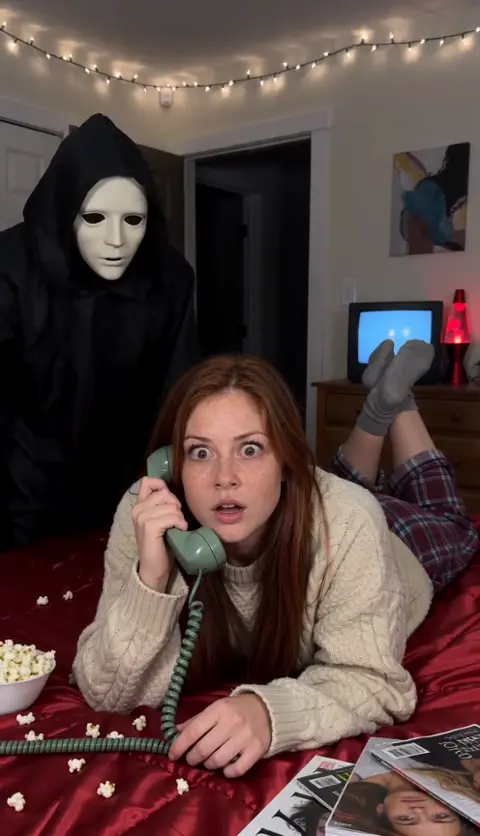
Vertical 9:16 video, 10 seconds, photoreal, one continuous shot from a phone on a tripod at the foot of a bed. The camera never moves. No cuts, no text, no logos. The person is the one in my reference photo: keep their face, hair, skin tone, age and build exactly. They wear a loose cream cable-knit sweater, red-and-navy plaid flannel pyjama trousers and thick grey socks. Setting: a 1990s bedroom at night. Warm fairy lights along the top of the wall, a small boxy TV glowing blue on a dresser, a red lava lamp, a red satin bedspread with popcorn and magazines on it. Behind the bed, an open door onto a pitch-dark hallway. Also in the scene: a tall, silent figure in a long black hooded robe and black gloves, wearing a smooth plain white mask with large dark eye holes and a long dark mouth. Its hands are empty. 0–3 s: the person lies on their stomach across the bed, propped on their elbows, facing the camera, laughing into a green corded phone and winding the cord round a finger. The doorway behind them is empty. 3–5 s: the masked figure is now standing still in the dark doorway. The person hasn’t noticed and blows a big pink bubble-gum bubble. 5–7 s: the bubble pops. Their smile fades, they go quiet and their eyes drift sideways. The figure tilts its head. 7–10 s: the fairy lights flicker and the figure is suddenly right behind the bed, just over their shoulder. Both stare straight into the lens. Hold to the end. Sound: none. I’ll add the music myself. Avoid: knives or any weapon, blood, a chase, screaming, film posters or titles, a second clear face, the mask coming off, camera moves, cuts, captions.
It never names the character or the film. That’s deliberate: many tools block both, and the costume description gets you the same look. Want it without a prompt? The Ghostface page makes it from one photo.
How to use it
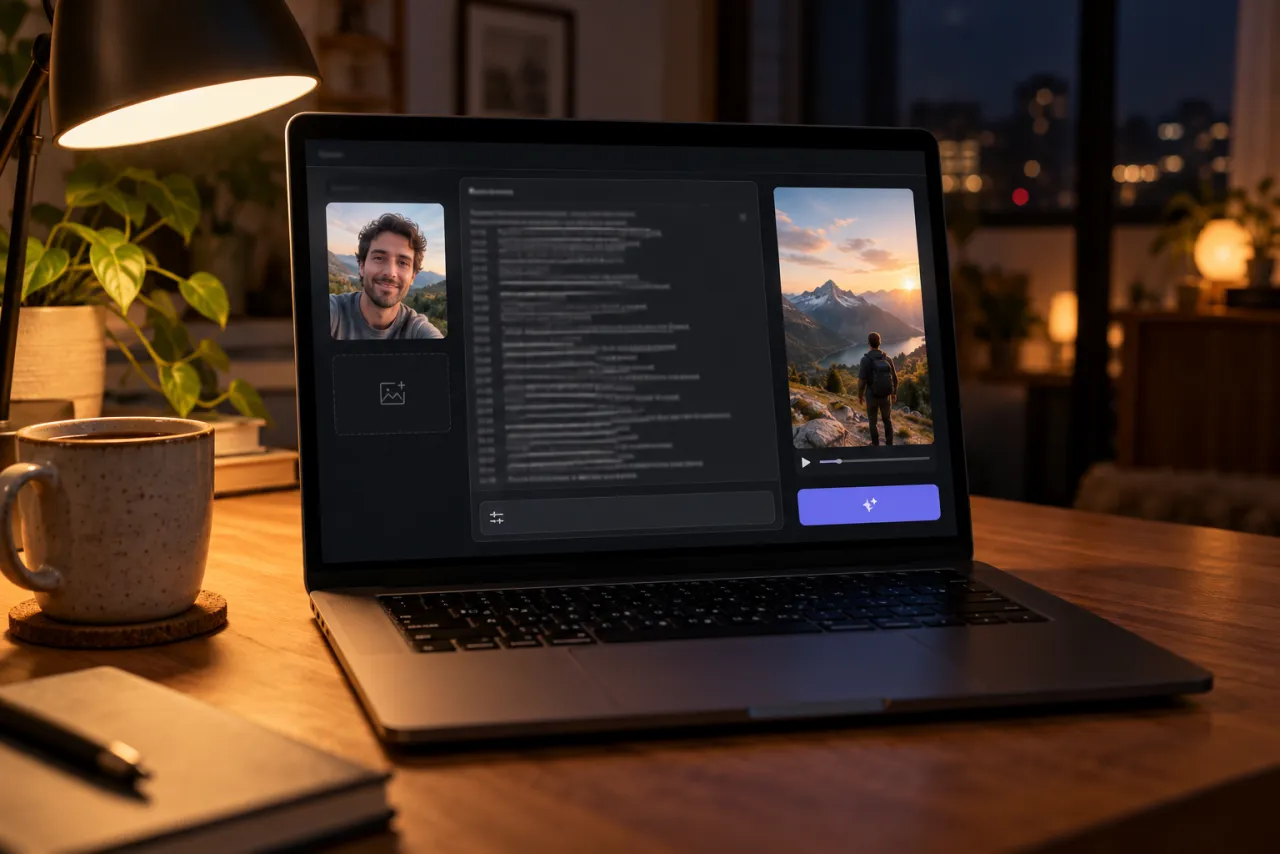
- Open an AI video tool’s image-to-video or reference-image mode: Kling, Higgsfield, Runway, Veo or CapCut’s AI video all have one.
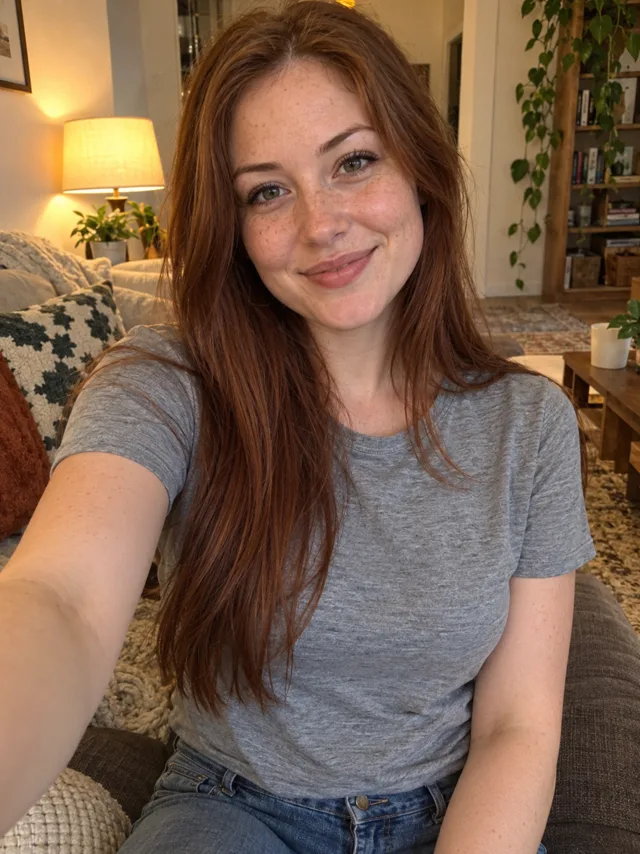
- Attach one clear photo of your face. The prompt says “my reference photo”, so your face comes from the picture, not from a description.
- Paste the prompt. Set 9:16 and 10 seconds, or the nearest length the tool offers.
- Turn off the tool’s own sound or music option if it has one.
- Generate, watch it once with the timings in mind, then adjust with the fix-it table below.
If the tool only accepts a first frame, not a reference, the clip will start from your photo. Use a photo of you lying on a bed, or make a still first (see the video vs photo guide).
Shot by shot: what each line does
- The format line fixes one still camera. The trend is a single phone shot; any camera move breaks the illusion that the figure “just appeared”.
- 0–3 s keeps the doorway empty so viewers have a moment to settle in. Without it, many tools put the figure there from frame one.
- 3–5 s brings the figure in while you’re busy. The bubble gives the tool an action to do so your face stays toward the camera.
- 5–7 s is the slow turn: the smile fades and the eyes drift. It’s what makes viewers feel the scare coming.
- 7–10 s is the payoff. “Lights flicker” gives the tool a reason to jump the figure forward without a visible walk.
Variants
For men
Swap the outfit line for a faded grey sweatshirt and plaid pyjama pants, and the bubble for a popcorn catch. The Ghostface prompt for men has the full version and a still-photo prompt.
Your own clothes
Replace the outfit line with “They wear the same clothes as in my reference photo.” Use a photo that shows your outfit from the waist up at least.
For two people
Some tools take two reference photos. The couples guide has a two-person version with both of you on the call.
A softer version
If a tool keeps refusing, keep the figure at the far side of the bed in the last shot instead of at your shoulder, and change “suddenly right behind” to “now standing a step behind”.
Fix it: symptom and change
| What went wrong | Change in the prompt |
|---|---|
| The figure is there from the start | Add “the doorway is empty until 3 s” to the 0–3 s line and “figure visible before 3 s” to Avoid |
| Your face doesn’t look like you | Use a sharper, front-lit photo; keep “keep their face exactly” and cut extra describing words about your looks |
| The camera pans or zooms | Repeat “the camera never moves” at the end of the 7–10 s line |
| The figure holds a knife | Keep “its hands are empty” and “knives or any weapon” in Avoid |
| The figure takes the mask off or shows a face | Add “the mask stays on, no face under it” to the figure line |
| The tool refuses the prompt | Remove any character or film names and horror sound words; see the not-working guide |
The photo you attach
- One face, looking at the camera, in good light, with nothing covering it. A selfie works.
- Your eyes matter most: the last three seconds are a wide-eyed stare into the lens. Skip sunglasses.
- One person only. Crop group photos down to just you.
- Only use a photo of yourself, or of an adult who has said yes. No celebrities and no one under 18.
More examples, good and bad, are in the photo guide.
What a prompt can’t do
- Add the song. AI tools don’t lay in Le Tigre’s Deceptacon; you pick it when you post.
- Promise the timing. Tools treat “at 7 s” as a hint. You may need to trim the start so the scare lands where the music hits.
- Guarantee a pass. Filters change, and the same prompt can pass one day and be refused the next.
The no-prompt route: add one photo on the Ghostface page and get the finished vertical video with scene sound and no watermark. If it fails, the credits come back automatically. Prices are on Pricing.
NowStarring is an independent fan tool, not linked to the Scream films, their makers or the owners of the Ghost Face mask. The masked figure in our videos is a generic one.
Questions
What is the prompt for the Ghostface AI trend?
Describe a vertical 10-second shot of you on a corded phone in a 90s bedroom, a figure in a black hooded robe and a plain white mask appearing in the doorway, and the figure suddenly behind you at 7 seconds. The full copy-ready prompt is at the top of this guide.
Can I use the word Ghostface in the prompt?
Avoid it. Many tools block the character’s name and the film title. Describing the costume, a long black hooded robe and a plain white mask, gets the same look and passes more often.
Does this prompt work in ChatGPT or Gemini?
The video prompt is for AI video tools with a reference-image mode. For the still-photo version in an image tool, use a shorter photo prompt; there’s one in the guide for men.
Why does the figure appear at the start of my video?
The tool is ignoring the timing. Say the doorway is empty for the first 3 seconds and repeat it in the negative line, or shorten the prompt so the timed lines stand out.
Will the prompt add the Deceptacon song?
No. AI video tools don’t add a specific commercial song. Pick the Deceptacon sound on TikTok or Reels when you post.
Is there a Ghostface prompt for guys?
Yes. The guide for men has a video prompt and a still-photo prompt with a men’s 90s outfit and his own beard and hair kept.