How to do the Boxing AI trend for free
Do the Boxing AI trend free: film the golden combo behind your sofa, or paste our prompt into an AI video tool’s free tier. What each route costs.
6 min de leitura · Atualizado em
The short answer
Yes, you can do the Boxing AI trend for free in two ways: film it yourself with your phone on the sofa, or paste a written prompt into the free tier of an AI video tool with your photo attached. Free costs you time and retries, and on most AI tools a watermark.
If you’d rather skip all that, the paid route on the Boxing page makes the 10-second video from one photo of you: the flurry and the golden combo, no gloves, no gym and no editing.
The free routes compared
| Route | What you need | What you get | The catch |
|---|---|---|---|
| Film it yourself | Phone, a sofa, a free editor like CapCut | Really you, throwing the combo | Takes practice, then editing the labels |
| Free prompt in an AI tool | One clear photo and an image-to-video tool with a free tier | You behind an AI sofa, throwing punches | Often a watermark, shorter clips, retries |
| One photo on NowStarring (paid) | One clear photo of you | The finished 10-second vertical video | It costs credits; there’s no free video |
What you actually do
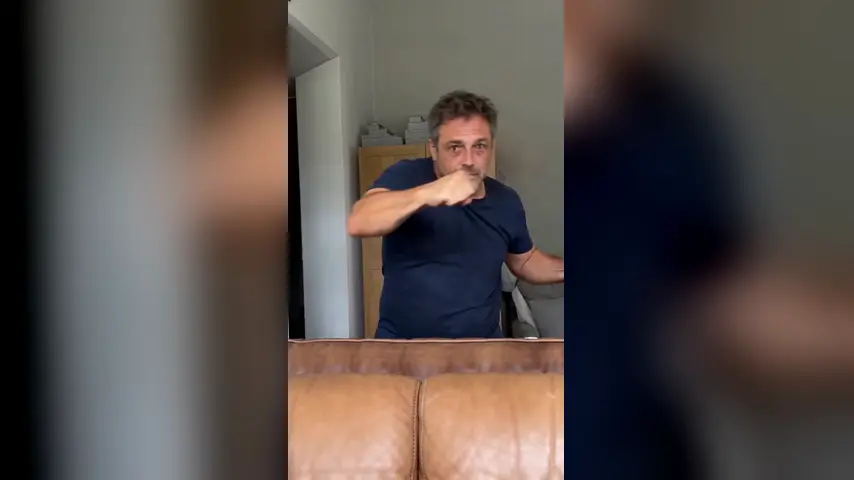
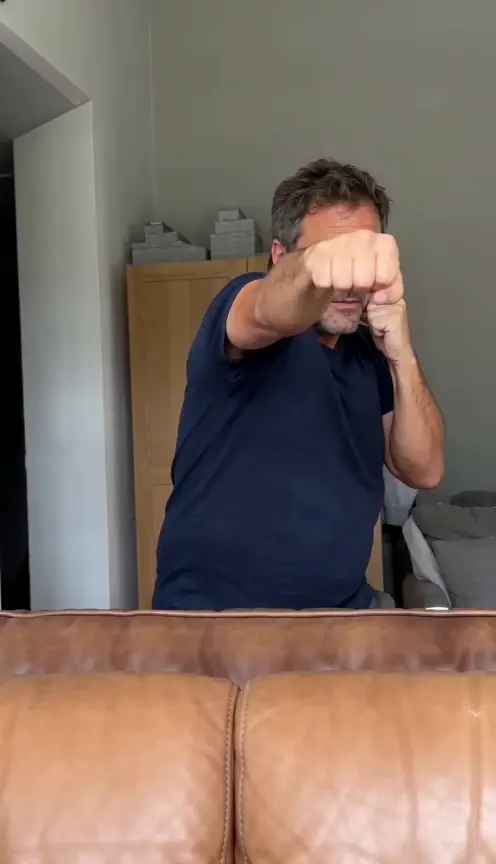
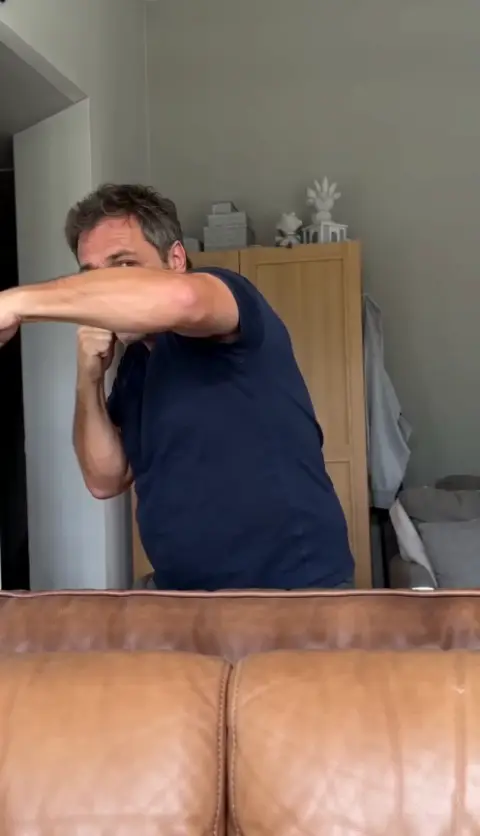
You don’t need to know how to box. The trend is a flurry and then five punches, thrown at the lens with a completely straight face. In plain words:
- The flurry: about four seconds of fast jabs, hooks and uppercuts, head bobbing side to side.
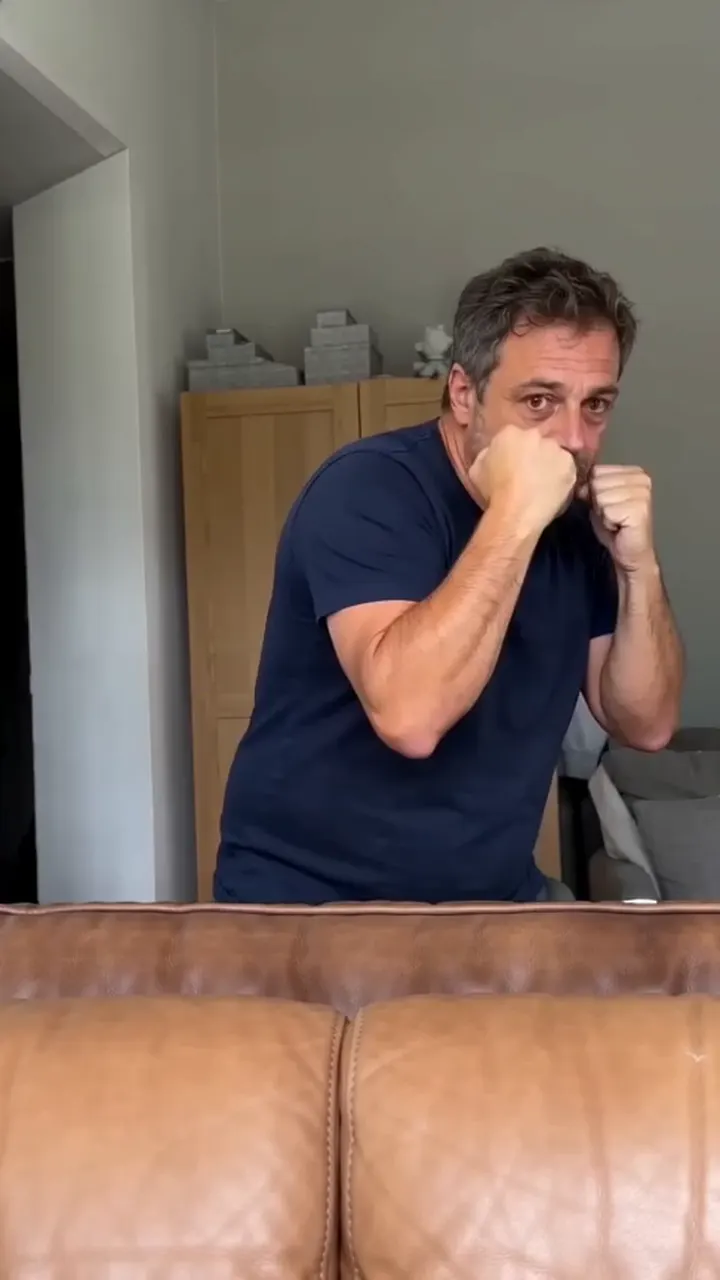
- Guard: both fists back up at your chin, bouncing lightly.
- Uppercut: one fist drives straight up past your face.
- Jab, then hook: a quick straight punch at the lens, then a wide swing at head height.
- The other uppercut, then a straight cross to finish.
The flurry is meant to be fast and a bit wild. The combo is the opposite: slow down and land every punch on its own, so each one gets its moment. And don’t smile. The more serious you look, the funnier it is.
Free route 1: film it yourself
- Rest your phone on the sofa seat, standing vertical against a cushion, tilted up a little.
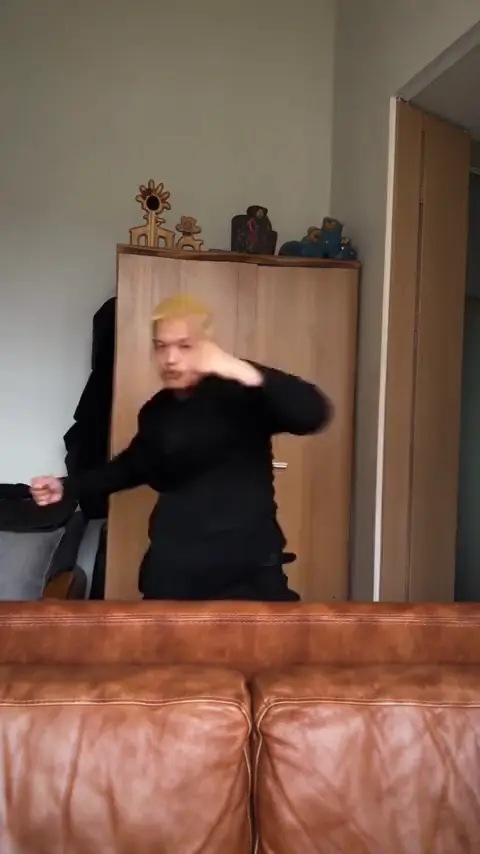
- Stand right behind the backrest, close enough that it hides you below the hips.
- Start recording, step into place and throw the flurry at the lens.
- Back to guard for a beat, then the combo: uppercut, jab, hook, the other uppercut, cross.
- Hold your guard for a second at the end, still serious, then stop recording.
- In CapCut, add a text label on each punch of the combo, and slow the combo down if you like. The steps are in the CapCut guide.
Give yourself room. Check there’s nothing behind you or above you that a hook or an uppercut could hit.
Free route 2: our prompt in an AI tool’s free tier
- Open an AI video tool’s image-to-video or reference-image mode, such as Kling, Higgsfield, Runway, Veo or CapCut’s AI video tools. Free tiers change, so check what’s on offer.
- Attach one clear photo of you, facing the camera, in the clothes you want to box in.
- Copy the prompt from the Boxing AI prompt guide and paste it in.
- Set vertical 9:16 and 10 seconds, or the longest the free tier allows.
- Generate, then add the trend’s sound when you post.
Expect a retry or two: gloves that appear out of nowhere and a final punch that turns into a pose are the usual problems. The fix-it table in the prompt guide covers them.
The punch labels
Most Boxing videos name each punch of the combo on screen as it lands: UPPERCUT, JAB, HOOK and so on. It’s part of the joke, like a serious training video. The labels are added afterwards in an editor, whichever route you take.
- Put each label on for about a second, right as that punch lands.
- Use big, plain capital letters, the way the trend does.
- Keep them off your face: the top or the middle of the frame works best.
The paid route: one photo, no gloves
On the Boxing page you add one photo of you and get the whole clip: you right behind a brown leather sofa, filmed from the seat, a fast flurry, back to guard, then the golden combo one punch at a time with a dead serious face. You box with bare fists, in the clothes from your photo.
One Standard video uses 45 credits. The smallest pack that makes one is $12.90 for 90 credits (2 videos), a one-time buy whose credits never expire, and plans start at $19.90 a month for 270 credits. If a video fails, its credits come back.
It’s vertical, with the trend’s sound and no watermark. We email you when it’s ready and it waits in My videos. Your photo is deleted automatically 7 days after upload. Full prices are on Pricing.
Which one should you pick?
- Film it yourself if you have a sofa, a few minutes to practise and don’t mind editing the labels. It’s free and it’s really you.
- Use the free prompt if you like tinkering and don’t mind a watermark or a few tries.
- Use one photo if you want it done once, without practising or filming yourself.
New to the trend? Read what the Boxing trend is, and check the photo guide before you upload.
NowStarring is an independent fan tool, not linked to the creator of the original clip or anyone in the trend. The trend’s sound belongs to its rights holders.
Perguntas
Is the Boxing AI trend free?
It can be. Film it yourself behind your sofa, or paste a written prompt into an AI video tool’s free tier with your photo. NowStarring has no free videos; it’s the paid one-photo route.
Do I need boxing gloves?
No. The trend is done with bare fists. Gloves actually make it look less like the trend.
Do I need a sofa?
It helps. The phone rests on the seat and the backrest sits across the bottom of the frame, which is the trend’s look. Any chair or bed with a back works too.
Can I do the Boxing trend alone?
Yes. That’s how it’s made: the phone rests on the sofa and nobody holds it. Just hit record and step behind the backrest.
What is the golden combo?
After a fast flurry, the trend slows down and throws one punch at a time: an uppercut, a jab, a hook, an uppercut with the other hand and, in most remakes, a straight cross.
Does a free AI video come with sound?
Usually not, and ours doesn’t either. You add the trend’s sound on TikTok or Reels when you post.