How to make the Mi Chico AI video from one selfie, step by step
Make the Mi Chico AI video on your phone: add a selfie, pick Standard or HD, sign in, and about three minutes later save the 15-second rooftop clip with the song. Screenshots, posting tips and fixes.
Lecture min 6 · Mise à jour
Joue dans Mi Chico avec une seule photo
Crée le tienWhat you need
- A phone or a laptop. Everything runs in the browser; there’s no app to install.
- One photo of you on your own, face to the camera. A photo from the head down to the knees is best, because your clothes carry into the dance. The photo guide shows good and bad examples.
- An account and enough credits for one video. You sign in at the last step, so you can try the whole form first.
Not after the AI version? To dance it yourself, start with the moves; to spend nothing, see the free routes.
Step 1: add yourself
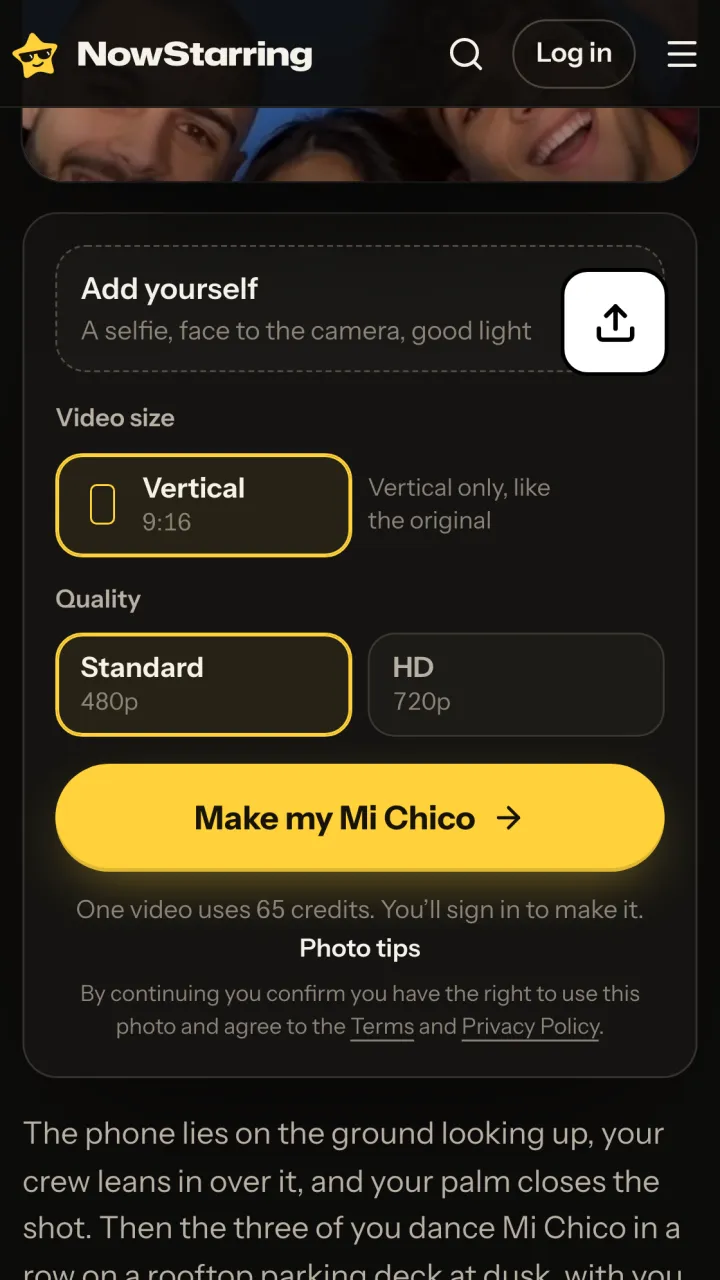
Open the Mi Chico page and scroll just past the video to the card that says Add yourself. Tap the upload button and pick a photo from your camera roll, or take one there and then.
On a laptop and the photo is on your phone? Use the “Photos on your phone? Send them here” link under the card: scan the code, pick the photo on your phone, and it lands on the laptop.
Step 2: check the photo and pick a quality
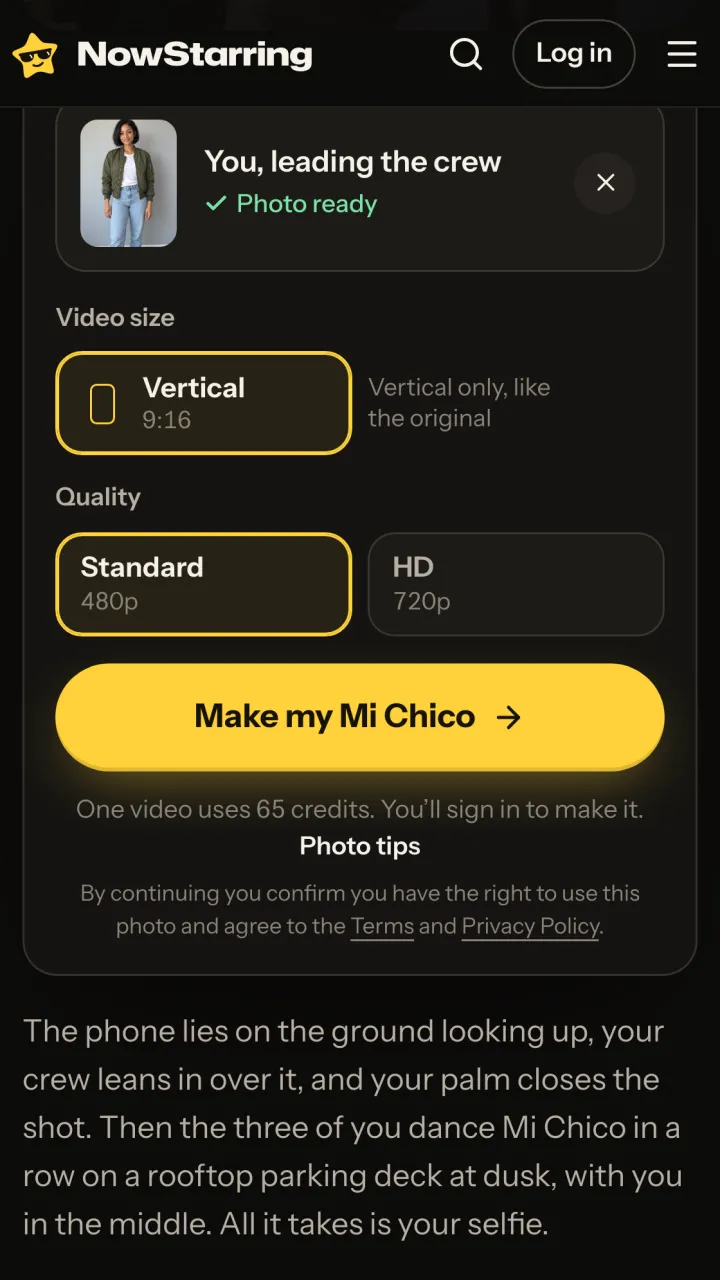
Your thumbnail appears with “You, leading the crew”. If you picked the wrong picture, tap the cross and add another. The size is fixed at vertical 9:16, like the original. The only choice left is quality:
| Quality | Credits | Pick it when |
|---|---|---|
| Standard, 480p | 65 | You’re posting to a phone feed. It’s what most people pick, and it looks right next to the other trend videos. |
| HD, 720p | 130 | You want a sharper file for Reels, Shorts or a big screen, or you plan to edit it further. |
Step 3: press Make my Mi Chico and sign in
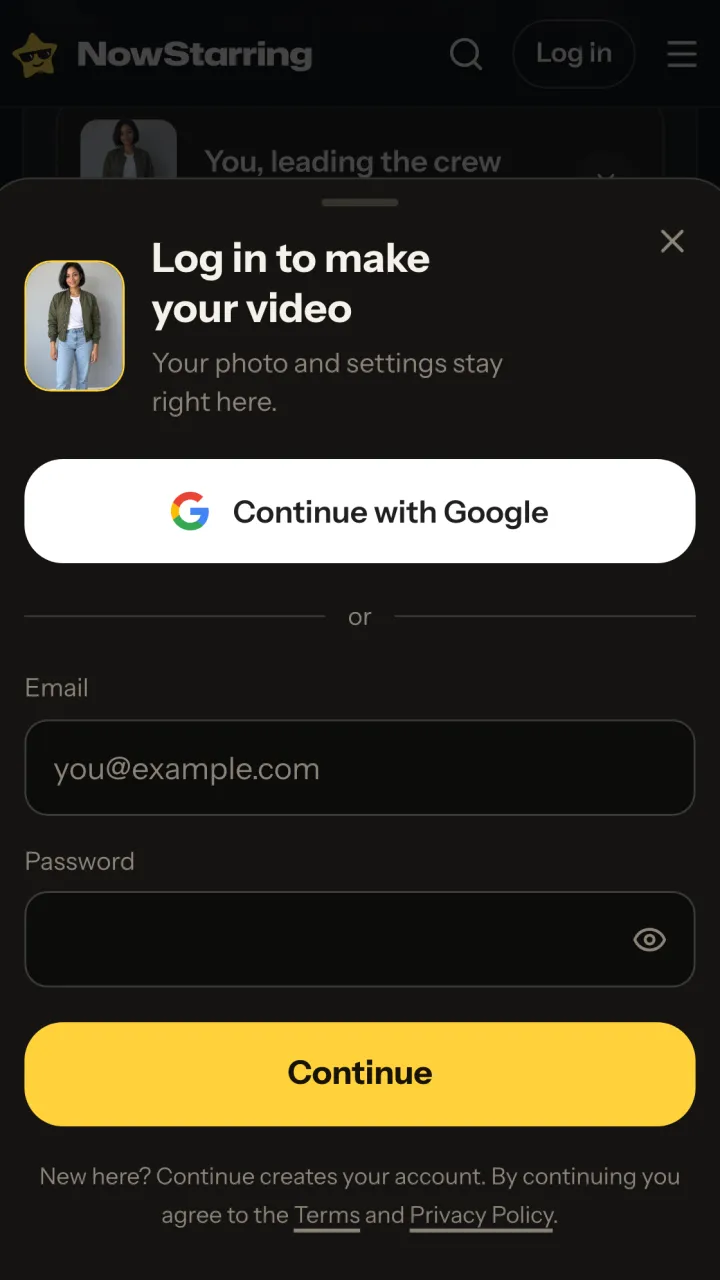
The first time, a sheet asks you to log in with Google or an email. Nothing you picked is lost. New here? The same Continue button creates your account. If you’re short of credits, you can top up in the next step.
One Standard video uses 65 credits. The smallest pack that makes one is $9.90 for 90 credits (1 video), a one-time buy whose credits never expire, and plans start at $19.90 a month for 270 credits. If a video fails, its credits come back.
While it renders: what you’ll get
It takes about three minutes. You can leave the page; the video is saved to My videos when it’s done. Here is what comes back, second by second:
| Time | What happens |
|---|---|
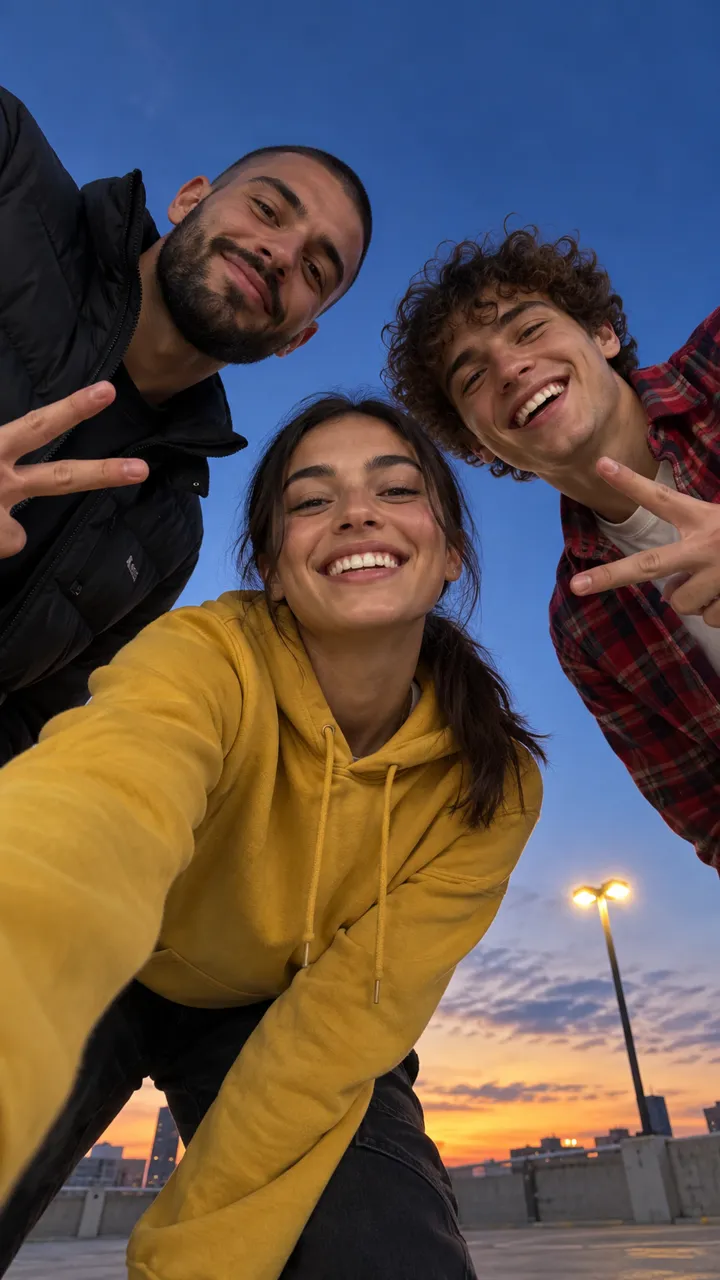
| 0:00 | Looking up from a phone on the ground: you and two dancers lean in over the lens against the dusk sky |
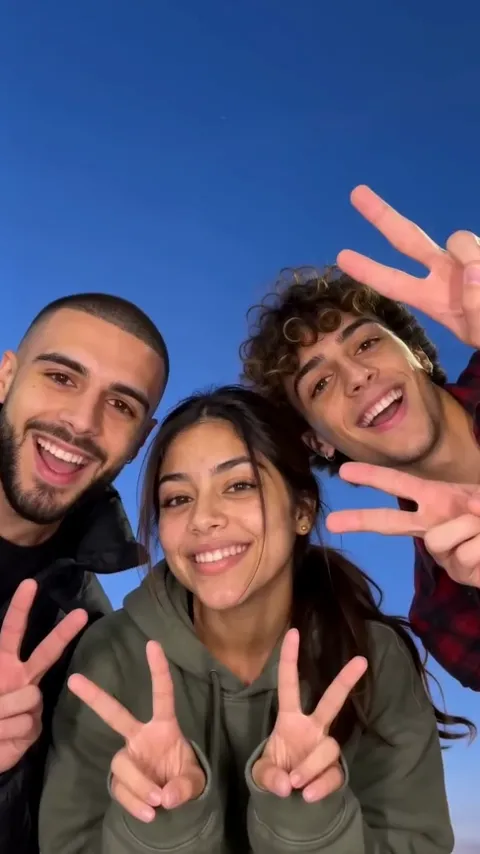
| 0:01 | The three of you grin down into the lens; the two others flash peace signs |
| 0:04 | You lean right in, laughing, and your palm covers the lens |
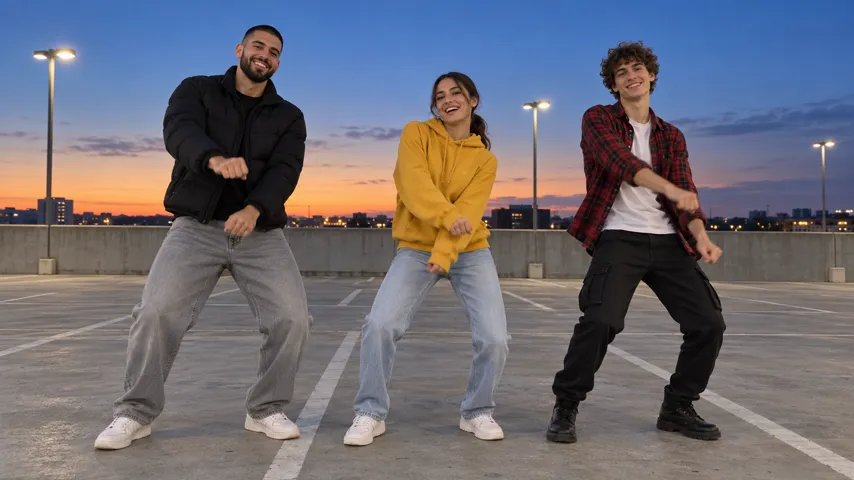
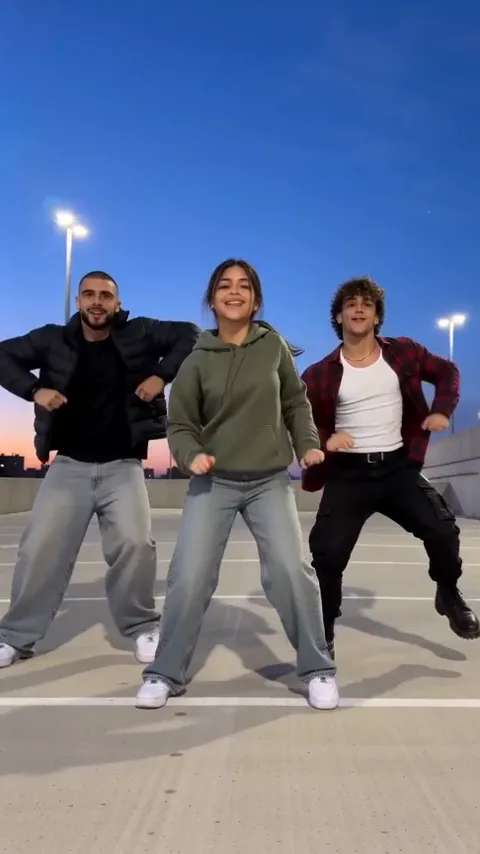
| 0:05 | Cut to the rooftop deck: the three of you in a row, you in the middle, bouncing, grooving and rolling your shoulders |
| 0:14 | Everyone laces their hands behind their heads |
| 0:15 | The end, ready to loop |
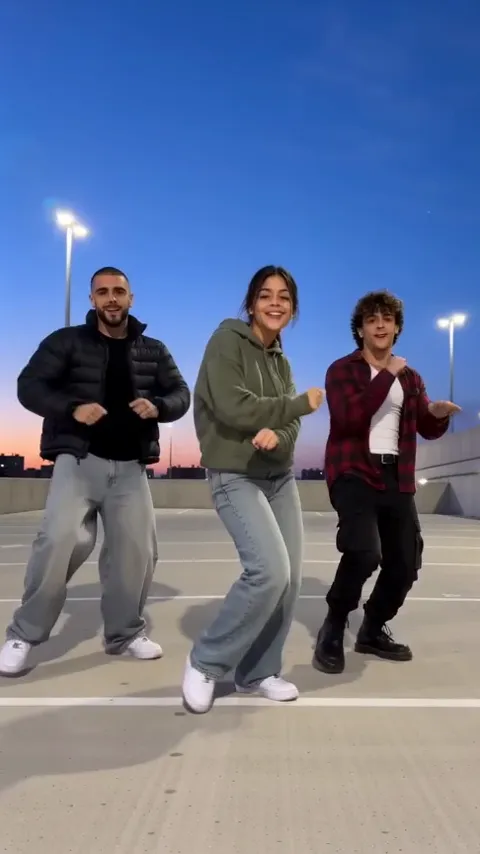
The two dancers beside you are made up for every video: a bearded man in a black puffer on your left and a curly-haired man in an open red flannel on your right. They are nobody real, and they never take your face or your clothes.
Step 4: save it and post it
- Tap Download on your phone, or Send to my phone on a laptop and scan the code. It’s a clean MP4 with no watermark.
- Open TikTok, Reels or Shorts and upload it from your camera roll. The song is already in the video.
- Want it on the Mi Chico sound’s page too? Add the sound in the app and turn your original sound down to zero so the song doesn’t double up. The song guide has the exact volumes per app.
- Pick a cover frame. The wide shot on the roof reads best as a thumbnail; your close-up works if you want your face on the grid.
- Write a caption and post.
Caption ideas
- the group chat when someone finally says yes to plans
- me and the two friends I had to invent for this
- rooftop at 7, don’t be late
- POV: you’re the one everyone dances around
Hashtags people use for it: #michico, #michicotrend and #michicochallenge. Add #aivideo if you want to be upfront that it’s AI-made; on TikTok you can also switch on the AI-generated content label.
If something looks off
| What you see | Usually because | Try |
|---|---|---|
| The face doesn’t quite look like you | The photo is small, dark, side-on, or a hand or phone covers part of the face | A sharp photo, face straight to the camera, in daylight |
| Jeans and white sneakers you don’t own | Your photo showed only your top, so the video filled in the rest | A photo from the head down to the knees, in what you want to wear |
| A cap or hood on you all the way through | It was in your photo. Whatever you wear there stays on | A photo without it |
| The photo won’t upload | It is under 300 pixels on a side, or a very long, thin screenshot | The original photo from your camera roll |
| The video failed | A rare render error | Its credits are back in your account already; press Make again |
Your photo is used only for your video and is deleted automatically 7 days after upload. The finished video stays in My videos until you delete it.
NowStarring is an independent fan tool, not linked to DJ Goja, Jason Derulo, Melody, their labels, the song’s rights holders or the creators who started the trend, and the song belongs to its rights holders.
Questions
How long does the Mi Chico AI video take?
About three minutes after you press the button. You can close the tab while it renders; the finished video waits for you in My videos.
How much does one Mi Chico video cost?
65 credits at Standard (480p) and twice that in HD (720p). The smallest pack that covers one is $9.90 for 90 credits, and a video that fails gives its credits back.
Can I put my friends in the video?
Not here. The page takes one photo, and that person leads; the two dancers beside you are made up. For your real crew, film it together with the dance guide.
Does the video have a watermark?
No. You download a clean vertical MP4 with Mi Chico already playing over it, ready to post.
Can I make it horizontal or longer?
No. It’s 9:16 and 15 seconds, the shape and length of the trend clip itself, so it sits right next to the other posts on the sound’s page.
What if my face looks off in the result?
Almost always the photo: small, dark, side-on or half hidden. Try a sharper one from the photo guide. If a video finished but looks wrong, write to us and we’ll sort it out.