The best photo for the Mi Chico AI video, with real examples
Your selfie sets your face, hair, clothes and build in the Mi Chico AI video. Examples of photos that work and ones that don’t, how to stand out from the crew, and what you get if only your top is in the photo.
Lecture min 5 · Mise à jour
Joue dans Mi Chico avec une seule photo
Crée le tienThe short answer
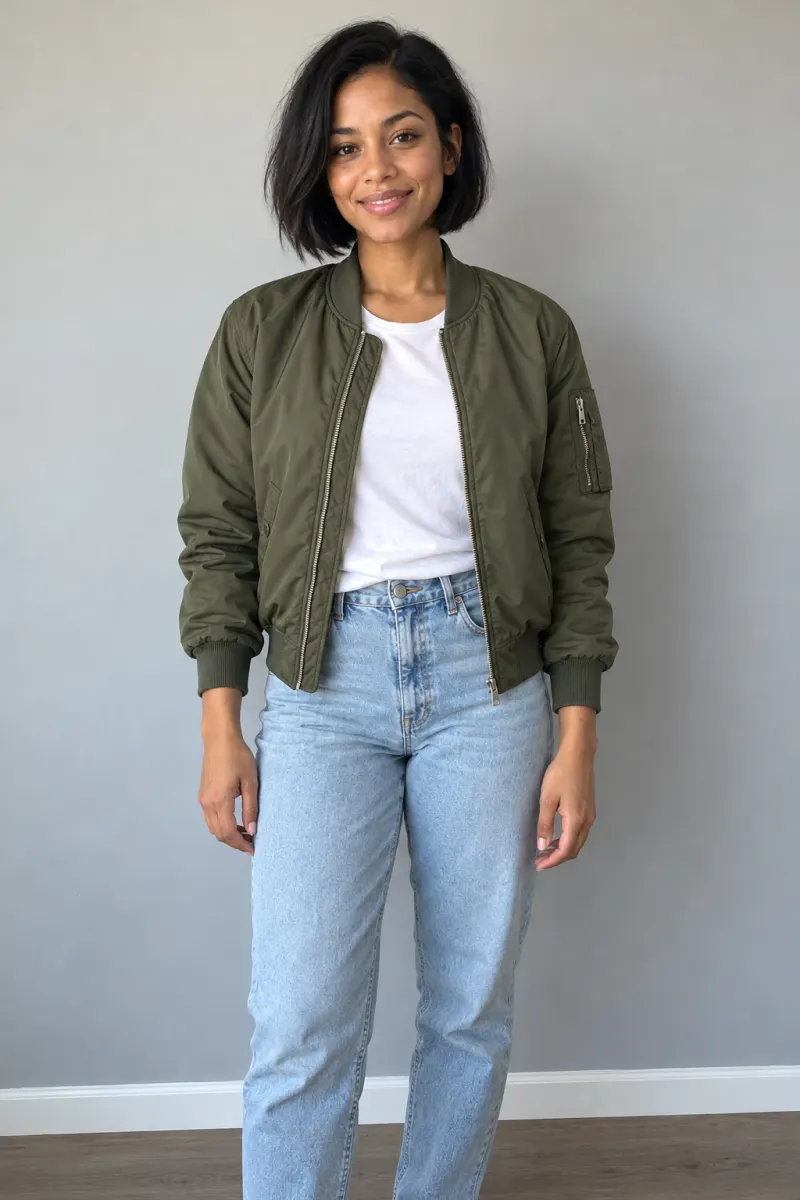
Just you, facing the camera, face sharp and in good light, wearing what you’d like to dance in. If you have one that shows you from head to knees, use that one.
What your photo decides, and what it doesn’t
The video is built around one person, the one in the middle. Everything about that person comes from your photo:
| From your photo | Where it shows |
|---|---|
| Face, skin tone and age | The close-up into the lens at 0:04 and the middle of the row |
| Hair | Exactly as in the photo, the whole way through. No hat is added |
| Top, jacket, accessories | What you dance in |
| Build | Kept as it is, not slimmed or bulked up |
| Trousers and shoes | From the photo if they’re in it; plain jeans and white sneakers if not |
What your photo doesn’t change: the rooftop at dusk, the two other dancers, the moves and the timing. Those are the trend, and they’re the same in every video.
A real example, in and out
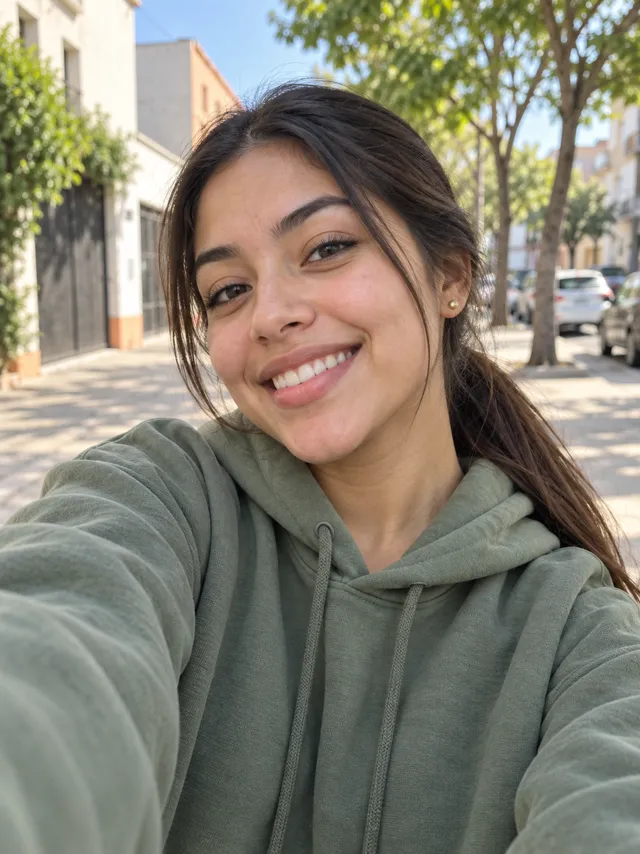
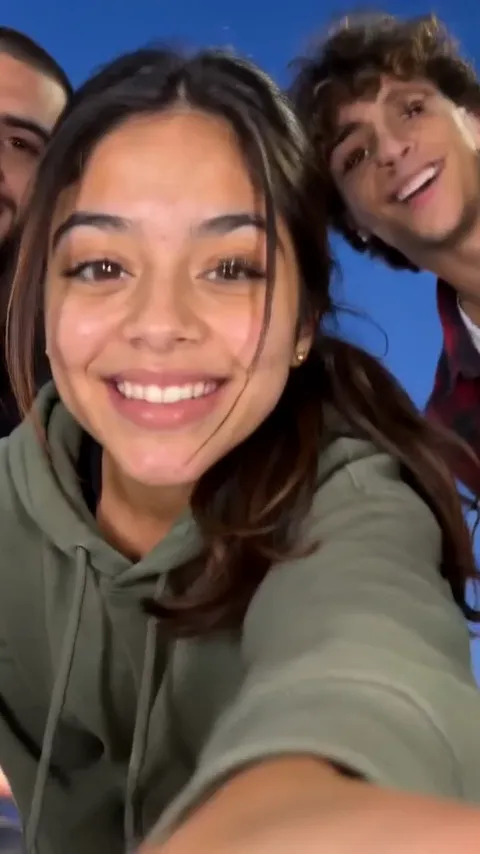
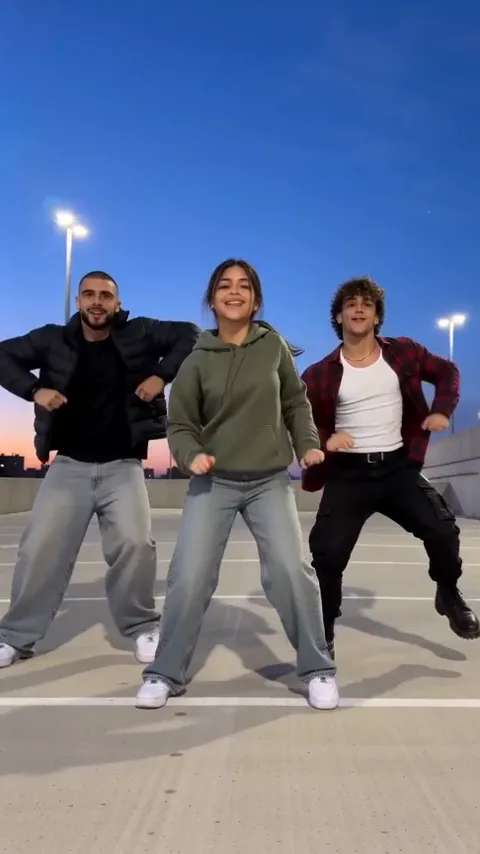
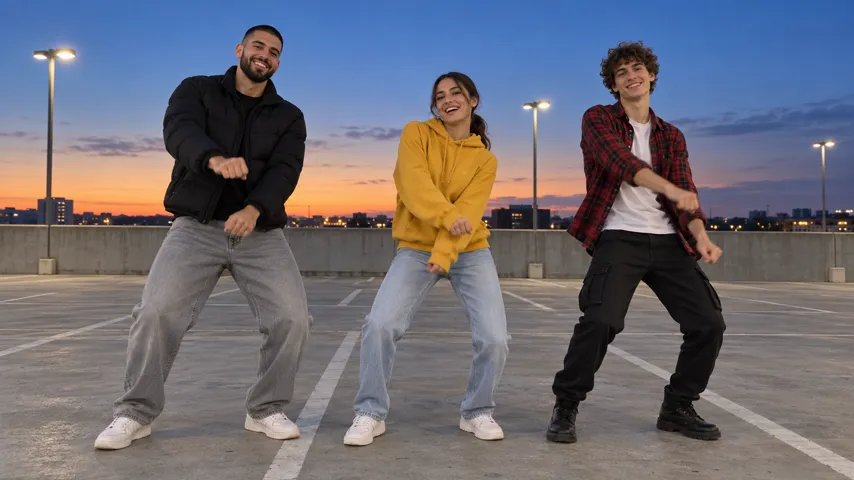
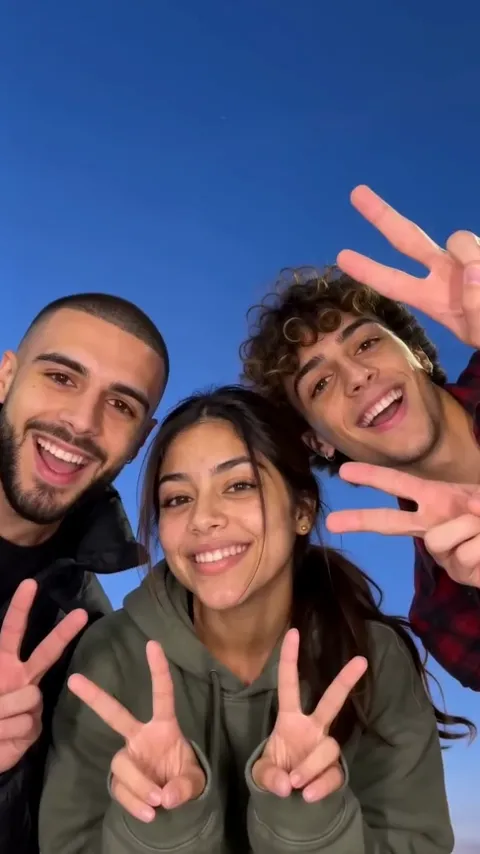
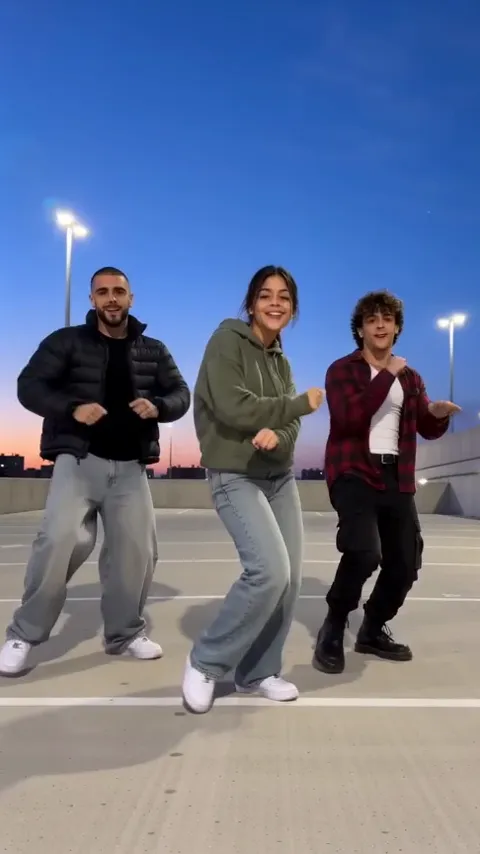
This selfie shows her face, ponytail and hoodie, and nothing below the chest. In the video she keeps all three, and since her legs weren’t in the photo, she’s dancing in plain jeans and white sneakers. A head-to-knees photo would have kept her own.
Stand out from the crew
The two other dancers always wear the same thing: a black puffer on your left, an open red flannel over a white T-shirt on your right. Turn up in either and the eye has nothing to pick you out by: you look like a third copy of the crew instead of the one they’re dancing around.
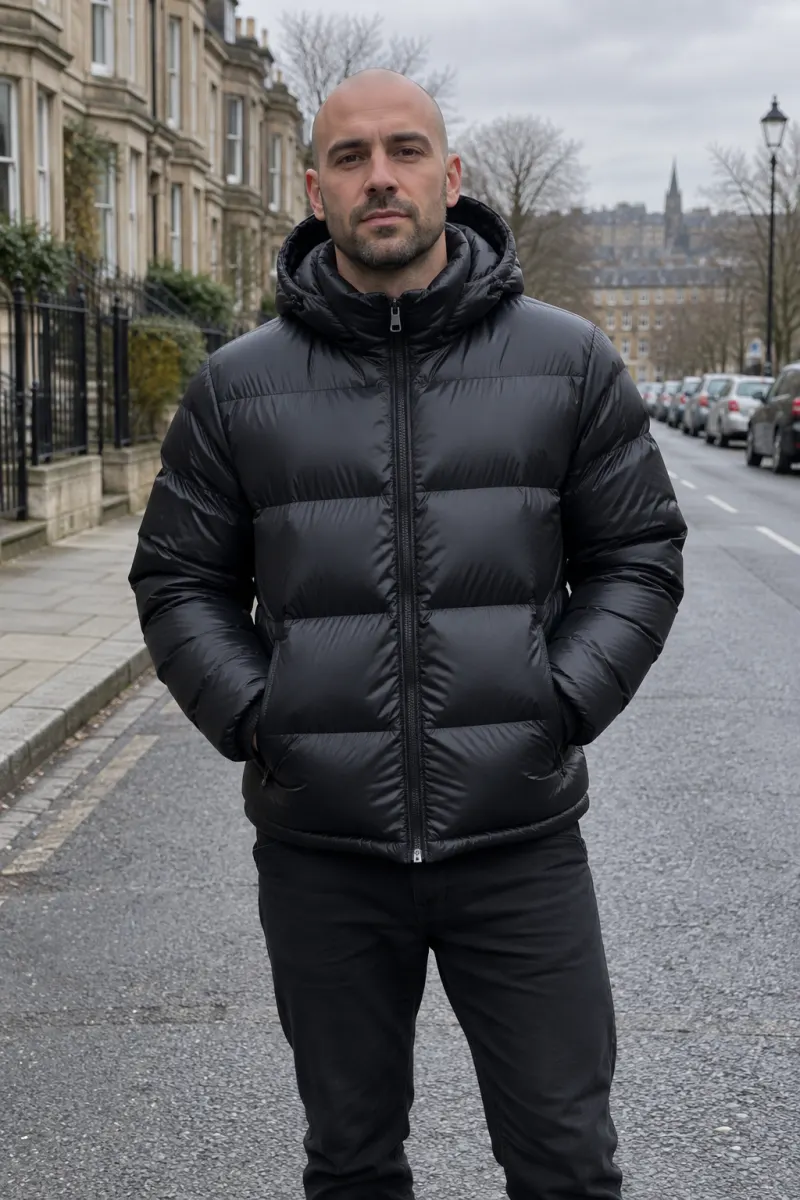
Colours that read well between them, against a dusk sky and grey concrete:
- Greens, from sage to olive
- Yellow and mustard
- Light or bright blue
- Pastels, pink, lilac
- Cream or beige
Caps, hoods and sunglasses
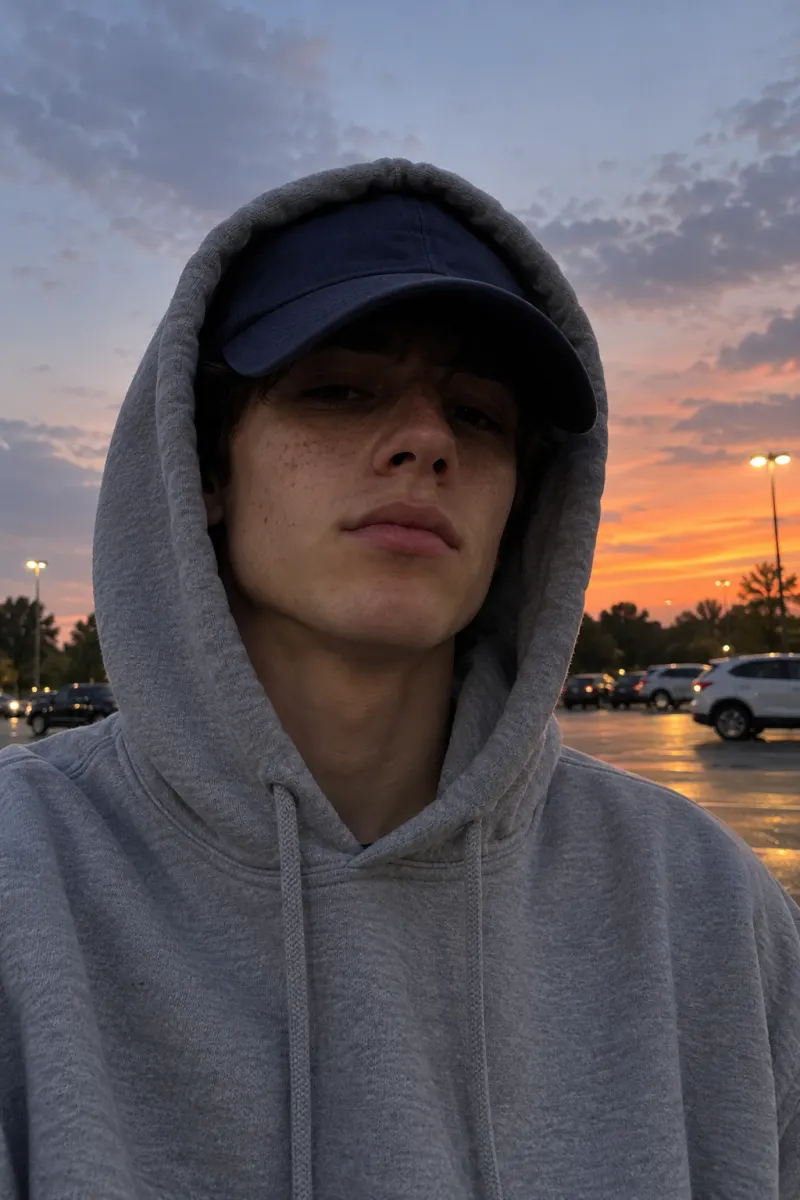
Whatever is on your head in the photo is on your head in the video, for every second. That’s fine for a cap you always wear. The problem is shade: a low brim or a hood hides your eyes, and the video has to guess them for the close-up, which is where a face stops looking like you. Sunglasses do the same. If you want the cap, push it up so your eyes are clear.
Only have a selfie from the chest up?

Most selfies stop at the chest, and that’s fine. Your face and top come through, glasses included, and the rest of you gets a plain pair of jeans and white sneakers, which suit the rooftop. If you’d rather dance in your own skirt, cargo pants or boots, use a photo that shows them: a mirror selfie, or ask someone to take one from a few steps back.
Why not a group photo
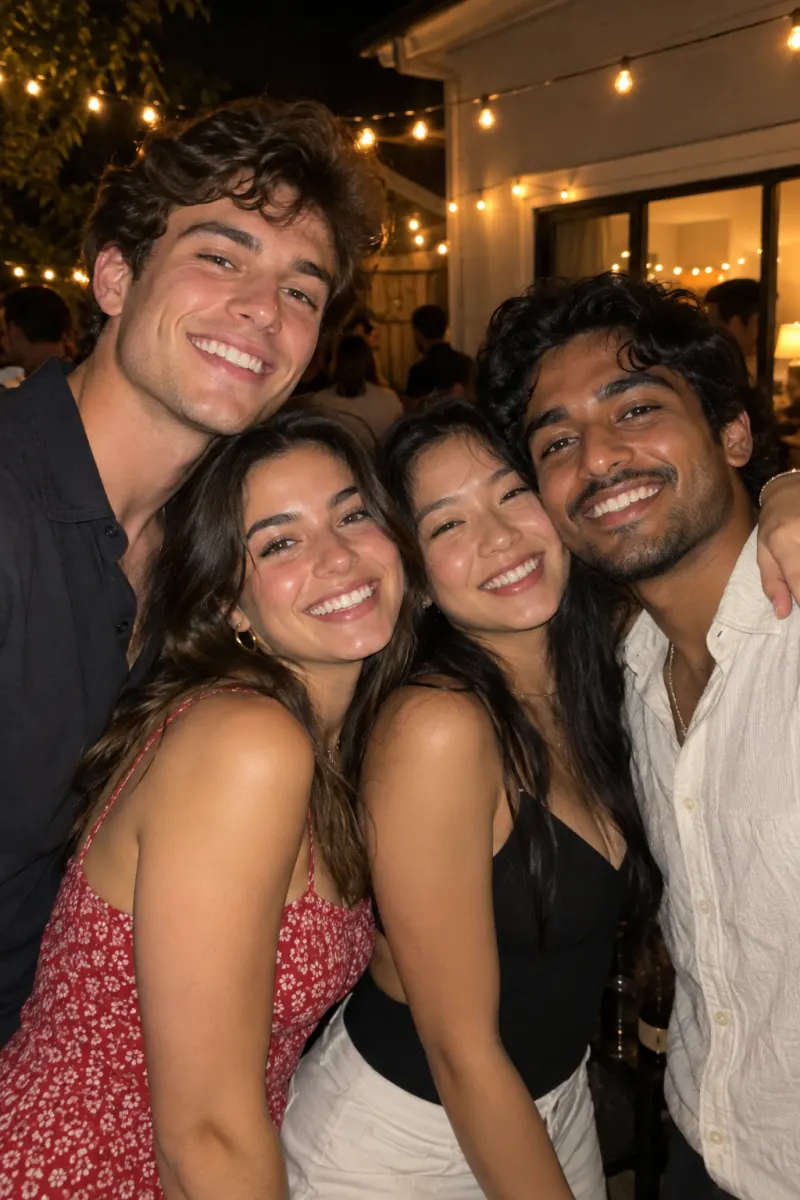
It feels natural for a crew trend, but the page makes one lead from one photo, and the dancers beside you are made up. A group photo gives it four faces to choose from. If the best photo of you is a group shot, crop it to just you before uploading, and check your face is still sharp after the crop.
Want your actual friends in it? That’s the filmed version: the dance guide has the moves and the shots.
Before you upload
- Only you in the frame.
- Face straight to the camera, nothing covering it: no phone, hand, hair or sunglasses.
- Daylight or a bright room, so your face is sharp, not grainy.
- Wearing what you want to dance in, in a colour that isn’t black or red.
- Head to knees if you have it; chest up is fine if not.
- The original from your camera roll, not a screenshot. Very small photos and long, thin screenshots are turned away.
Got the photo? Add it on the Mi Chico page, or follow the step-by-step with screenshots.
NowStarring is an independent fan tool, not linked to DJ Goja, Jason Derulo, Melody, their labels, the song’s rights holders or the creators who started the trend, and the song belongs to its rights holders.
Questions
Do my clothes carry over into the video?
Yes. The top, jacket and accessories in your photo are what you dance in. Trousers too, if the photo shows them; if not, you get plain jeans and white sneakers.
Can I wear a hat or a hood?
You can, but it stays on for all 15 seconds, and a brim or hood that shades your eyes makes your close-up look less like you. Leave it off unless it’s part of your look.
Can I use a group photo and crop myself out?
Yes, if you crop it down to just you and your face is still sharp. Don’t upload the group as is; the video has one lead, and the two other dancers are made up.
Is a mirror selfie OK?
Yes, as long as the phone doesn’t cover your face. Mirror selfies are often the easiest way to get your outfit in view.
Can I use a photo of a friend?
Only of an adult who has agreed to it, and only a photo you have the rights to use. No celebrities, no public figures and no one under 18.
What happens to my photo afterwards?
It’s used only to make your video and is deleted automatically 7 days after upload. It isn’t used to train AI models.