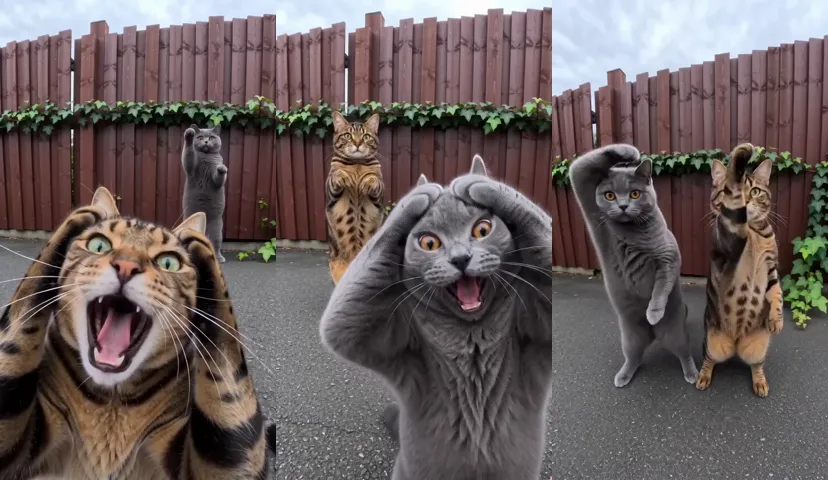
Smalltown Boy AI prompt (copy and paste) for the screaming pet video
The copy-ready Smalltown Boy AI prompt: two pets take turns screaming into the lens by a red fence, then dance side by side. The living-room version, with fixes.
7 dk okuma · Güncelleme:
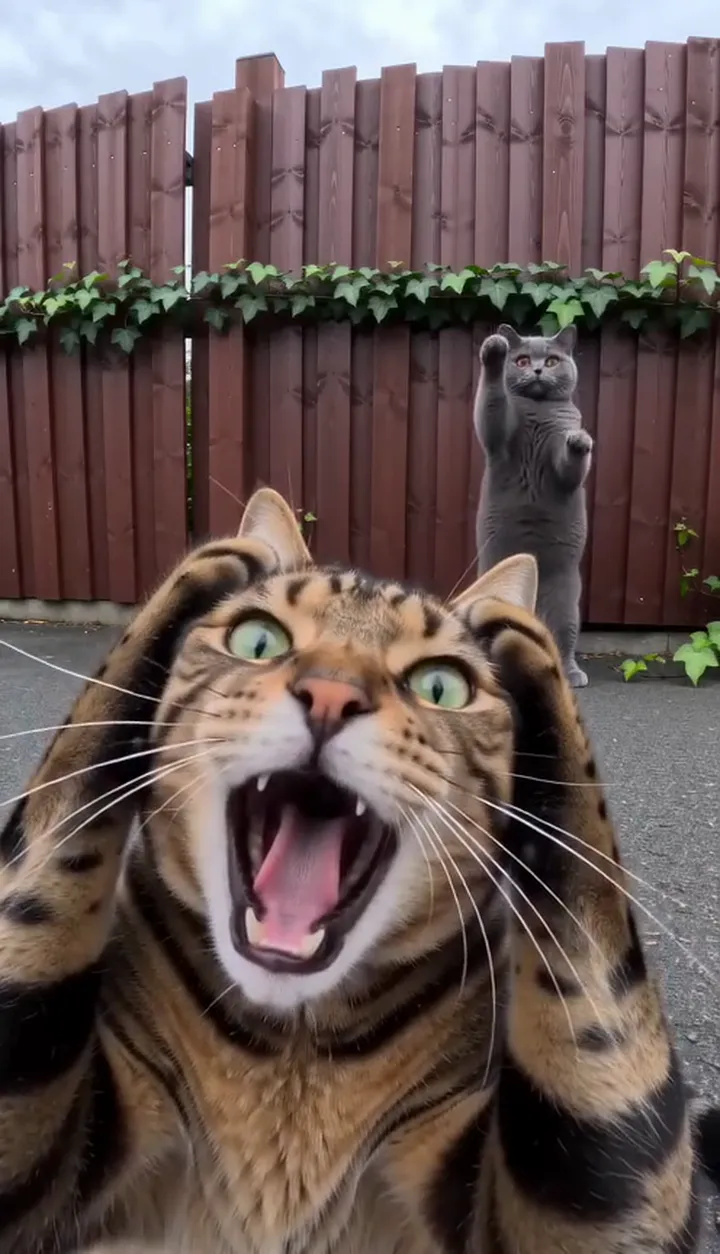
İki fotoğrafla Smalltown Boy videosunun yıldızı ol
Kendininkini yapThe Smalltown Boy AI video prompt
Here’s the copy-ready prompt for the Smalltown Boy trend, written the way we write ours: two pets by a dark-red fence take turns screaming into a wide lens, then dance side by side and rush the camera, with hard cuts on a timeline. Attach a photo of each pet, the one that screams first first, and paste it in.
Two pets, red fence
A vertical 9:16 phone video, exactly 15 seconds, photoreal live action in full natural colour, filmed outdoors on an overcast day with a wide-angle phone lens. Two pets stand upright on their hind legs and dance like people. Hard cuts only where the timeline below says CUT. No text, no subtitles, no labels, no logos, no watermarks. Setting: a tall dark-red painted wooden fence with a strip of green ivy running along it, a grey asphalt ground in front of it, soft daylight. Nothing else is there: no people, no other animals. WHO: exactly two pets, PET A from @Image1 and PET B from @Image2, each the same kind of animal as in its photo, both standing upright on their hind legs like small people, with natural animal faces, paws and fur. They wear nothing: no collar, no bell, no clothes. ACTION, Smalltown Boy dance, on the beat: [00.0-03.5] the video opens on PET A right up against the wide lens, its face filling the lower frame, both front paws pressed to the sides of its head, mouth wide open in a long dramatic scream; PET B is small in the background by the fence, upright, dancing side to side. [03.5-05.85] PET A reaches both front paws towards the lens and pats it, the paw pads filling the frame, then lowers them and stares. CUT at 05.85. [05.85-09.95] they have swapped places: now PET B is right up against the wide lens, both front paws on the sides of its head, mouth wide open screaming, rocking slowly; PET A is small in the background by the fence, upright, dancing. CUT at 09.95. [09.95-13.0] a wider shot, head to toe: the two pets stand upright side by side in front of the fence, PET B on the left, PET A on the right, swaying from side to side and waving their front paws, on the beat. One more CUT at 11.75 to a slightly different wide angle of the same dance. CUT at 13.0. [13.0-15.0] closer: both pets, still side by side, PET B on the left and PET A on the right, rush towards the lens together and swipe their front paws at it until the last frame. IDENTITY: PET A always looks exactly like @Image1 and PET B always looks exactly like @Image2, in every shot and after every cut: the same face, eye colour, coat colour and markings. Never swap them, never blend them, never give them the same coat. 写实动物、毛色和花纹跟照片一致、两只宠物不互换、面部稳定、不变形、只有两只宠物. Avoid: a third pet or any other animal, people, human hands, collars, bells, bow ties, clothes, ginger or black-and-white cats unless they are in the photos, the two pets looking alike, swapped coats, cartoon or 3D-animated style, extra legs, extra paws, extra tails, distorted faces, morphing, text, captions, logos, watermarks.
A prompt gives the tool a plan, not a promise; two or three runs is normal. Want it without a prompt, with the song in? The Smalltown Boy page makes it from a photo of each pet.
How to use it

- Open an AI video tool’s reference-image mode that takes two images: Kling, Higgsfield, Runway and Veo all have one.
- Attach the photo of the pet that screams first, then the other.
- Paste the prompt. If your tool doesn’t use @Image1 and @Image2, swap them for “the pet in my first photo” and “the pet in my second photo”.
- Set 9:16 and 15 seconds, or the nearest length. Turn off the tool’s own music if it adds some.
- Generate, watch it against the frames below, and use the fix-it table for anything off.
What each part of the prompt does
The first line
A vertical phone video on a wide lens, overcast daylight, two pets upright dancing like people, and hard cuts only where the timeline says. Without the wide lens, the screaming pet doesn’t fill the frame; without “hard cuts only”, tools add their own.
Setting
The fence described piece by piece: dark-red painted wood, a strip of ivy, grey asphalt and soft daylight. “No people, no other animals” keeps the frame to your two.
WHO
Exactly two pets, each the same kind of animal as in its photo, upright on their hind legs, wearing nothing. “No collar, no bell” is there because tools like to add them to cats.
ACTION
A timeline in seconds with each CUT on its own line: the scream until 3.5, the lens pat until 5.85, the swap until 9.95, side by side until 13, then the rush. The swap at 5.85 sits on the song, so moves on time mean a swap on the beat.
Left and right
Unlike most of our prompts, this one does say who stands where in the wide shots: PET B on the left, PET A on the right. With two animals, it helps the tool keep them apart after the cut.
IDENTITY
Two animals in one clip is where coats get swapped and blended. So this line says it more than one way on purpose: each pet always looks like its own photo, in every shot and after every cut, never swapped, never blended, never the same coat. The line in Chinese repeats it for models that follow Chinese more closely.
Avoid
The things video tools tend to get wrong in this clip, named so they’re less likely: a third animal, people and human hands, collars and bells, two lookalike pets, a cartoon look, extra legs and paws, and text. The ginger and black-and-white cats are named because tools drift towards them; leave them out of the line if your own cats look like that.
There’s no sound line. We make the video silent and lay the song over the whole 15 seconds afterwards, so do the same: add the song when you post.
Shot by shot: what each line does
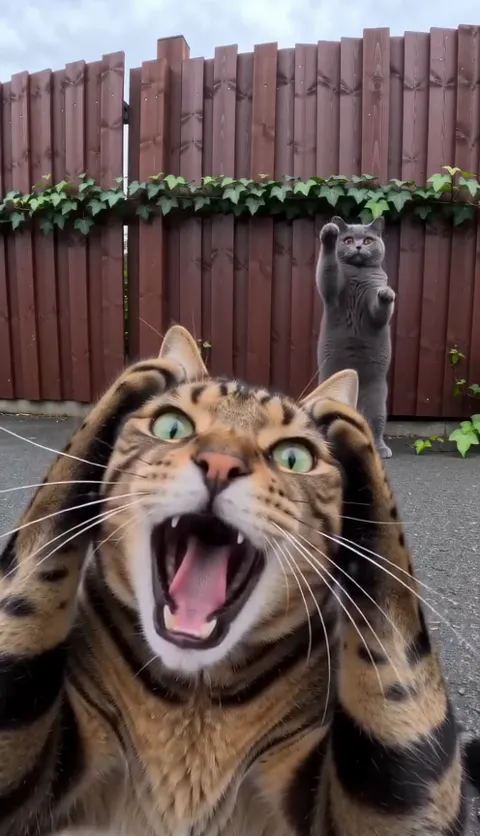
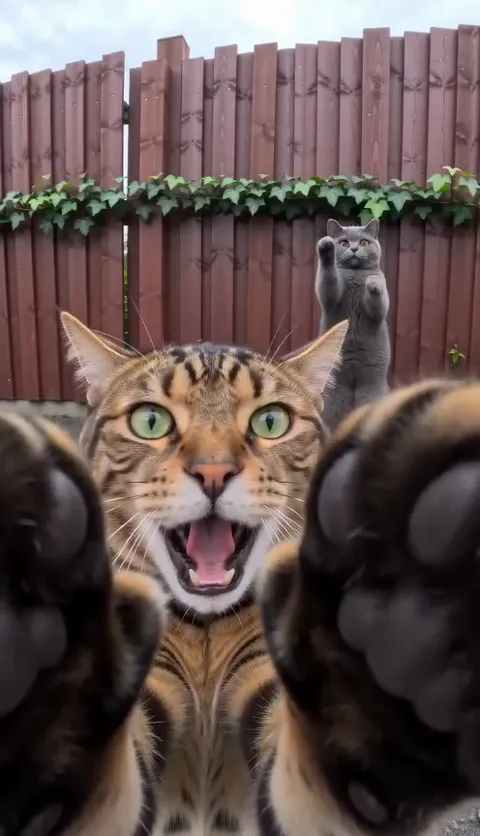
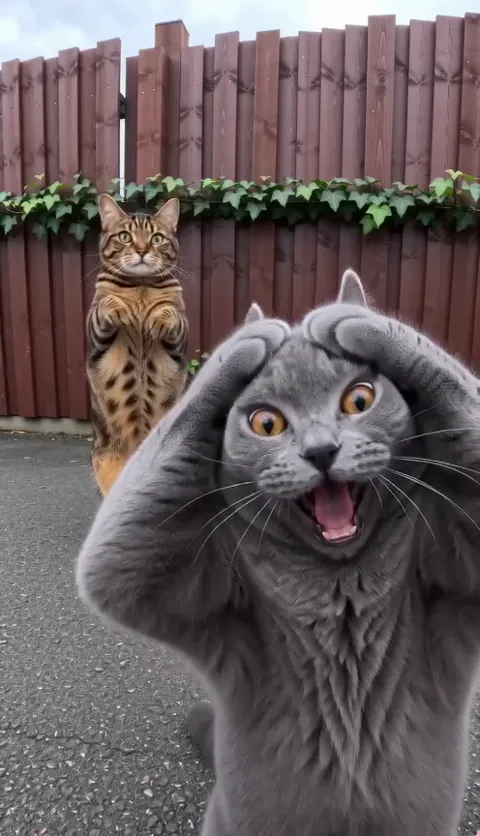
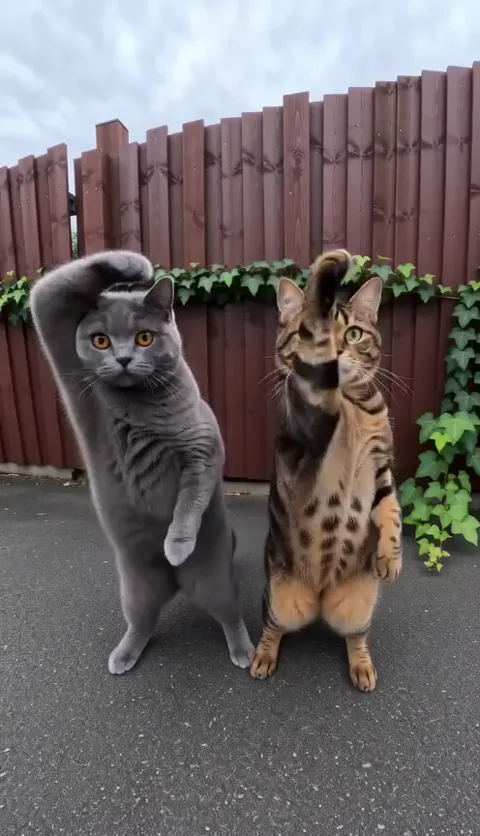
- The scream: “its face filling the lower frame” puts the pet right on the lens, which is what makes the scream funny.
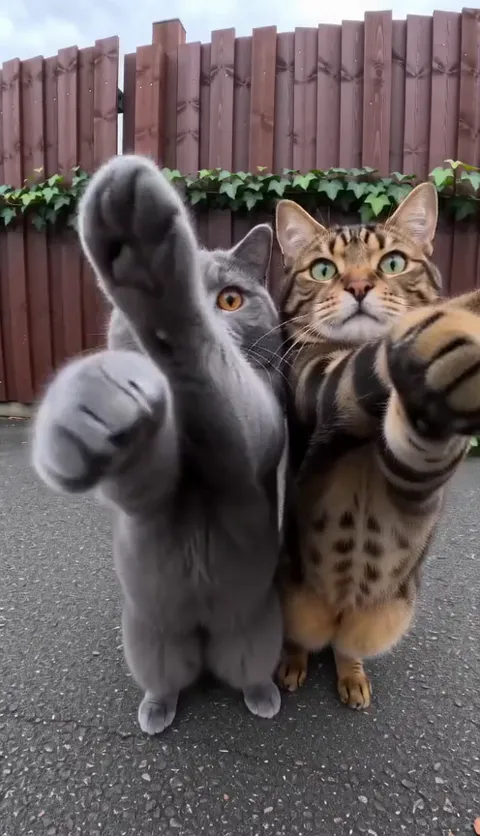
- The lens pat: “the paw pads filling the frame” gets the paws on the glass, not just waving at it.
- The swap: “they have swapped places” after the CUT, with the second pet now up close and the first behind.
- Side by side: “head to toe” in the wide shot keeps both pets’ feet in frame while they sway.
- The rush: “until the last frame” keeps them coming, so the clip doesn’t stop dead before the song does.
Variants
The living room
The other place the trend is posted from is a bright white living room. Replace the Setting line with the one below and keep everything else. The fence is still where the trend started.
Living-room Setting line
Setting: a bright white living room: a pale grey sofa against a white wall, a pale wooden floor, a soft rug, daylight from a window to one side. Nothing else is there: no people, no other animals.
Dogs
Nothing to change: “each the same kind of animal as in its photo” covers a dog, or a cat and a dog. Long, floppy ears are the part most likely to come out different, so a photo with the ears clearly in view helps.
Shorter clip
If your tool only makes 10 seconds, replace the timeline with these lines. The scream, the swap and the two of them together are the parts people watch for.
10-second timeline
[00.0-04.0] PET A right up against the wide lens, both front paws on the sides of its head, mouth wide open screaming; PET B small in the background, upright, dancing. CUT at 04.0. [04.0-07.0] they have swapped places: now PET B is screaming up close; PET A is small in the background, dancing. CUT at 07.0. [07.0-10.0] a wider shot: the two pets upright side by side, PET B on the left and PET A on the right, swaying, then rushing the lens together, paws first, until the last frame.
Fix it: symptom and change
| What went wrong | Change in the prompt |
|---|---|
| The pets swap coats after a cut | Keep the IDENTITY line as it is and use two pets that look clearly different; retry, since it still slips now and then |
| Both pets come out looking alike | Keep “never give them the same coat” in IDENTITY and “the two pets looking alike” in Avoid |
| A collar, bell or bow tie appears | Keep “They wear nothing: no collar, no bell, no clothes” in WHO and use photos without a collar if you can |
| A third cat shows up | Keep “exactly two pets” in WHO and “a third pet or any other animal” in Avoid |
| A ginger or black-and-white cat replaces yours | Keep that line in Avoid, and attach sharp, well-lit photos so your own coats win |
| The pets stay on four legs | Keep “both standing upright on their hind legs like small people” in WHO |
| Extra legs, paws or tails | Keep “extra legs, extra paws, extra tails” in Avoid and retry |
| Human hands reach into the frame | Keep “people, human hands” in Avoid |
| No cuts, or cuts in the wrong place | Keep each CUT on its own line; if your tool still ignores them, make the shots one by one and cut them in CapCut |
| It looks like a cartoon | Keep “photoreal live action” in the first line and “cartoon or 3D-animated style” in Avoid |
Tips for free tools
- Most free tiers add a watermark. Check before you plan to post.
- Free tiers often make shorter clips. Use the shorter-clip variant above rather than cramming every beat into 5 seconds.
- Budget for retries. Check the coats first, after the swap, then the legs and paws.
- Don’t cut the IDENTITY or Avoid lines to save space; they’re the fix.
- Try the same prompt in two tools and keep the one that looks most like your pets.
The photos you attach
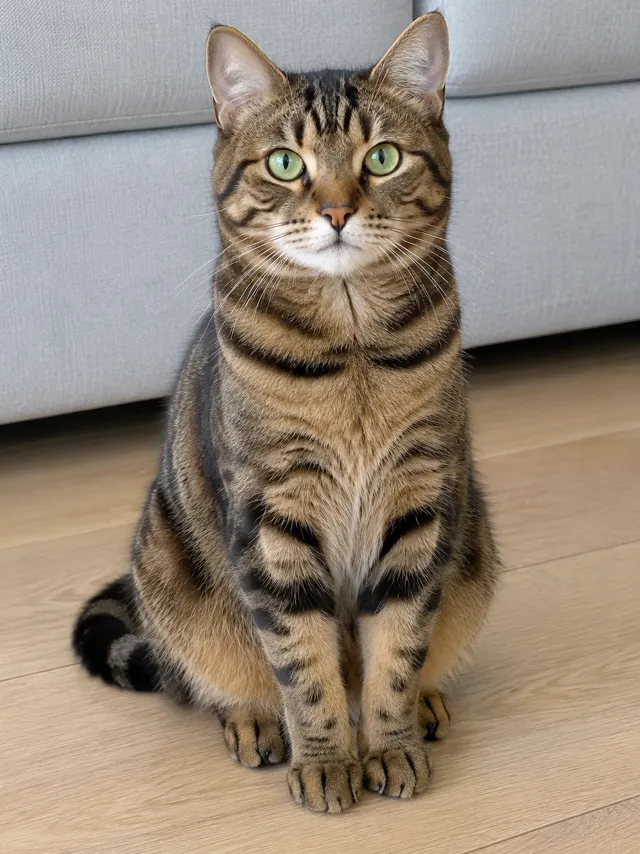
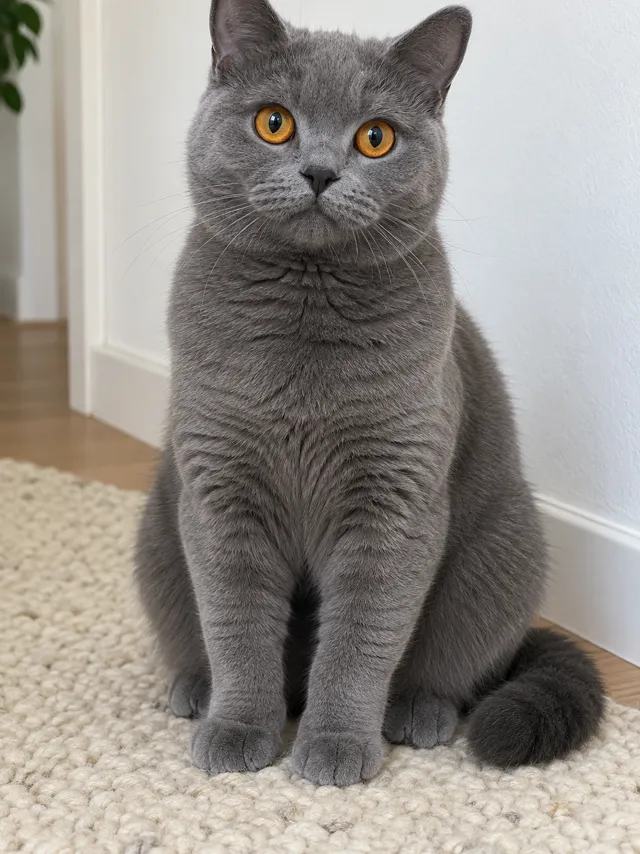
- One pet per photo, face toward the camera, sharp and well lit.
- Whole body in view if you can: coat, paws and tail all show up in the video.
- No collars or clothes if you can help it; the video has none.
- Two pets that look different come out best.
Examples are in the photo guide.
What a prompt can’t do
- Add the song. You pick the Smalltown Boy sound when you post.
- Promise the two pets never swap coats. Tools still mix them up now and then, so check each run.
- Promise the cuts land exactly on time, or that every paw stays a paw.
- Promise the same take twice. Every run is a new fence and a new dance.
The no-prompt route: add a photo of each pet on the Smalltown Boy page and get the finished video with the song in. If it fails, the credits come back automatically, and prices are on Pricing. Comparing options? See CapCut vs AI vs two photos.
NowStarring is an independent fan tool, not linked to Bronski Beat, their label, the song’s rights holders or the creators who started the trend, and the song belongs to its rights holders.
Sorular
What is the prompt for the Smalltown Boy trend?
Describe a vertical 15-second phone video with hard cuts: your first pet screams into a wide lens with its paws on its head, the two swap, then they dance side by side by a dark-red fence and rush the lens. The full copy-ready prompt is at the top of this guide.
What do @Image1 and @Image2 mean?
They’re the photos you attach, in order: @Image1 is the pet that screams first, @Image2 the other. If your tool doesn’t name reference images that way, write “the pet in my first photo” and “the pet in my second photo”.
Why is there a line in Chinese?
It repeats the identity rules: realistic animals, coats and markings like the photos, the two pets never swapped, steady faces, no warping and only two pets. Some video models follow it closely. If your tool ignores it, it does no harm, and you can delete it.
Why did my two pets swap coats?
Tools mix up two animals in one clip, above all after a cut. Keep the IDENTITY line as it is, with “never swap them, never blend them”, and use two pets that look clearly different. It still happens now and then, so check each run.
Can I do it in a living room?
Yes. Swap the Setting line for the living-room one in Variants. Everything else stays the same.
Will the prompt add the song?
No. There’s no sound line in it: we make the video silent and lay the song over it afterwards. Pick the Smalltown Boy sound on TikTok or Reels when you post.