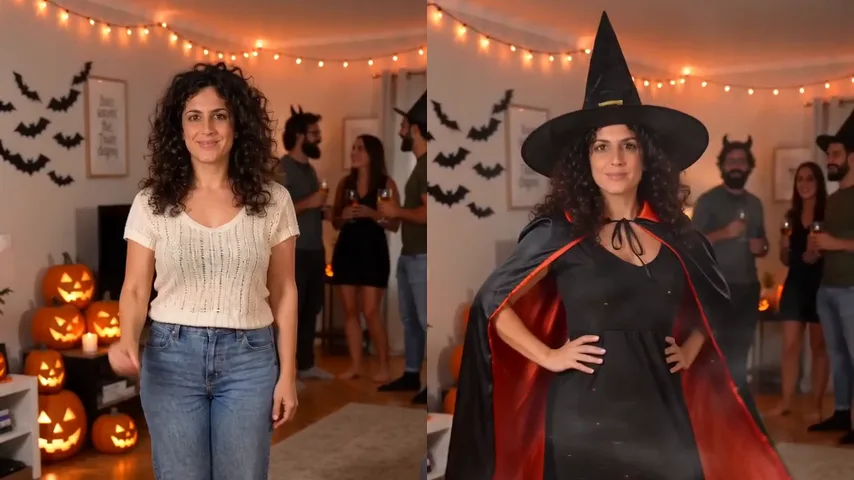
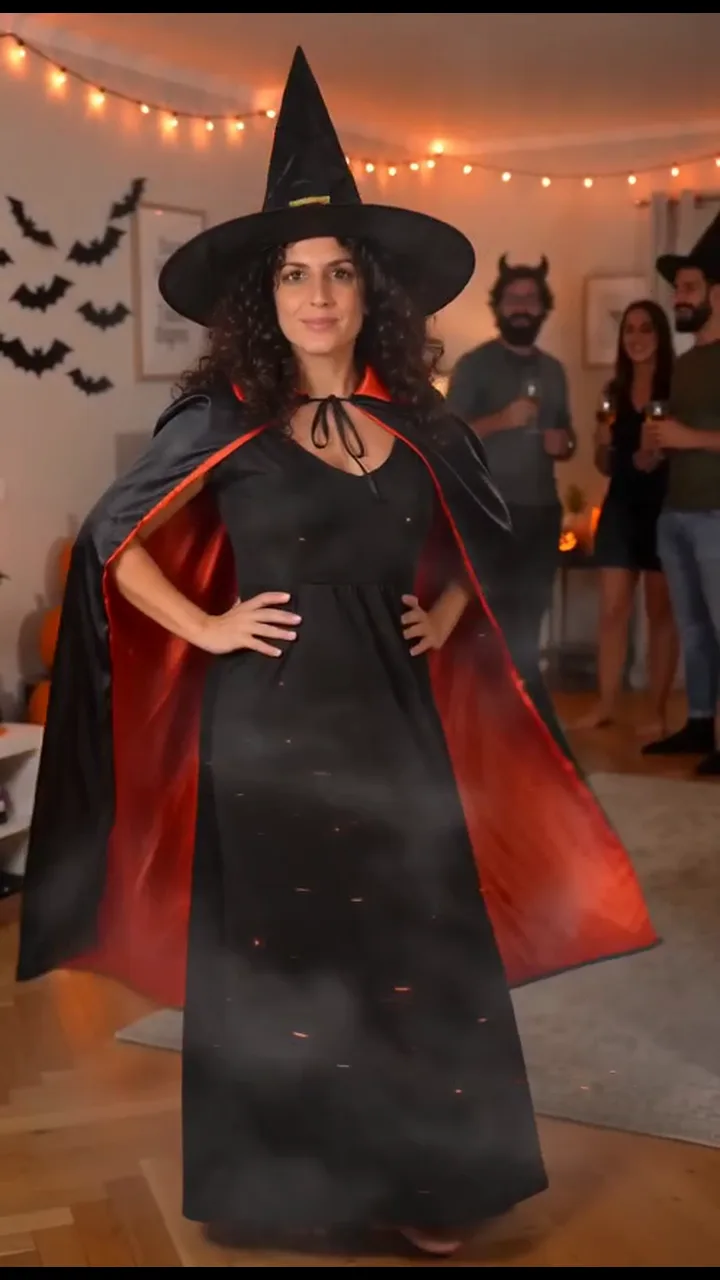
Halloween costume AI prompt (copy and paste) for the costume transition video
A copy-ready Halloween costume AI prompt: you snap, spin in a swirl of sparks and land in a witch costume at a house party, with costume swaps, fixes and photo tips.
7분 분량 · 업데이트
The Halloween costume AI video prompt
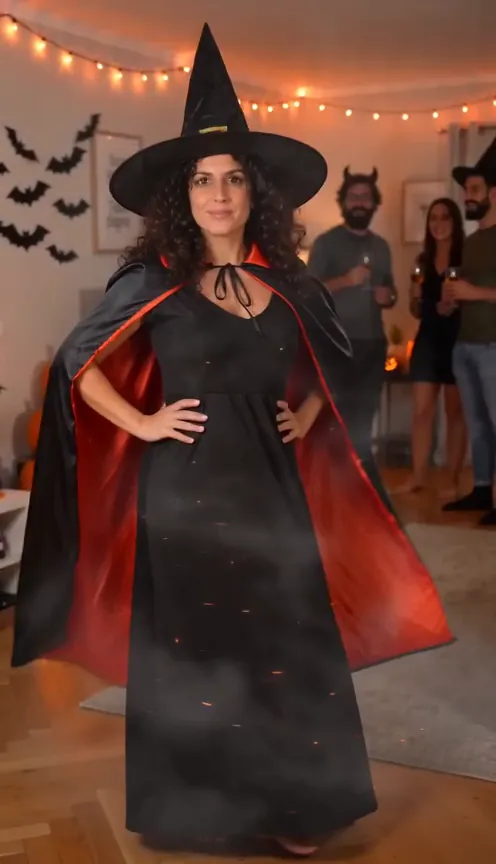
Here’s a copy-ready prompt for the Halloween costume transition: you at a house party in your everyday clothes, a wave, a snap, two fast spins in a ribbon of orange sparks and smoke, and you land in a classic witch costume while your friends cheer. Attach your photo as the reference image and paste it in.
Person
A vertical 9:16 phone video, exactly 10 seconds, photoreal live action in full natural colour, one continuous take from a phone held at chest height by a friend a few metres away. The camera stays almost still, with only a slight handheld drift. No cuts. No text, no subtitles, no labels, no logos, no watermarks. Setting: a cosy living room at a Halloween house party in the evening. Warm orange fairy lights run along the top of the walls, black paper bats are stuck to the left wall, a side table on the left holds a pile of glowing carved jack-o'-lanterns, a warm wooden floor and a soft rug. Behind the lead, a few friends in simple homemade costumes chat and hold drinks, softly out of focus. Nobody resembles a famous person or a film or cartoon character. WHO: the lead is the person from @Image1, standing in the middle of the room, seen head to toe, about three metres from the lens. ACTION: a costume transition on the beat. [00:00-02.0] they stand facing the lens in exactly the everyday clothes they wear in @Image1, smiling, give a small wave at the camera and sway a little, a bit shy. [02.0-02.5] they lift one hand and snap their fingers, then start to spin on the spot. [02.5-04.5] they spin fast, two full turns. A swirling ribbon of glowing orange sparks wraps around them from the feet up and a puff of soft grey smoke rises; behind the swirl their clothes turn into the costume. The face is never hidden for long. [04.5-05.5] the swirl and smoke fade; they stop facing the lens, now in the costume, hands landing on their hips. [05.5-08.0] a proud reveal: they lift the edge of the cape out with one arm and give it a half twirl, then laugh. The friends behind them cheer and raise their cups. [08.0-10.0] back to facing the lens, hands on hips, chin up, a big confident smile. Hold the pose to the end. COSTUME: a classic witch costume: a tall pointed black witch hat sitting on their own hair, a long black dress, a flowing black cape tied at the neck, black boots. Nothing from @Image1's clothes is left after the spin. IDENTITY: the lead is exactly the person from @Image1 in every frame, before and after the spin: the same face, age, skin tone, hairstyle and hair colour, and the EXACT body weight and build, never slimmer or younger. Only the clothes change; the face, hair and body never change. The same identity mid-spin and in the costume. Avoid: a different person after the spin, face changes, a second lead, the costume appearing before the spin, a famous film or cartoon character costume, masks, face paint, green skin, captions, text, logos, watermarks, cuts, extra arms, extra fingers, distorted hands, morphing faces. Sound: the party's natural sound: friends chatting and laughing softly, a finger snap at 02.0, a magical whoosh and sparkle as they spin, then the friends cheer at the reveal. No music, no speech in a clear language.
A prompt gives the tool a plan, not a promise; two or three runs is normal. Want it without a prompt? The Halloween Costume page makes it from one photo.
How to use it

- Open an AI video tool’s image-to-video or reference-image mode: Kling, Higgsfield, Runway, Veo or CapCut’s AI video all have one.
- Attach one photo of you facing the camera, in your everyday clothes, head to toe if you can.
- Paste the prompt. If your tool doesn’t use @Image1 for the first photo, swap it for “the person in my reference photo”.
- Set 9:16 and 10 seconds, or the nearest length. Turn off the tool’s own music if it adds some.
- Generate, watch it against the frames below, and use the fix-it table for anything off.
Shot by shot: what each line does
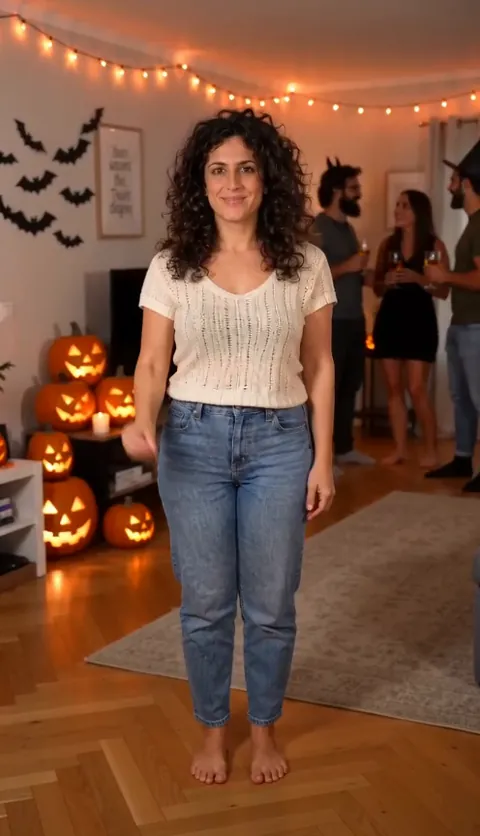
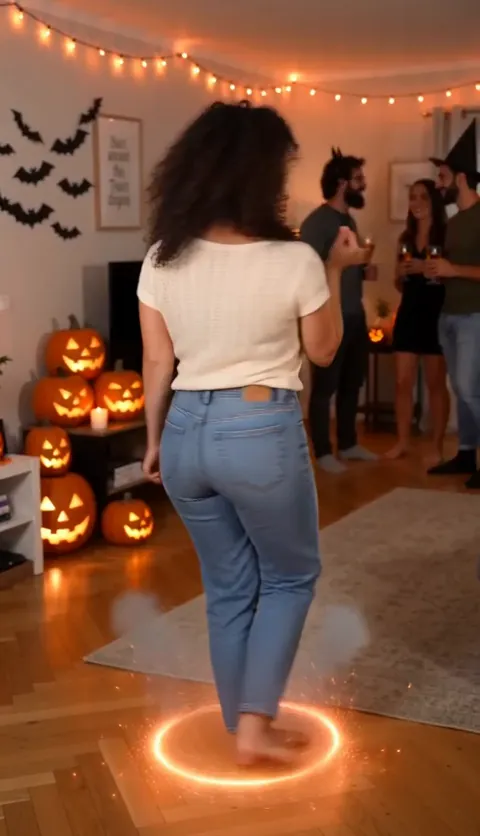
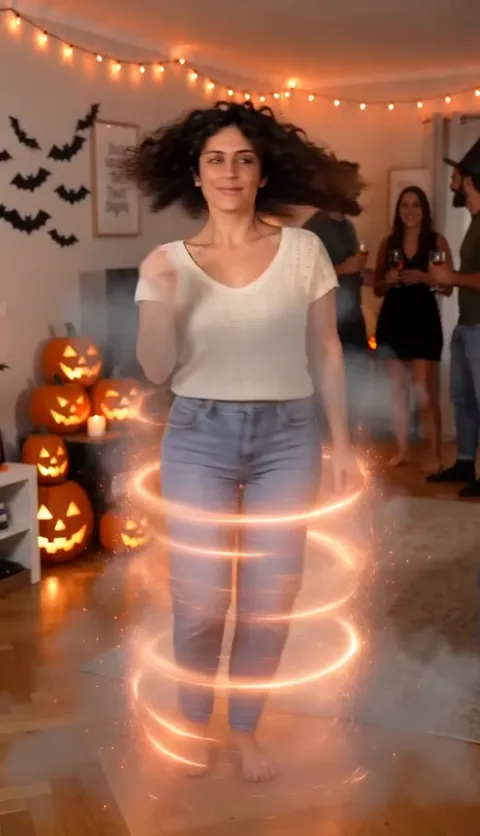
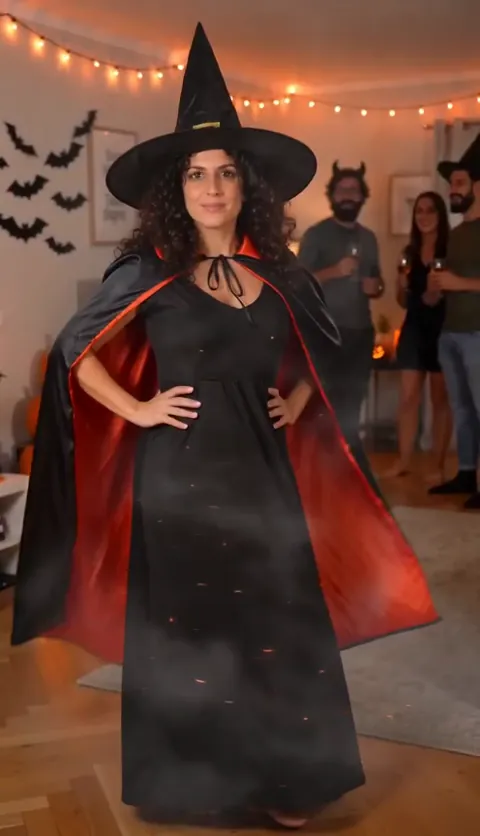
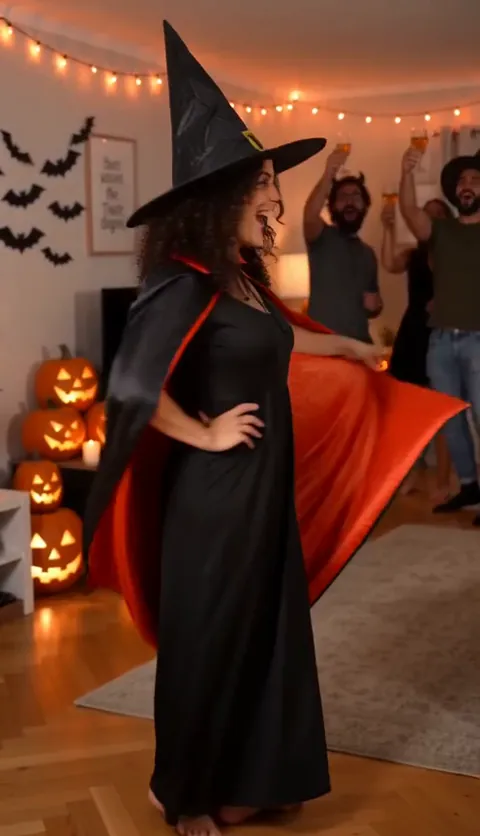
- The friend’s phone at chest height: a slight handheld drift and the party behind you make it read as a real night out, not a studio.
- The setting line: fairy lights, paper bats and jack-o’-lanterns say Halloween before anything happens, and friends in homemade costumes make yours the big one.
- The wave in everyday clothes: the before has to look ordinary, so the after lands.
- The snap and the spin: the snap tells the viewer something is coming, and the sparks and smoke cover the change so no frame shows half a costume.
- Hands on hips and the cape twirl: a clear landing pose and one show-off move stop the tool from ending mid-turn.
- The IDENTITY line: spins are where faces drift, so it says the same thing more than one way on purpose.
Variants: other costumes
The witch is the most popular adult Halloween costume, which is why it’s the default. To change it, replace the COSTUME line with one of these and keep everything else. Describe the costume in plain words; never name a character, a film or a brand.
Vampire
“COSTUME: a classic vampire costume: a tall-collared black cape with a red lining, a dark waistcoat over a white shirt or a long dark dress, black shoes.” The cape twirl works as written.
Skeleton
“COSTUME: a black jumpsuit printed with white skeleton bones, black sneakers.” Change the cape twirl to “they throw their arms out wide to show off the bones”. Keep “masks, face paint” in Avoid so your face stays yours.
Pumpkin
“COSTUME: a round, padded orange pumpkin tunic over black leggings, a small green leaf hat on their own hair.” Swap the cape twirl for “a little bounce and a spin to show off the round pumpkin”.
Black cat
“COSTUME: black cat ears on a headband on their own hair, a black top and black skirt or trousers, a long black tail.” Swap the cape twirl for “they swish the tail and do a playful cat paw at the lens”.
Fairy
“COSTUME: a flowing pastel tulle dress, sheer glittery wings on the back, a flower crown on their own hair.” Swap the cape twirl for “a full twirl so the dress and wings spin out”.
Shorter clip
If your tool only makes 5 seconds, cut the wave to one second and drop the cape twirl. Keep the snap, the spin and the landing pose. The change is the part people watch for.
Fix it: symptom and change
| What went wrong | Change in the prompt |
|---|---|
| A different person after the spin | Keep the IDENTITY line word for word and use a sharper photo facing the camera |
| You look slimmer or younger in the costume | Keep “the EXACT body weight and build, never slimmer or younger” in the IDENTITY line |
| The costume shows up before the spin | Keep “exactly the everyday clothes they wear in @Image1” in the first line; keep “the costume appearing before the spin” in Avoid |
| Bits of your old clothes are left | Keep “Nothing from @Image1's clothes is left after the spin” at the end of the COSTUME line |
| It looks like a famous character | Describe the costume in plain words only; keep “a famous film or cartoon character costume” in Avoid |
| A mask, face paint or green skin | Keep “masks, face paint, green skin” in Avoid |
| No sparks, or a slow spin | Keep “they spin fast, two full turns” and the line about the ribbon of orange sparks and the smoke |
| A cut, text or a watermark | Keep “One continuous take”, “No cuts” and “No text” near the top and in Avoid |
The photo you attach
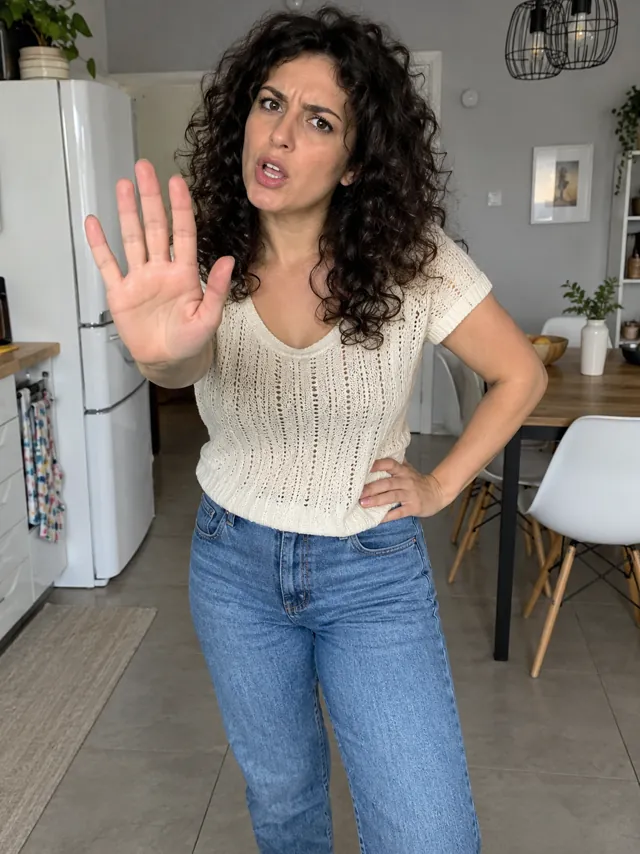
- Face toward the camera, sharp and well lit, nothing covering it. Your face has to come out of the spin looking like you.
- Head to toe is best: the before part shows your real everyday look.
- No sunglasses or hats that hide your eyes; they won’t look like you after the spin.
- Just you, no group photos, and only your own photo or an adult’s who has said yes. No celebrities and no one under 18.
Examples are in the photo guide.
What a prompt can’t do
- Promise the same face after the spin every time. Fast turns are where faces drift, so check each run.
- Add sound in every tool. Some make the party’s sound from the Sound line; others come out silent.
- Promise the same take twice. Every run is a new party and a new spin.
The no-prompt route: add one photo on the Halloween Costume page and get the finished video, the spin, the witch costume and the party’s sound included. If it fails, the credits come back automatically, and prices are on Pricing. Comparing options? See CapCut vs AI vs one photo.
NowStarring is an independent fan tool, not linked to any costume brand or to anyone who made the costume transition trend. The costume in our videos is a generic witch, not a character.
자주 묻는 질문
What is the prompt for the Halloween costume transition?
Describe a vertical 10-second take from a friend’s phone at a Halloween house party: you in your everyday clothes, a wave, a snap, two fast spins in orange sparks and smoke, then you in the costume with your hands on your hips. The full copy-ready prompt is at the top of this guide.
What does @Image1 mean?
It’s the photo you attach first. If your tool doesn’t name reference images that way, replace each @Image1 with “the person in my reference photo”.
Why do I look different after the spin?
Fast turns are hard for AI tools to keep a face through. Keep the IDENTITY line as it is, use a sharp photo facing the camera, and add “a different person after the spin” to the avoid line if you’ve cut it.
Can I ask for a famous character’s costume?
We keep it generic: a classic witch, vampire, skeleton or black cat, never a character from a film or a cartoon, so your video stays yours to post.
Will the prompt add the sound?
It asks for the party’s sound: chatter, the snap, the whoosh and the cheer. Tools that make sound will try; the rest come out silent. There’s no single trend song, so add any sound you like when you post.
What photo works best?
One clear photo of your face toward the camera, in good light. Head to toe is even better, so your everyday outfit comes along for the before part.