How to add the Crazy Frog sound on TikTok, Reels and Shorts
The Crazy Frog sound is “Axel F” by Crazy Frog. How to pick it on TikTok, Instagram Reels and YouTube Shorts, set the volume, and what to do if it’s muted.
6 最小読み取り · 更新済み
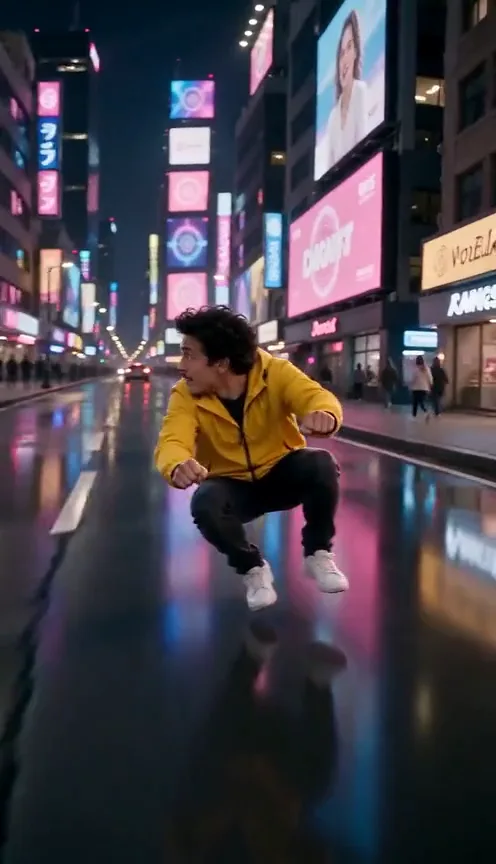
The Crazy Frog sound
The Crazy Frog sound is “Axel F” by Crazy Frog, the “ring ding ding” dance version of the Beverly Hills Cop theme. When you post your Crazy Frog AI video, pick that sound from the app’s library and turn your video’s own sound down, so your post joins the trend. Why the song has that name has the story.
If you made your video on the Crazy Frog page, the Crazy Frog song is already on it, playing over the whole clip. You don’t have to add anything for it to sound right. Picking the official sound is about where your video shows up, not how it sounds.
You’ll see it under a few names: “Axel F,” “Crazy Frog – Axel F,” or a remix with a newer beat. Any of them can carry the trend, but the plain Crazy Frog version is the safest pick, since it’s the same song as the one on your video and the two won’t clash if a little of the original sound comes through.
Why the official sound matters
- Your video appears on the sound’s page, next to every other Crazy Frog video. That’s where people browsing the trend go looking for more.
- People who like your video can tap the sound and make their own, which is how trends travel.
- A song baked into a video can be muted if the app spots it. A sound picked from the app’s library is licensed for use there.
On TikTok
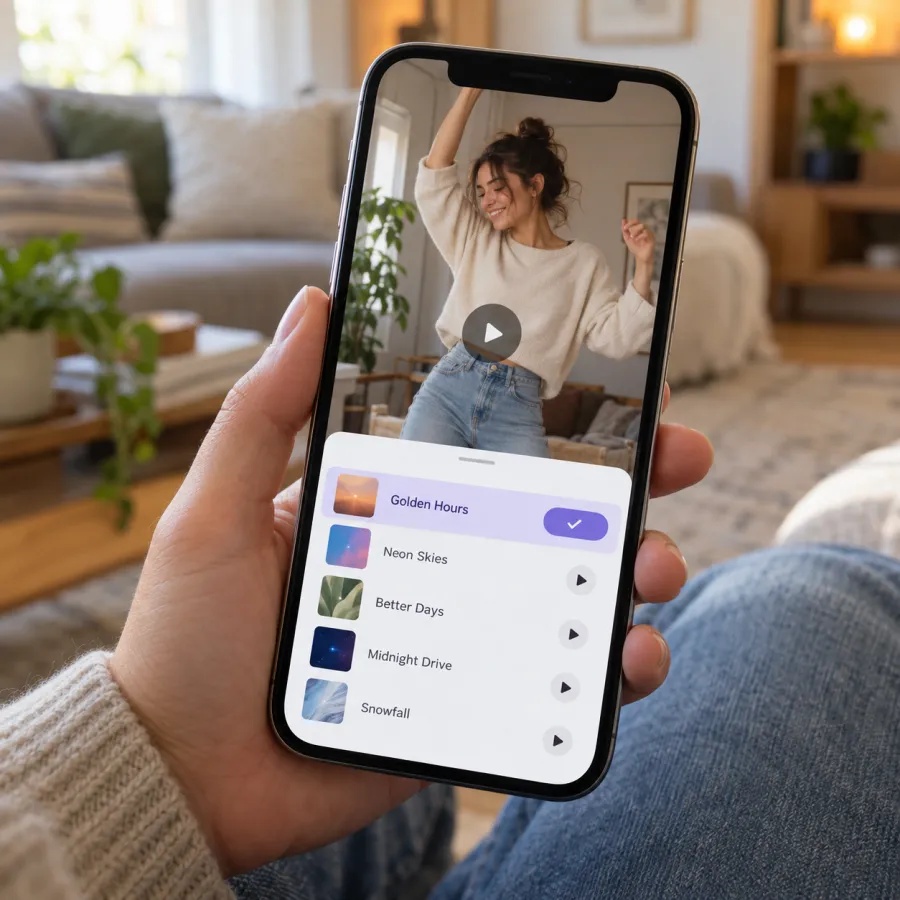
- Find a Crazy Frog trend video you like and tap the sound name at the bottom.
- Check it’s the Crazy Frog “Axel F” sound, then tap “Use this sound.”
- Upload your Crazy Frog video from your gallery.
- Or upload your video first, tap “Add sound” at the top of the editor and search “Crazy Frog Axel F.”
- Open Volume and turn the original sound down (more on that below).
On Instagram Reels
- From a Crazy Frog Reel, tap the audio name at the bottom, then “Use audio.” Your camera opens with the sound loaded; tap the gallery to add your video.
- Or start a new Reel, add your video, tap “Add audio” and search “Crazy Frog.”
- Drag the sound so the start lines up with your clip, then set the volume.
On YouTube Shorts
- From a Crazy Frog Short, tap the sound name, then “Use this sound.”
- Or create a Short, add your video, tap “Sound” and search “Crazy Frog.”
- Set the volume so the two copies of the song don’t fight.
Mixing the volume
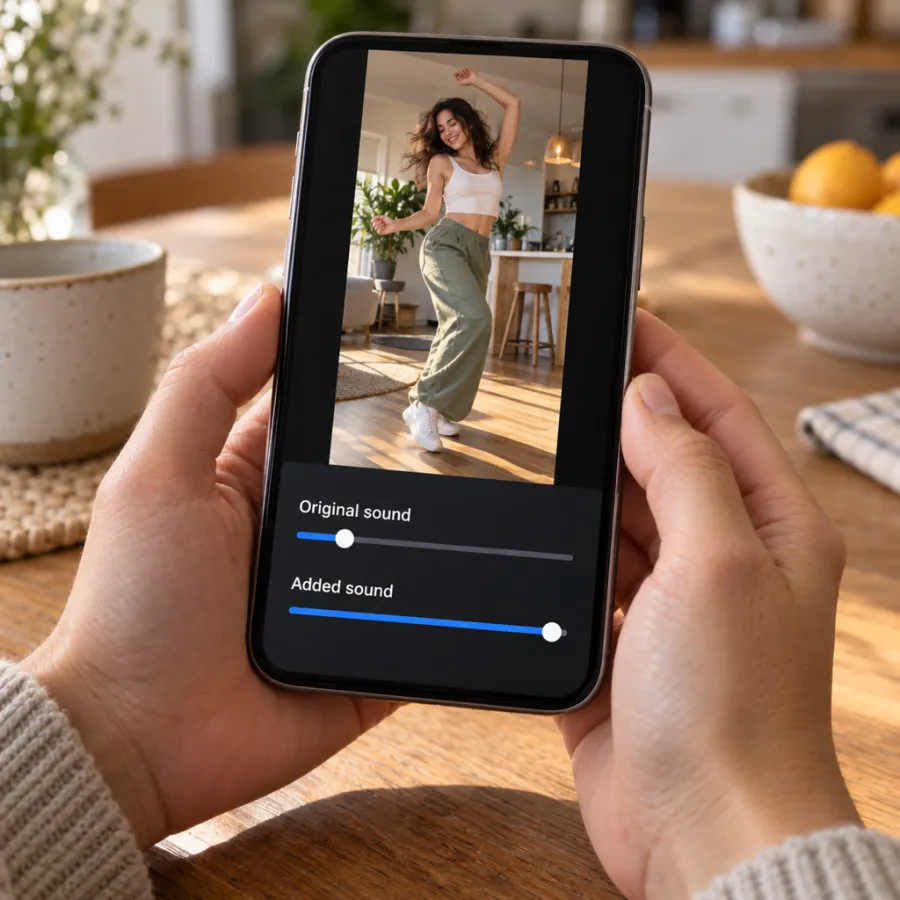
Our file contains the Crazy Frog song over the whole clip and nothing else: no voices, no engine noise. So when you add the official sound, you have the same song twice. Turn the original sound all the way down and the added sound up, or the two copies will drift and echo.
If you made your video another way, with a filmed squat or an AI tool, your file may have wind, voices or a made-up beat. Same rule: original down, Crazy Frog up. Keep a little of the original only if it’s you laughing.
Line up the song, then post
When you pick a sound from the library, the app often starts it at its catchiest part, which won’t always suit your clip. Take a few seconds to line it up before you post.
- After picking the sound, tap its name or the scissors or trim icon in the editor to choose which part plays.
- Drag until the opening of the tune sits under the first second, you racing at the lens.
- Play it through and check the backflip, in the middle of the clip, lands on a strong beat. Nudge it if not.
- Set the volume as above, then go to the post screen.
On the post screen
- Write a short caption in your own words. Where you’re racing to is funnier than a description of the video.
- Add a few plain hashtags people search, such as #crazyfrog and #crazyfrogtrend, plus #aivideo for an AI version.
- If the photo was a friend’s, tag them, and only post it with their okay.
- Save a copy to your phone first, so you can repost with a different sound if one gets muted.
If the sound is muted or missing
- Business and brand accounts often get a smaller sound library. If you can’t find the song, post with the original sound, which already has the song on our videos.
- Some songs aren’t available in every country. Try the same search from a trend video that plays for you, using “Use this sound.”
- If your post gets muted after upload, delete and repost it with the sound picked from the library rather than the original audio.
On TikTok, turn on the “AI-generated content” label in the post settings for any AI-made Crazy Frog video.
Keep going
Haven’t made the video yet? How to do the Crazy Frog AI trend covers every route, and the Crazy Frog page makes it from one photo. NowStarring is an independent fan tool, not linked to the Crazy Frog character, its music video or their makers. The song belongs to its rights holders.
よくある質問
What is the Crazy Frog sound on TikTok?
It’s “Axel F” by Crazy Frog, the dance version of the Beverly Hills Cop theme. Search “Crazy Frog Axel F” or tap the sound on a trend video.
Does the Crazy Frog AI video already have the song?
Videos made on NowStarring do: the Crazy Frog song plays over the whole clip. Add the official sound when you post so it joins the trend.
How do I turn the original sound down on TikTok?
After you add a sound, tap Volume in the editor and drag Original sound down and Added sound up.
Why can’t I find the Crazy Frog sound?
Business accounts and some countries get a smaller library. Post with the original sound instead, which already carries the song on our videos.
Which part of the Crazy Frog song should I use?
Start the tune with the clip, so the backflip in the middle lands on a strong beat. Trim the sound in the editor if the app starts it somewhere else.
Can I post my Crazy Frog video on both TikTok and Reels?
Yes. Download the MP4 once and upload it to each app, picking the Crazy Frog sound in each one. There’s no watermark to crop out.
Why does my Crazy Frog video echo?
You have the song twice: once in the file and once added. Turn the original sound all the way down.