Mi Chico AI prompt (copy and paste) for the rooftop crew dance
Our copy-ready Mi Chico AI video prompt: you lead a crew of three on a rooftop parking deck at dusk, from one selfie. What each line does, a daytime version and fixes.
Baca 7 menit · Diperbarui
Jadi bintang Mi Chico dengan satu foto
Buat punyamuThe Mi Chico AI video prompt
This is the prompt we use for the Mi Chico trend, minus the parts only our pipeline needs. It describes one selfie’s owner leading two made-up dancers on an empty rooftop parking deck at dusk, second by second. Attach your selfie and paste it in.
Crew of three, rooftop at dusk
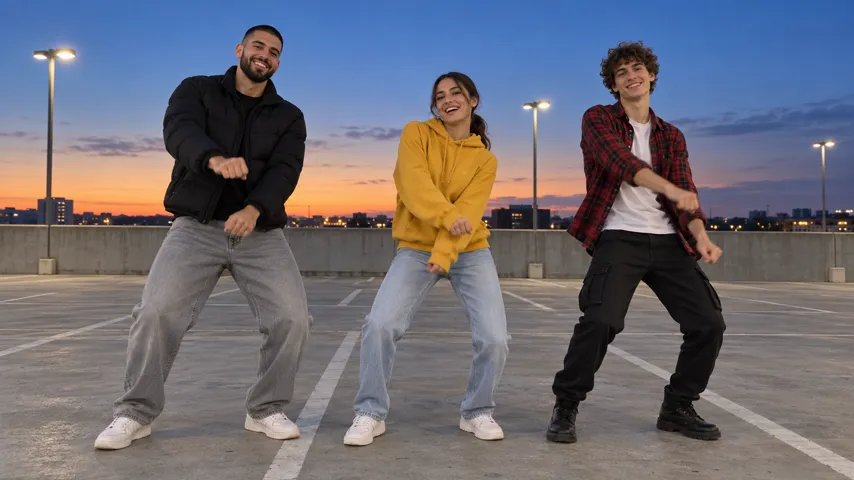
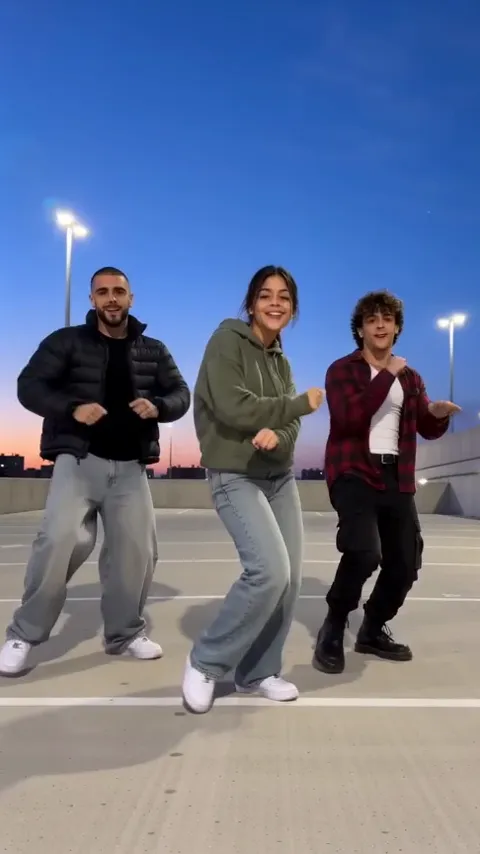
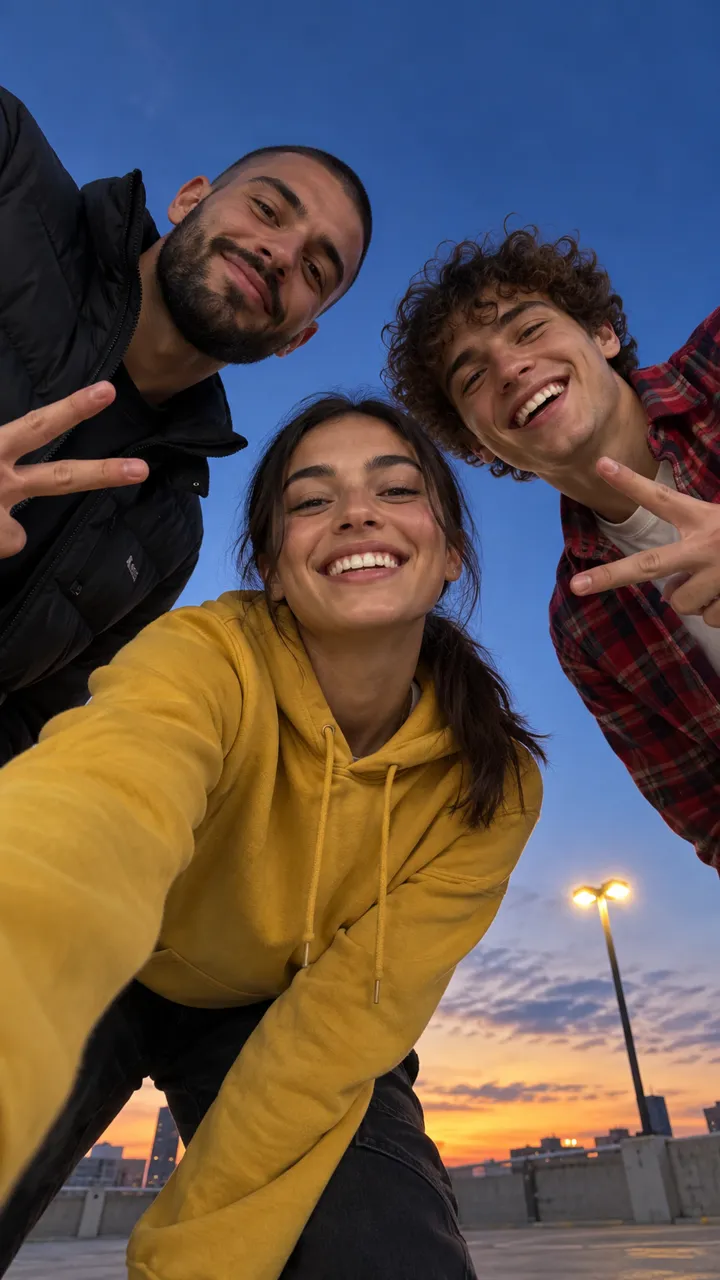
A vertical 9:16 phone video, exactly 15 seconds, photoreal live action in full natural colour, shot on a phone like a TikTok dance video. No text, no subtitles, no labels, no logos, no watermarks. Setting: the top level of an empty open-air concrete parking deck at dusk: pale grey concrete with faded white parking lines, a low concrete wall at the edge, tall street lamps just switching on, a deep blue evening sky with a warm glow low on the horizon, low buildings far off. No cars, no signs, no readable text. WHO: exactly three people, each there exactly once. The lead is the person from @Image1, in exactly the clothes they wear in the photo, always in the middle; the two other dancers are two made-up young men, neither of them famous, who look nothing like the lead or each other, each with his own face and exactly these clothes from first frame to last: on the left, a tall man with a buzz cut and a short black beard in a black puffer jacket over a black T-shirt, light grey wide jeans and white sneakers; on the right, a slim man with curly brown hair and no beard in a white T-shirt under an open red flannel shirt, black cargo pants and black boots. No hats, no logos. Neither copies the colour of the lead's top or the lead's hairstyle. The three never swap places and face the camera the whole time; nobody turns their back. ACTION: [00:00-01.0] the phone lies face-up on the concrete, looking straight up at the evening sky; the three lean in over the lens one after another, the lead in the middle. [01.0-03.6] the three grin down into the lens in a tight ring, the two men flash peace signs. [03.6-04.4] the lead leans right into the lens, laughing, and reaches down towards it. [04.4-05.0] the lead's palm covers the lens. [05.0-15.0] cut to a wide shot from waist height, head to toe, the phone standing still: the three dance in a row in sync, each on their own spot, all facing the camera, the lead in the middle: knee bounces, hip grooves, shoulder rolls, arm swings, a low groove, and around 14 all three put both hands behind their head. IDENTITY: the lead is exactly the person from @Image1 in every shot, close or wide: the same face, age, skin tone, hairstyle and hair colour, the EXACT body weight and build, and the exact clothes and accessories they wear in their photo. If the photo shows only the lead's top, the lead wears plain dark blue straight jeans and white sneakers below it, the same from first frame to last. The lead's hairstyle and hair length come ONLY from the photo and stay the same through every move: no hat, cap, beanie or hood unless the photo shows one. The two other dancers keep their own face, hair and clothes from the crew text in every shot; they never look like the lead, never wear the lead's clothes and never swap faces or clothes with each other. Avoid: a fourth person, cars, a crowd, any hat on the lead unless it is in the photo, matching outfits, the same person twice, a missing dancer, dancers swapping places, faces swapping between dancers, a dancer with their back to the camera, the lead's trousers changing, slow motion, face changes, swapped faces, captions, text, logos, watermarks, extra arms, extra legs, extra fingers, distorted hands, morphing faces.
Treat the first run as a draft; most tools need a couple of goes. Rather skip the prompting? The Mi Chico page makes it from your selfie with the song already in.
How to use it
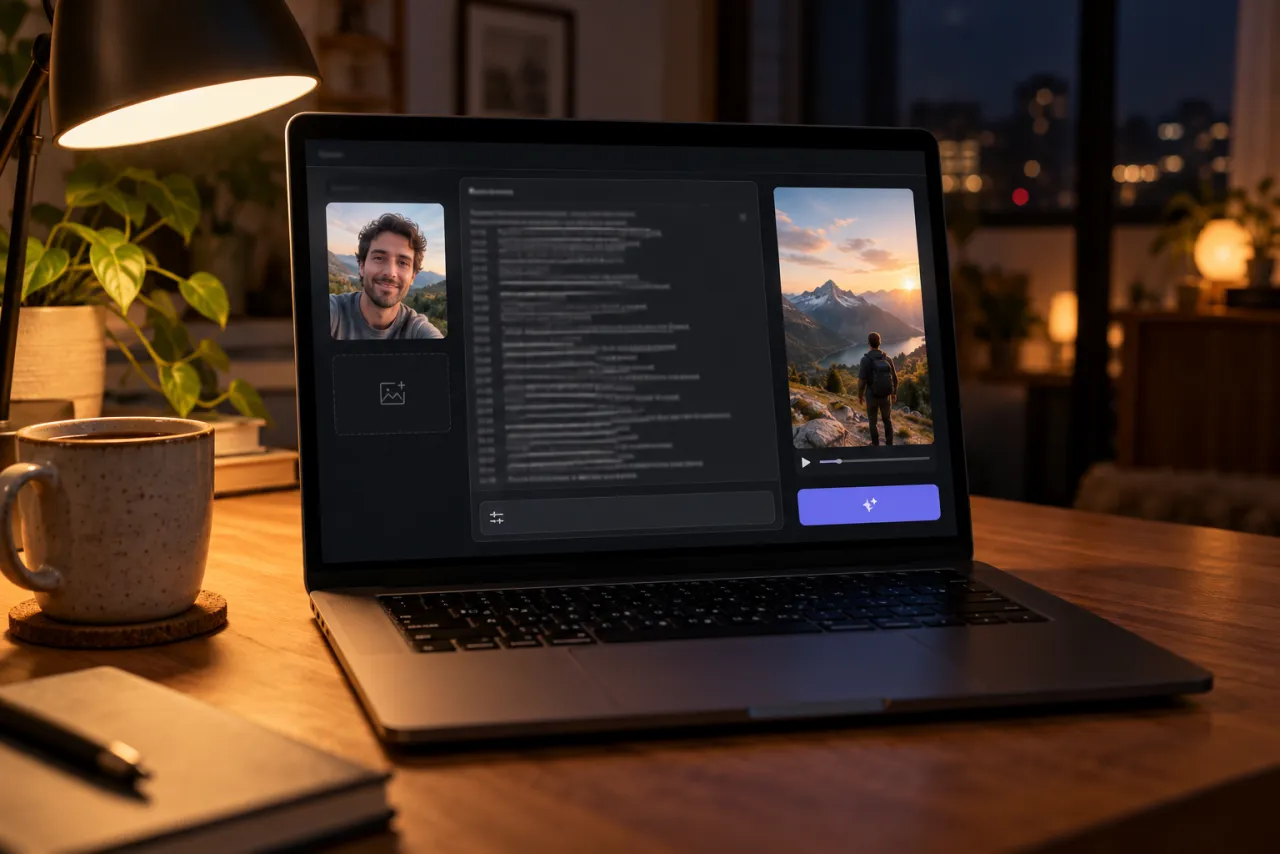
- Open the image-to-video or reference mode of a tool like Kling, Higgsfield, Runway or Veo.
- Attach one sharp selfie, face to the camera. That person becomes the lead.
- Paste the prompt. Replace @Image1 with “the person in my photo” if your tool needs plain words.
- Pick 9:16 and 15 seconds or the closest option, and switch off any music the tool adds by itself.
- Generate, compare it with the frames further down, and use the fix-it table for what’s off.
What each part of the prompt does
The first line
Vertical, exactly 15 seconds, photoreal and filmed like a phone TikTok. “No text, no subtitles” heads off the captions some tools love to stamp on dance clips.
Setting
The deck is described the way it looks in the trend: bare grey concrete, faded parking lines, a low wall, street lamps just switching on, a deep blue sky with a warm strip at the horizon. “No cars” matters most; leave it out and tools park cars right behind you.
WHO
Exactly three people, each there exactly once, with you in the middle in the clothes from your selfie. The two others get a full outfit each, a black puffer on the left and a red flannel on the right, so they never borrow your look. The line also fixes their places and says nobody turns their back.
ACTION
Five timed lines. The ground shot runs to 3.6 seconds, your close-up to 4.4, your palm covers the lens until 5.0, and then one cut opens the dance that runs to the end, with the hands behind the head around 14. The cut sits at 5 seconds because that’s where the beat gets bigger in the song.
IDENTITY
You stay you in every shot, close-up or wide: face, hair, build and clothes from the photo. If your selfie only shows your top, it gives you plain dark jeans and white sneakers so your legs don’t change halfway. It also rules out a cap or hood the photo doesn’t have, a common slip in streetwear dance clips.
Avoid
The mistakes we saw most while testing this clip: a fourth person, cars, matching outfits, the same person twice, dancers swapping spots or faces, a back to the camera, slow motion, and the usual extra fingers and limbs.
There’s no sound line on purpose. We make the video silent and put the song on top, so you add it in the app.
Shot by shot: what to check
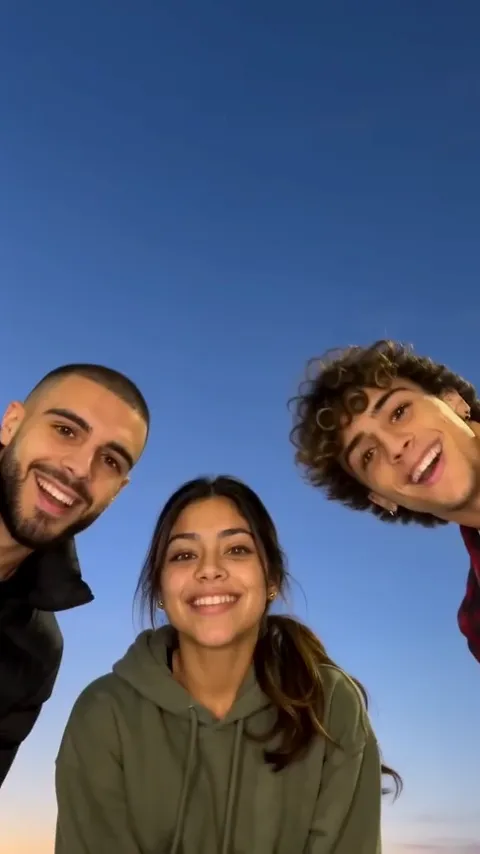
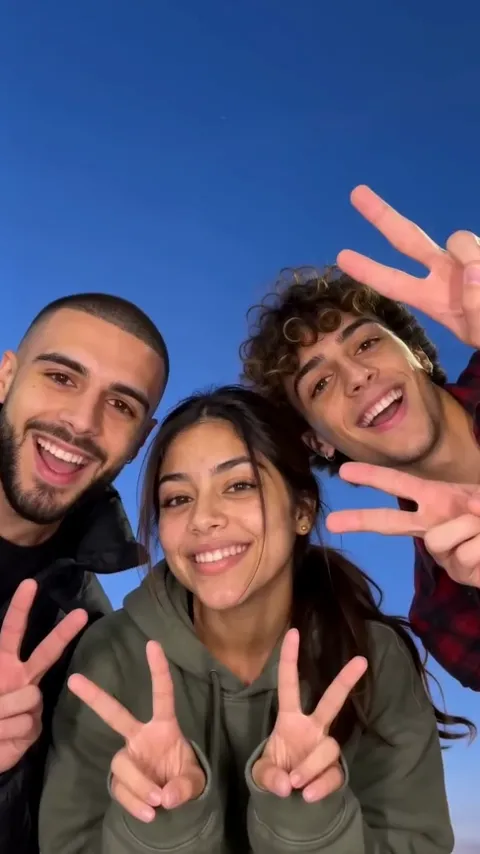
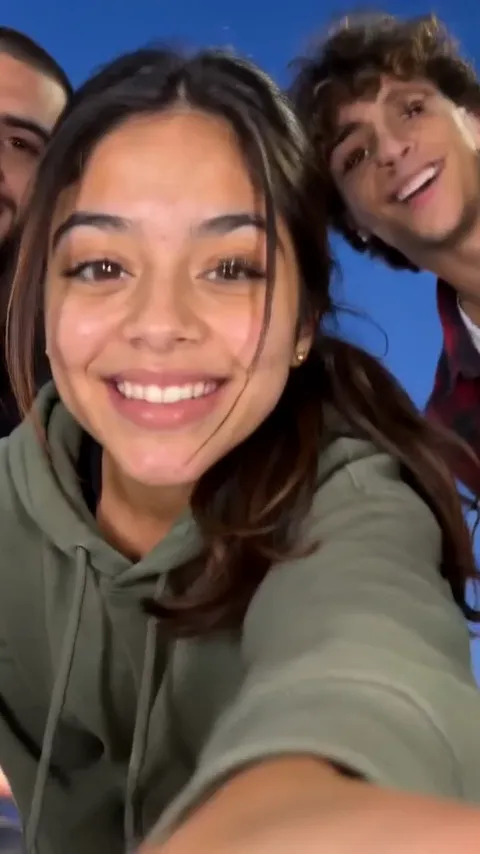
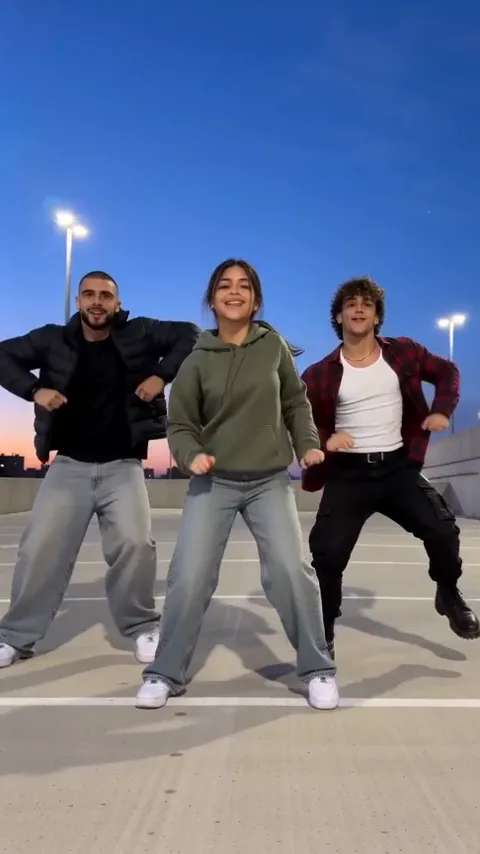
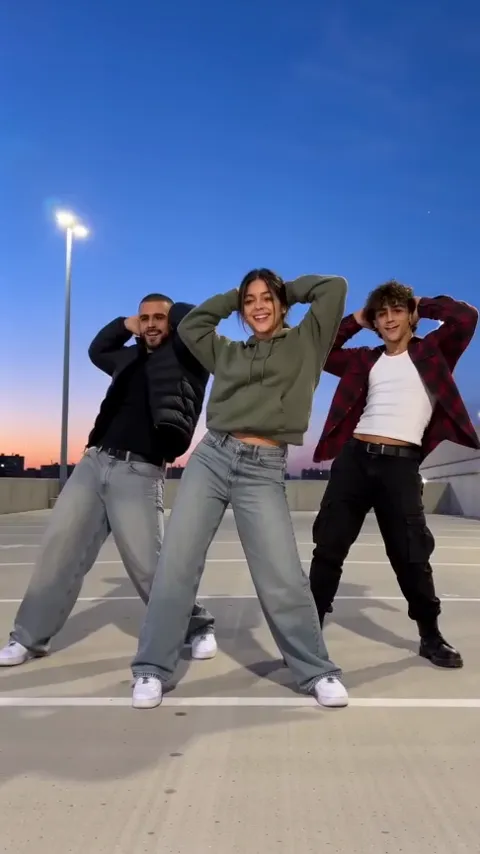
- The ground shot: the camera looks straight up at sky, with the faces hanging over it. If the shot is from the side, “face-up on the concrete” was lost.
- Peace signs: heads close together, a tight ring around the lens.
- The close-up: you, big in the frame, reaching towards the lens just before your palm covers it.
- The dance: a wide shot from waist height with all three from head to toe, you in the middle the whole time.
- The finish: all three with hands behind their heads around 14 seconds.
Variants
Daytime deck
The original clip starts under a bright blue sky and only reaches dusk by the dance. For a daytime look the whole way through, swap the Setting line for this one.
Daytime Setting line
Setting: the empty top level of an open-air parking deck at midday: pale concrete with faded white parking lines, a low concrete wall at the edge, a clear bright blue sky, low buildings far off. No cars, no signs, no readable text.
A 10-second clip
Some free tiers stop at 10 seconds. Swap the ACTION lines for these: a shorter ground shot, then straight into the dance, still ending on the hands.
10-second ACTION
[00:00-02.0] the phone lies face-up on the concrete, looking up at the sky; the three lean in over the lens, the two men flash peace signs. [02.0-03.0] the lead leans in, laughing, and the lead's palm covers the lens. [03.0-10.0] cut to a wide shot from waist height, head to toe, the phone standing still: the three dance in a row in sync, the lead in the middle, all facing the camera: knee bounces, a side groove with an arm swing, shoulder rolls, and for the last two seconds both hands behind their heads.
More dancers
You can write five dancers in, as in the clip that started it, but expect doubles and swaps, and give every extra dancer their own outfit line. Three is where it holds together.
Fix it: what went wrong and what to change
| What you see | What to change |
|---|---|
| A fourth dancer, or a crowd | Keep “exactly three people, each there exactly once” in WHO and “a fourth person” in Avoid |
| The other two look like you or dress like you | Keep their full outfit lines and “matching outfits” in Avoid; a selfie in a colour that differs from black and red helps |
| You end up on the side | Keep “always in the middle” in WHO, and the places line under it |
| Someone dances with their back to the camera | Keep “face the camera the whole time” and the back-to-camera item in Avoid |
| A cap, beanie or hood appears on you | Keep the hat rule in IDENTITY and use a selfie without a hat |
| Your jeans change colour halfway | Keep the jeans-and-sneakers sentence; a photo that shows your whole outfit fixes it best |
| Cars on the deck | Keep “No cars” in Setting and in Avoid |
| The opening is filmed from the side, not from the ground | Keep “face-up on the concrete, looking straight up” word for word |
| No cut, or the dance starts too late | Keep the palm line and the CUT at 5.0; if your tool ignores cuts, make the ground shot and the dance separately and join them |
| It plays in slow motion | Keep “slow motion” in Avoid and the 15-second length in the first line |
The selfie you attach
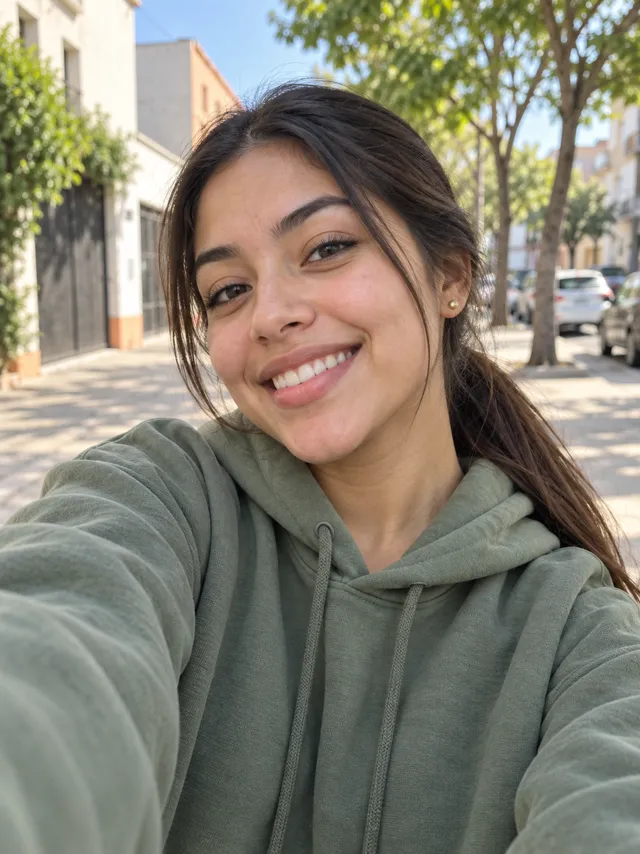
- Just you in the photo, face to the camera, sharp and evenly lit.
- Your top in view; head to knees is even better, because your clothes carry into the dance.
- No sunglasses, cap or hood unless you want them in the video.
- A top that isn’t black or red keeps you easy to tell apart from the other two.
Got one? Add it on the Mi Chico page and skip the prompt. The photo guide shows which photos work and which don’t.
What a prompt can’t promise
- The song. You add Mi Chico when you post.
- Exactly three people every time. Tools still slip in a fourth now and then.
- Moves that match the trend beat for beat, or a cut that lands on the exact frame.
- The same video twice. Every run invents a new deck and new dancers.
The no-prompt route: one selfie on the Mi Chico page, with the song in. If a video fails, the credits come back automatically; prices are on Pricing. Still deciding? Read CapCut vs AI vs one selfie.
NowStarring is an independent fan tool, not linked to DJ Goja, Jason Derulo, Melody, their labels, the song’s rights holders or the creators who started the trend, and the song belongs to its rights holders.
Pertanyaan
What prompt do I use for the Mi Chico AI trend?
A timed, vertical 15-second phone video: the phone on the ground looking up at three people leaning in, peace signs, the lead’s palm over the lens, then a cut to the three dancing in a row on a rooftop deck at dusk. Ours is at the top of this guide, ready to copy.
What is @Image1?
The selfie you attach, which becomes the lead in the middle. If your tool doesn’t label images that way, write “the person in my photo” instead.
Why are there only three dancers, not five?
In our tests, five dancers came out with doubled people, dancers swapping places and backs to the camera. Three in fixed spots holds together far better and still reads as a crew.
Why do the two other dancers have such detailed outfits?
If the prompt leaves them vague, tools tend to dress them like you or give them your hair. Spelling out each one’s look keeps you the clear lead.
Does the prompt include the song?
No. It asks for a silent video; we lay the song over ours afterwards. Pick the Mi Chico sound in the app when you post.