Neon Dance AI prompt (copy and paste) for the A2O LITE NEON video
The copy-ready neon dance AI prompt: two people from two photos dance the NEON intro in a white studio, shot by shot. What each part does, with fixes.
Lecture min 7 · Mise à jour
Joue dans Neon Dance avec une seule photo
Crée le tienThe Neon Dance AI video prompt
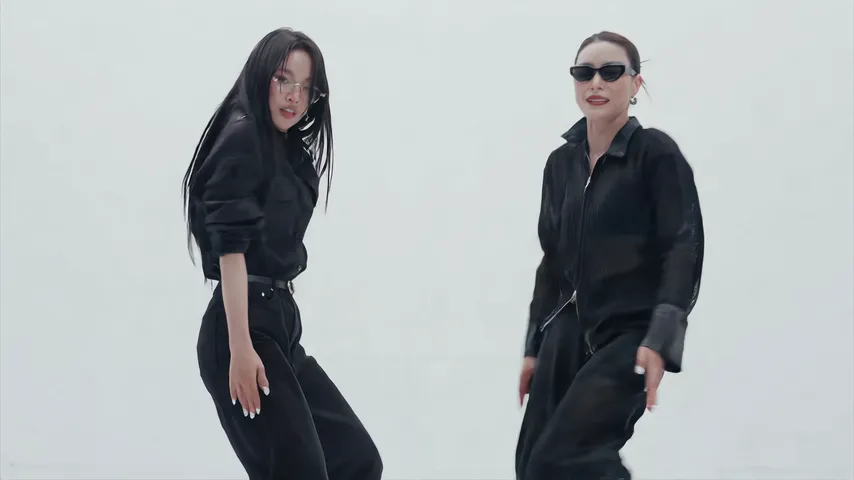
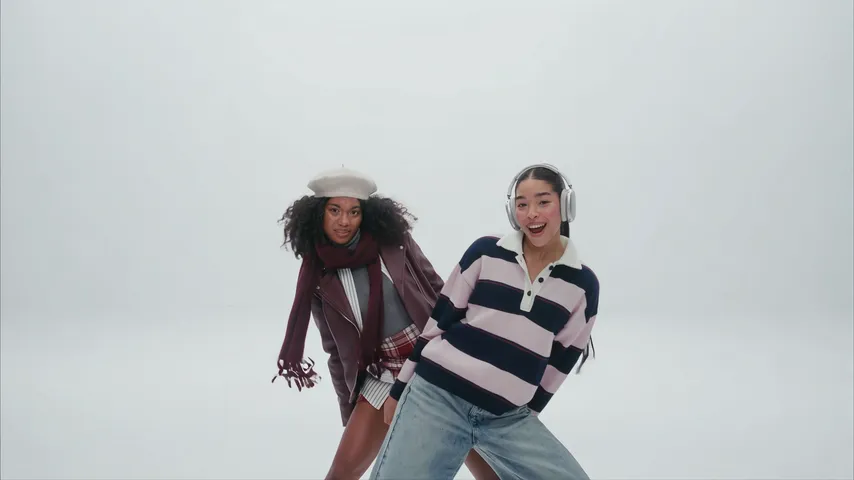
Here’s the copy-ready prompt for the Neon Dance trend, the A2O LITE NEON intro: two dancers in a bright white studio, one hiding behind the other, a lean-out, a hand turn, finger guns and a routine in sync, every shot cut on the beat. Attach two photos as reference images, the one in front first, and paste it in.
Two people
A widescreen 16:9 dance video, exactly 15 seconds, photoreal live action in full natural colour, shot like a pop music video on a cinema camera. Every change of shot is a clean hard cut on the beat. No text, no subtitles, no labels, no logos, no watermarks. Setting: a bright white infinity-cove studio: seamless white floor curving into a white back wall, soft even high-key light, faint soft shadows under the feet. Nothing else in the room: no props, no furniture, no crew, no other people. WHO: exactly two dancers dancing together in sync like a pop duo, confident and playful, faces sharp: dancer A is the person from @Image1, dancer B the person from @Image2, each in exactly the clothes they wear in their photo. ACTION: the NEON intro. [00:00-01.25] wide shot, head to toe: A stands in the centre facing the camera, B hidden right behind A. [01.25-03.0] medium two-shot: B leans out from behind A with a grin and both sway side to side on the beat. [03.0-03.75] low-angle shot: A reaches one arm across the frame, hair swinging. [03.75-04.75] close-up of an open hand turning at the wrist, ending in a fast whip-pan blur. [04.75-06.25] wide two-shot of both bouncing, a quick medium close-up of A dancing alone, then the two side by side. [06.25-07.0] close-up: both point finger guns straight at the lens. [07.0-13.25] very wide shot, one continuous take, both seen head to toe: they dance in sync, bouncing two-steps, a low crouch, a jump back up, B throws a high side kick around 11.5. [13.5-15.0] medium close two-shot, the two a step apart, finishing with both arms raised, framing their heads, looking into the lens. IDENTITY: dancer A is exactly the person from @Image1 and dancer B exactly the person from @Image2 in every shot, wide or close: the same face, age, skin tone, hairstyle and hair colour, the EXACT body weight and build, and the exact clothes, shoes and accessories each wears in their photo. They never swap faces or clothes, never wear matching outfits unless their photos match. Avoid: a coloured or dark set, neon tubes, a third person, matching outfits that are not in the photos, slow motion, face changes, swapped faces, captions, text, logos, watermarks, extra arms, extra legs, extra fingers, distorted hands, morphing faces.
A prompt gives the tool a plan, not a promise; two or three runs is normal. Want it without a prompt, with the song in? The Neon Dance page makes it from two photos.
How to use it
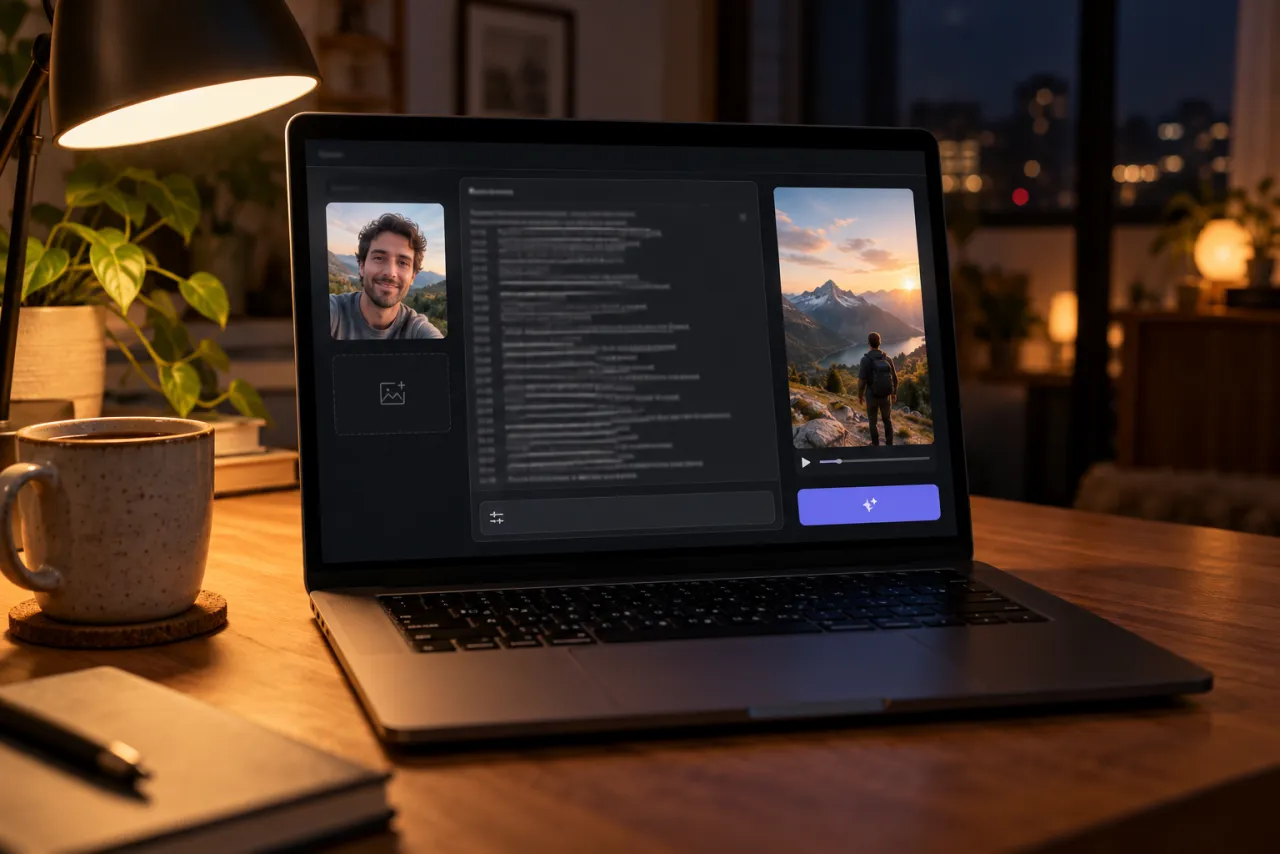
- Open an AI video tool’s reference-image mode that takes two images: Kling, Higgsfield, Runway, Veo or CapCut’s AI video have one.
- Attach the photo of the one in front first, then the one who leans out.
- Paste the prompt. If your tool doesn’t use @Image1 and @Image2, swap them for “the person in my first reference photo” and “the person in my second reference photo”.
- Set 16:9 and 15 seconds, or the nearest length. Turn off the tool’s own music if it adds some.
- Generate, watch it against the frames below, and use the fix-it table for anything off.
What each part of the prompt does
The first line
Widescreen, 15 seconds, shot like a pop music video, with every change of shot a hard cut on the beat. That’s what makes it look like the NEON video and not one long phone take, and the cuts are what give the intro its punch.
Setting
A seamless white floor curving into a white wall, soft even light, faint shadows under the feet, and nothing else in the room. It’s spelled out because “neon” on its own makes tools reach for a dark room and glowing tubes.
WHO
Exactly two dancers, confident and playful, in sync like a pop duo. Dancer A is the person from @Image1, dancer B the person from @Image2, each in the clothes from their own photo. Naming them A and B lets the ACTION lines say who does what.
ACTION
Eight timed lines, one per shot: the hide, the lean-out and sway, the low-angle arm sweep, the hand turn and whip pan, the quick two-shots, the finger guns, the long routine and the close finish. The times keep the cuts on the beat, and the long take is one line so the routine isn’t chopped up.
IDENTITY
With two people, the usual problem is faces and clothes swapping between them. This line says each person stays themselves in every shot, wide or close, with the same face, hair, build and clothes, and that they never swap or end up in matching outfits.
Avoid
The things video tools tend to get wrong in this clip, named so they’re less likely: a dark or coloured set, neon tubes, a third person, matching outfits, slow motion, swapped faces, text and the usual hand problems.
There’s no sound line. We make the video silent and lay the NEON song over the whole 15 seconds afterwards, so do the same: add the song when you post.
Shot by shot: what each line does
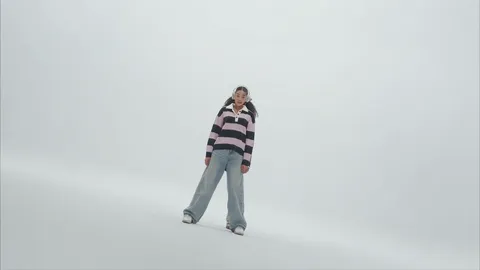
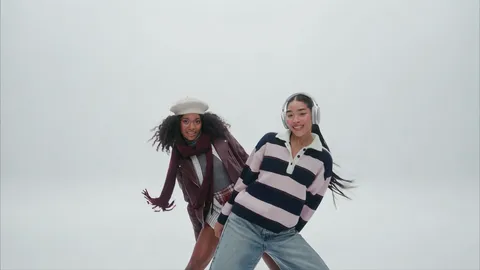
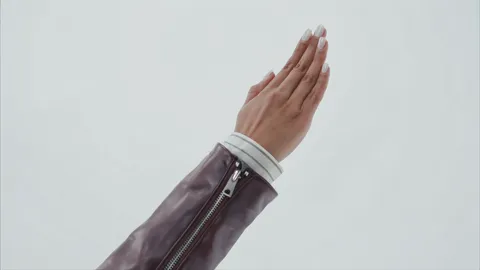
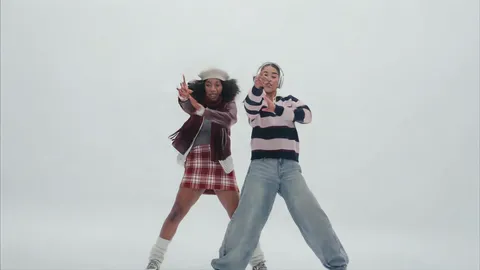
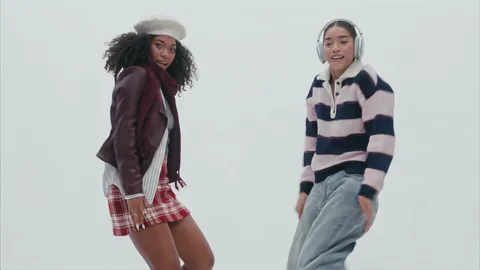
- The hide: “B hidden right behind A” is what sets up the lean-out. Without it, tools often show both dancers from the first frame.
- The lean-out: “with a grin” and “sway side to side on the beat” set the playful tone for the whole clip.
- The hand turn: “close-up of an open hand” forces a real insert shot, and the whip pan carries it into the next cut.
- Finger guns: “straight at the lens” makes them aimed at the viewer, not at each other.
- The routine and the finish: one wide take, both head to toe, then a close two-shot with arms raised gives the clip a clean ending.
Variants
A different backdrop
Want a pastel or a black studio? Change the Setting line to “a seamless pale pink studio” or similar, and take “a coloured or dark set” out of the avoid line. Keep “nothing else in the room”.
Matching outfits
If you both want the same look, use two photos in matching clothes. The prompt follows the photos, so there’s no need to describe the outfits.
One dancer
Only have one photo? Change the WHO line to one dancer from @Image1, drop the hide and the lean-out, and start from the arm sweep. It works, but the duo is the heart of this trend.
Shorter clip
If your tool only makes 5 to 8 seconds, keep the first seven timed lines, from the hide to the finger guns, and drop the long routine and the finish. The finger guns make a good last frame.
Fix it: symptom and change
| What went wrong | Change in the prompt |
|---|---|
| The two faces swapped | Keep “They never swap faces or clothes” and attach the photos in the right order |
| A face changes in the wide shots | Keep “in every shot, wide or close” in the IDENTITY line and use sharper photos facing the camera |
| A dark room with neon lights | Keep the full white studio Setting line; keep “a coloured or dark set, neon tubes” in Avoid |
| You both wear the same outfit | Keep “each in exactly the clothes they wear in their photo” and “matching outfits” in Avoid |
| A third person shows up | Keep “exactly two dancers” and “no other people”; keep “a third person” in Avoid |
| Both dancers are visible from the start | Keep “B hidden right behind A” in the first timed line |
| It plays in slow motion | Keep “slow motion” in Avoid and “on the beat” in the ACTION lines |
| Someone looks slimmer or younger | Keep “the EXACT body weight and build” in the IDENTITY line |
Tips for free tools
- Most free tiers add a watermark. Check before you plan to post.
- Not every free tier takes two reference images. Check that first, or use the one-dancer variant.
- Free tiers often make shorter clips. Use the shorter-clip variant rather than cramming all eight shots into 5 seconds.
- Budget for retries. Check that the faces haven’t swapped before anything else.
- Try the same prompt in two tools and keep the one that looks most like you both.
The photos you attach
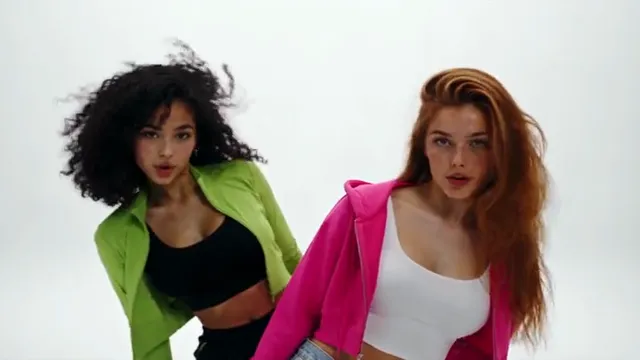
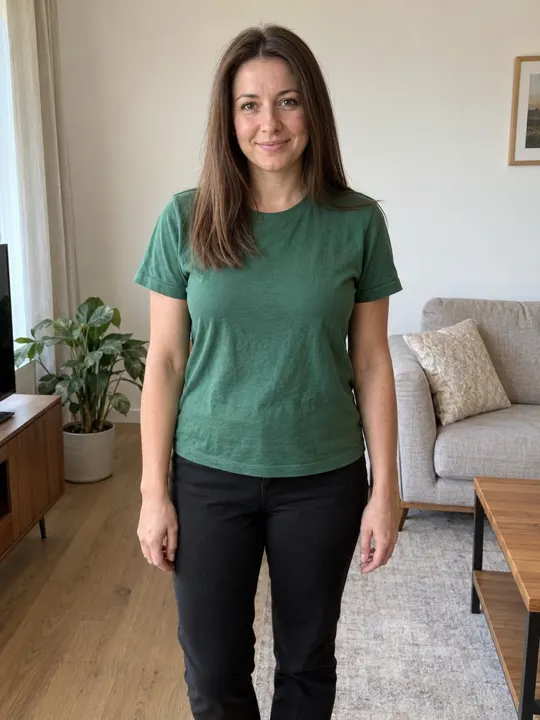
- One face per photo, facing the camera, sharp and well lit, nothing covering it.
- Head to knees is good: the wide shots show you head to toe, in the clothes from your photo.
- No sunglasses; the finish looks straight into the lens.
- No group photos, and only your own photo or an adult’s who has said yes. No celebrities and no one under 18.
Examples are in the photo guide.
What a prompt can’t do
- Add the song. You pick NEON as a sound when you post.
- Promise both faces stay right in every shot. Check each run.
- Promise the same take twice. Every run is a new routine.
The no-prompt route: add two photos on the Neon Dance page and get the finished video with the song in. If it fails, the credits come back automatically, and prices are on Pricing. Comparing options? See CapCut vs AI vs two photos.
NowStarring is an independent fan tool, not linked to A2O LITE or the makers of the NEON music video, and the song belongs to its rights holders.
Questions
What is the prompt for the neon dance trend?
Describe a widescreen 15-second music video in a bright white studio: one dancer in front, the other hidden behind who leans out, a hand turn, finger guns, a routine in sync and a close finish, every shot cut on the beat. The full copy-ready prompt is at the top of this guide.
What do @Image1 and @Image2 mean?
They’re the two photos you attach, in order. Some tools call them Image 1 and Image 2, reference 1 and 2, or let you tag them by name. If yours doesn’t use @Image1, write “the person in my first reference photo” and “the person in my second reference photo”.
Which photo goes first?
The person who stands in front at the start goes first, as @Image1. The one who leans out from behind goes second, as @Image2, and also throws the high kick.
Why did I get a dark room with neon lights?
The word “neon” pulls tools toward glowing tubes. Keep the full white studio description in the Setting line, and keep “a coloured or dark set, neon tubes” in the avoid line.
Will the prompt add the song?
No. There’s no sound line in it: we make the video silent and lay the NEON song over it afterwards. Pick the NEON sound on TikTok or Reels when you post.
What photos work best?
One face per photo, facing the camera, in good light. Head to knees is good, since the wide shots show you head to toe. Avoid sunglasses and group photos.