Boxing AI prompt (copy and paste) for the golden combo
A copy-ready Boxing AI prompt: you shadow boxing behind the sofa, a fast flurry, then the golden combo timed punch by punch, with fixes and photo tips.
6 min de lectura · Actualizado el
The Boxing AI video prompt
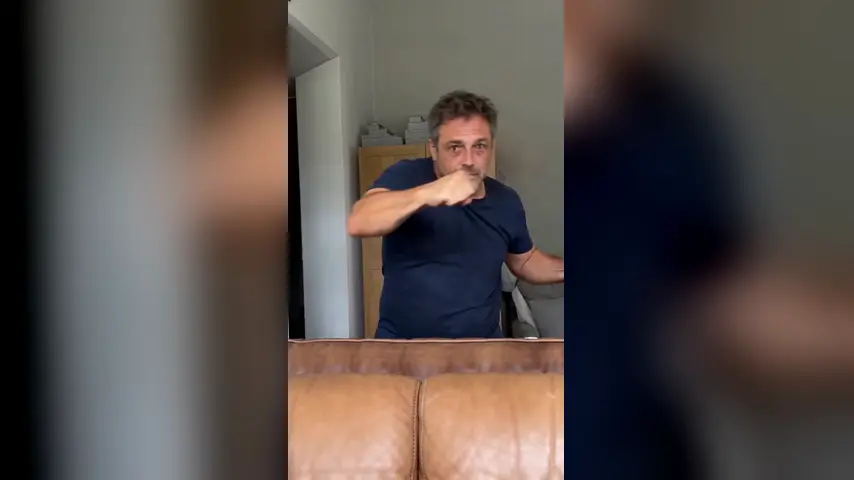
Here’s a copy-ready prompt for the Boxing AI trend: you right behind a sofa, filmed from a phone on the seat, a fast flurry, back to guard, then the golden combo one punch at a time. Attach your photo as the reference image and paste it in.
Person
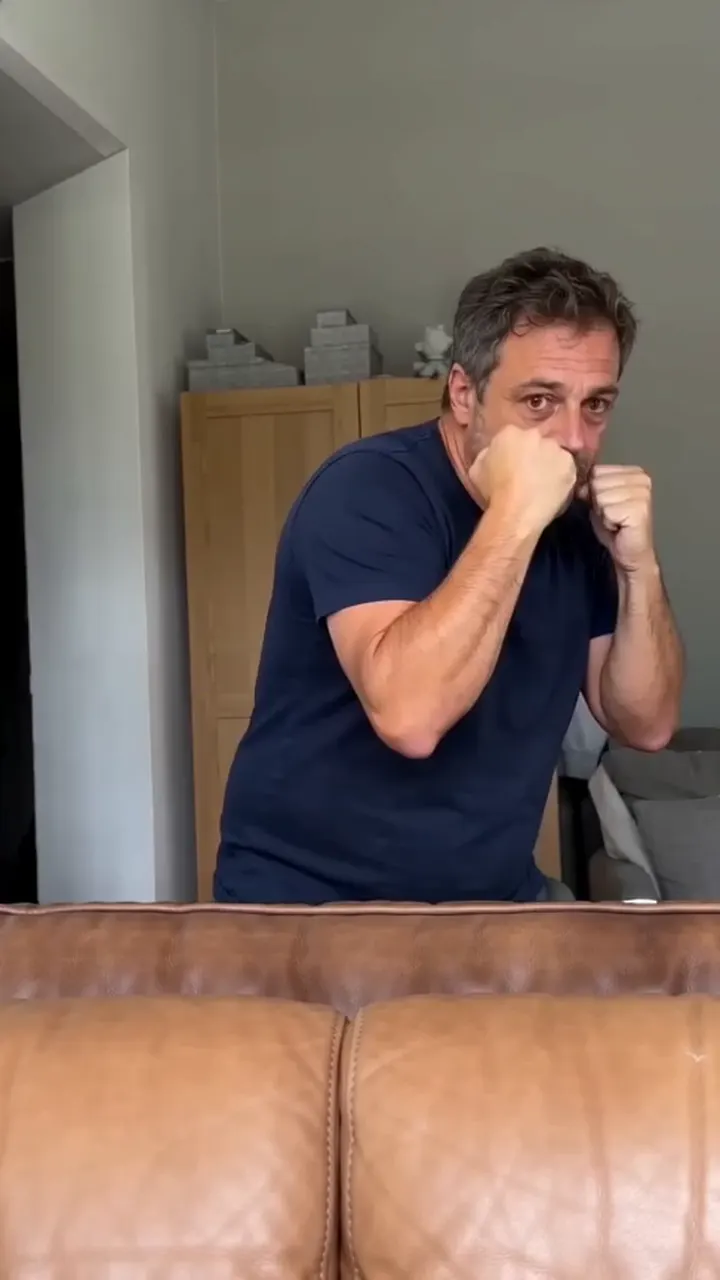
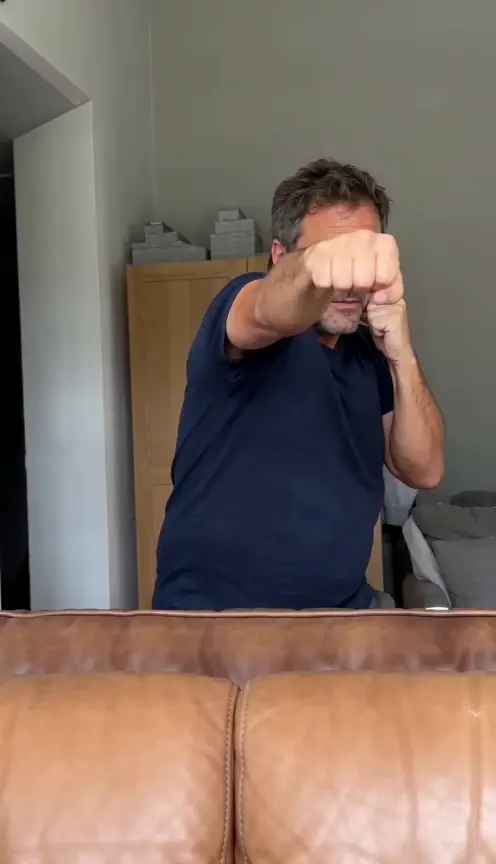
Vertical 9:16 video, 10 seconds, photoreal, one continuous take from a phone resting on a sofa seat, tilted slightly up. No cuts, no text, no logos. The boxer is the person in my reference photo: keep their face, hair, skin tone, age and build exactly, and keep the clothes they wear in the photo. Setting: a lived-in living room in daylight. The backrest of a brown leather sofa fills the bottom of the frame, close to the lens. They stand right behind it, seen from the hips up. Grey walls, a wooden wardrobe and a door behind them. Bare fists, no gloves, no hand wraps. A dead serious face the whole time. 0–4 s: a fast shadow-boxing flurry at the lens: jabs, hooks and short uppercuts, head bobbing and slipping, shoulders turning with every punch. 4–5 s: back to a tight guard, both fists at the chin, bouncing lightly. 5–6 s: the combo begins, one punch at a time. One fist drives straight up past the face in an uppercut. 6–7 s: a quick jab straight at the lens. 7–8 s: a wide hook at head height, the body turning with it. 8–9 s: an uppercut with the other hand. 9–10 s: a long straight cross, arm fully out, then back to guard. Still serious. Hold to the end. Sound: none. I’ll add the sound myself. Avoid: boxing gloves, a boxing ring, a gym, smiling, flexing or posing at the end, skipping the final cross, extra fingers, distorted hands, captions, cuts.
A prompt gives the tool a plan, not a promise; two or three runs is normal. Want it without a prompt? The Boxing page makes it from one photo.
How to use it
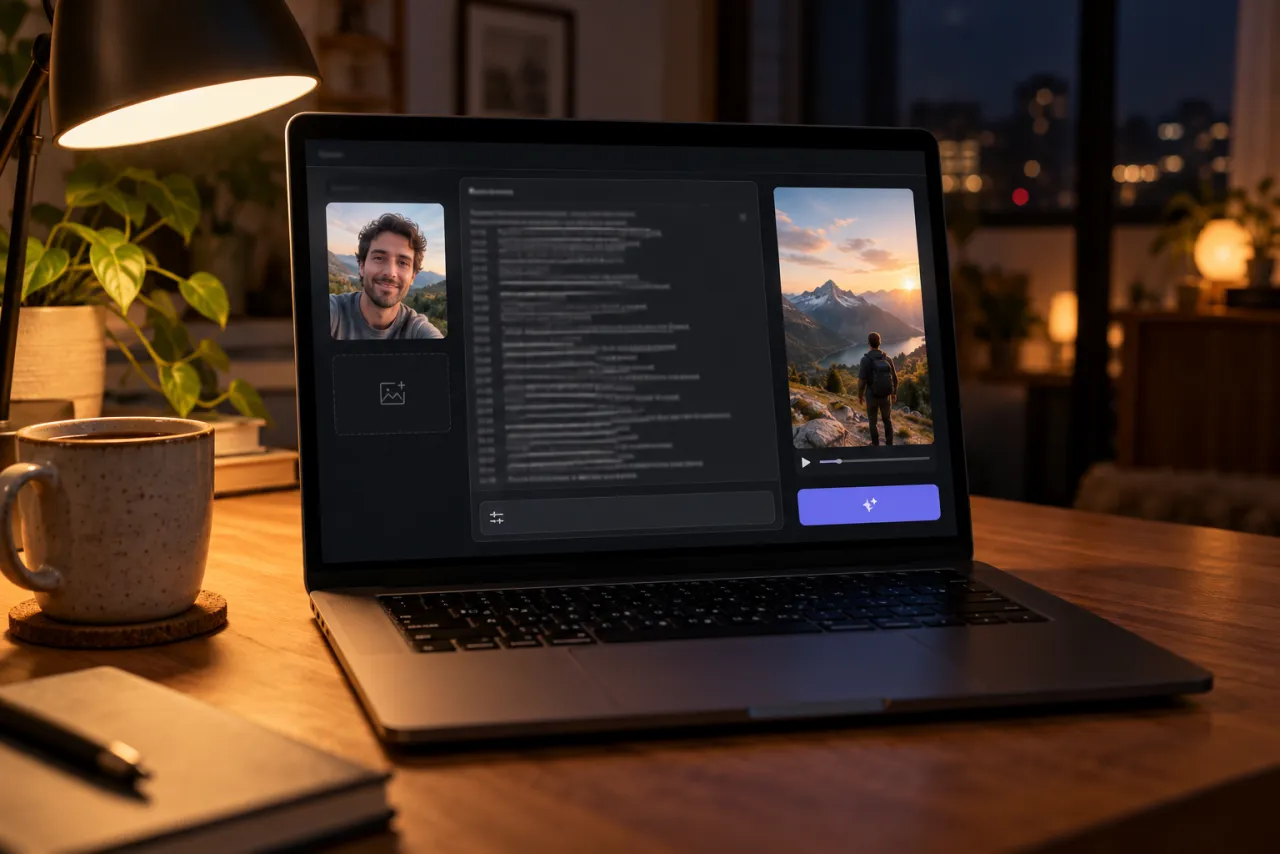
- Open an AI video tool’s image-to-video or reference-image mode: Kling, Higgsfield, Runway, Veo or CapCut’s AI video all have one.
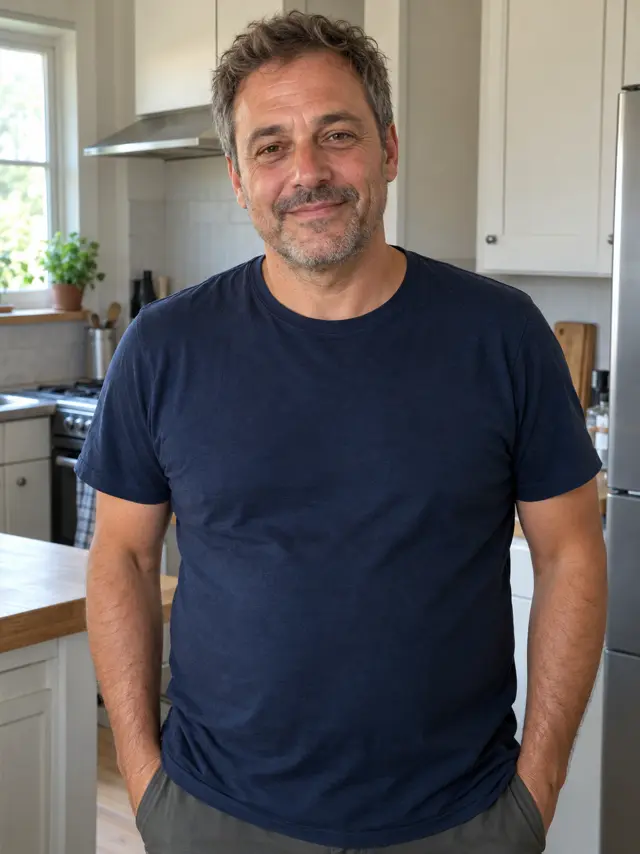
- Attach one photo of you facing the camera, in the clothes you want to box in.
- Paste the prompt. Set 9:16 and 10 seconds, or the nearest length.
- Turn off the tool’s own music if it adds some.
- Generate, watch it against the frames below, and use the fix-it table for anything off.
Shot by shot: what each line does
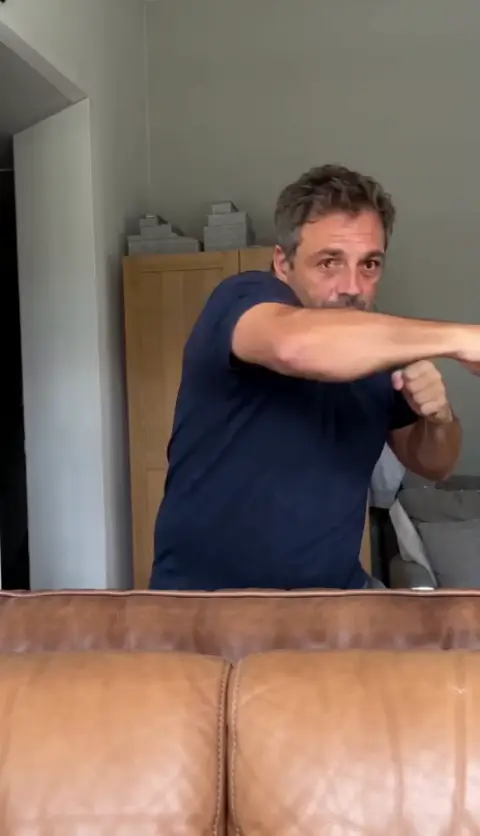
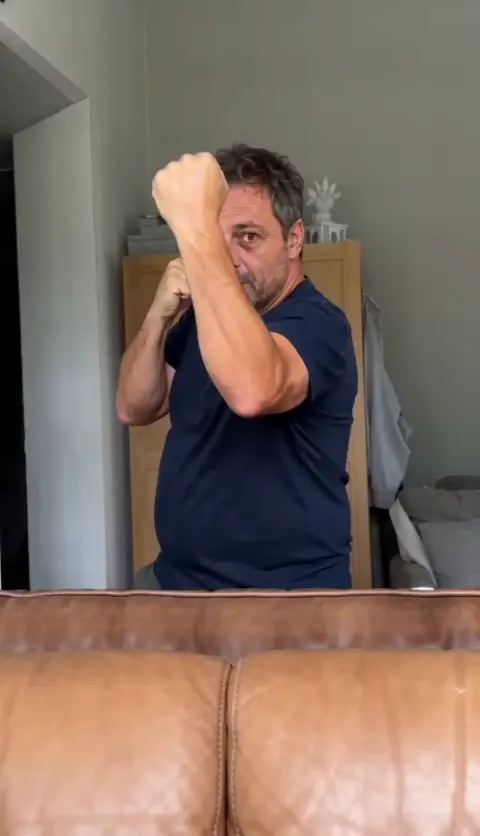
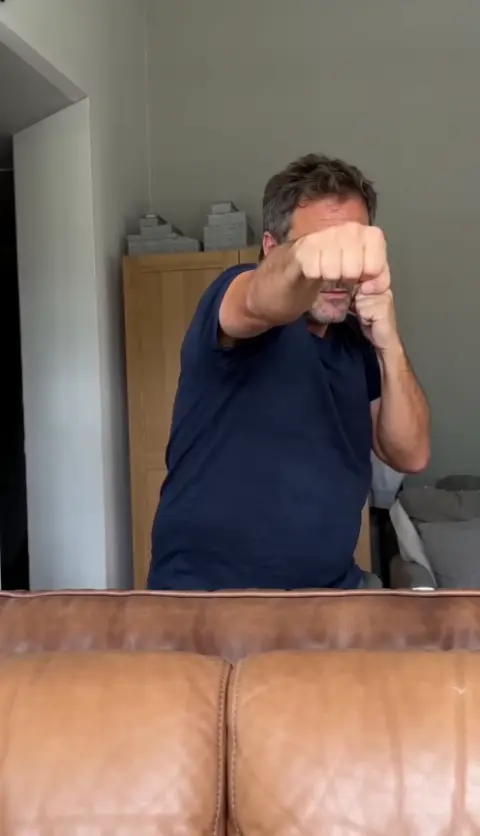
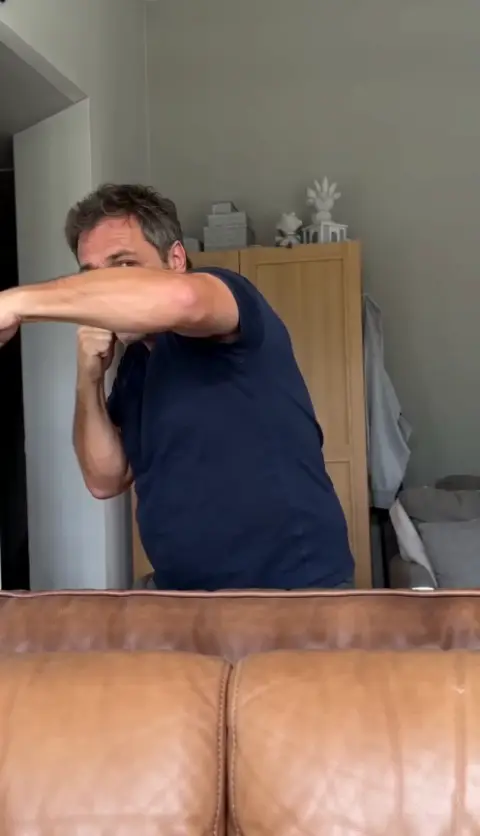
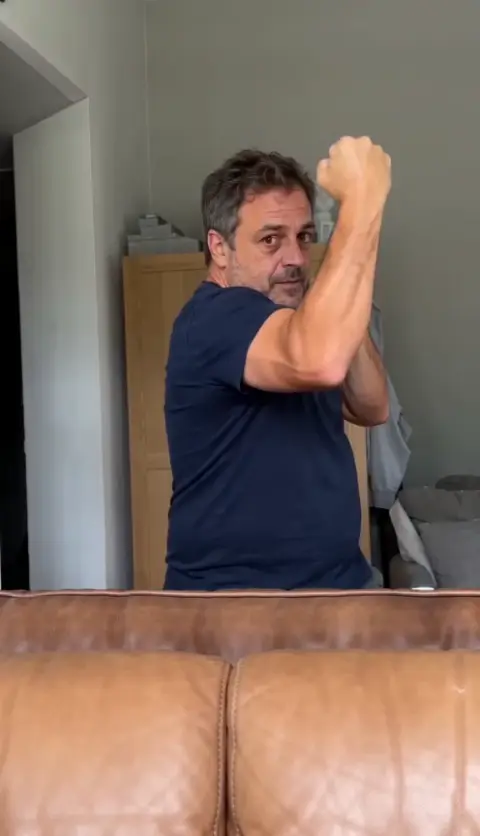
- The camera on the sofa seat: the low, slightly upward angle and the backrest across the bottom are what make it read as the trend.
- The flurry: fast and messy on purpose. It sets up the contrast with the slow, clean combo.
- Back to guard: a short pause that tells the viewer the real thing is coming.
- One punch per second: giving each punch its own line keeps the tool from blurring the combo into another flurry.
- The cross and the hold: ending on a full straight punch and a serious guard stops the tool from finishing with a smile or a pose.
Variants
Stone steps
The trend began with a figure shadow boxing outdoors on a flight of stone steps. Swap the setting line for “a wide flight of old stone steps outside, soft daylight” and change the camera to a phone on the step in front. The beats stay the same.
Bedroom
Replace the sofa with “the end of a bed, a wardrobe behind them”. The phone rests on the mattress and the look stays homemade.
Slow-motion combo
Some tools take “slow motion” well. Add it to the combo lines only, so the flurry stays fast. If the timing goes wrong, slow it down in CapCut instead.
Shorter clip
If your tool only makes 5 seconds, cut the flurry to one second and keep the guard and the combo. The combo is the part people watch for.
Fix it: symptom and change
| What went wrong | Change in the prompt |
|---|---|
| Boxing gloves appear | Keep “bare fists, no gloves” near the top; add “boxing gloves” to Avoid |
| The flurry looks soft | Add “hard and fast, shoulders turning with every punch” to the 0–4 s line |
| The combo blurs into one more flurry | Keep one punch per timed line, and start each with the punch’s name |
| The final cross is skipped | Say “a long straight cross, never skipped” in the 9–10 s line; add “skipping the final cross” to Avoid |
| You smile or pose at the end | Keep “dead serious the whole time”; add “smiling, flexing or posing” to Avoid |
| Extra fingers or bent arms | Keep “distorted hands, extra fingers” in Avoid; use a photo where your hands are out of the way |
| Your clothes changed | Say “the exact clothes from my reference photo” and use a photo that shows them |
The photo you attach
- Face toward the camera, sharp and well lit, nothing covering it. Your face is right there between the punches.
- Face and shoulders is enough; head to waist brings your outfit along.
- No sunglasses or hats that hide your eyes; they won’t look like you mid-punch.
- Just you, no group photos, and only your own photo or an adult’s who has said yes. No celebrities and no one under 18.
Examples are in the photo guide.
What a prompt can’t do
- Add the sound. You pick the trend’s sound when you post.
- Write the punch labels. AI tools don’t spell reliably, so add them in CapCut.
- Promise the same take twice. Every run is a new room and a new flurry.
The no-prompt route: add one photo on the Boxing page and get the finished video, flurry and combo included. If it fails, the credits come back automatically, and prices are on Pricing. Comparing options? See CapCut vs AI vs one photo.
NowStarring is an independent fan tool, not linked to the creator of the original clip or anyone in the trend. The trend’s sound belongs to its rights holders.
Preguntas
What is the prompt for the Boxing AI trend?
Describe a vertical 10-second take from a phone on a sofa seat: you behind the backrest, a fast flurry, back to guard, then uppercut, jab, hook, the other uppercut and a cross. The full copy-ready prompt is at the top of this guide.
Why do gloves keep appearing?
Tools link boxing with gloves. Say “bare fists, no gloves” near the top and add “boxing gloves” to the avoid line.
Will it look like the original clip?
No, and it shouldn’t. The prompt keeps your face and your clothes and puts you behind a sofa of your own, rather than copying anyone else’s video.
Will the prompt add the sound?
No. AI video tools don’t add a trend’s sound. Pick it on TikTok or Reels when you post.
Can the AI write the punch names on screen?
Not reliably; AI tools are bad at text. Ask for no text, then add the labels in CapCut.
What photo works best?
One clear photo of your face toward the camera, in good light. Head to waist is even better, so your outfit comes along.